EasyManua.ls Logo

WEEDO M2 - Page 39

WEEDO M2
56 pages
Print Icon
To Next Page IconTo Next Page
To Previous Page IconTo Previous Page
Loading...
36
Operaon Panel Seng
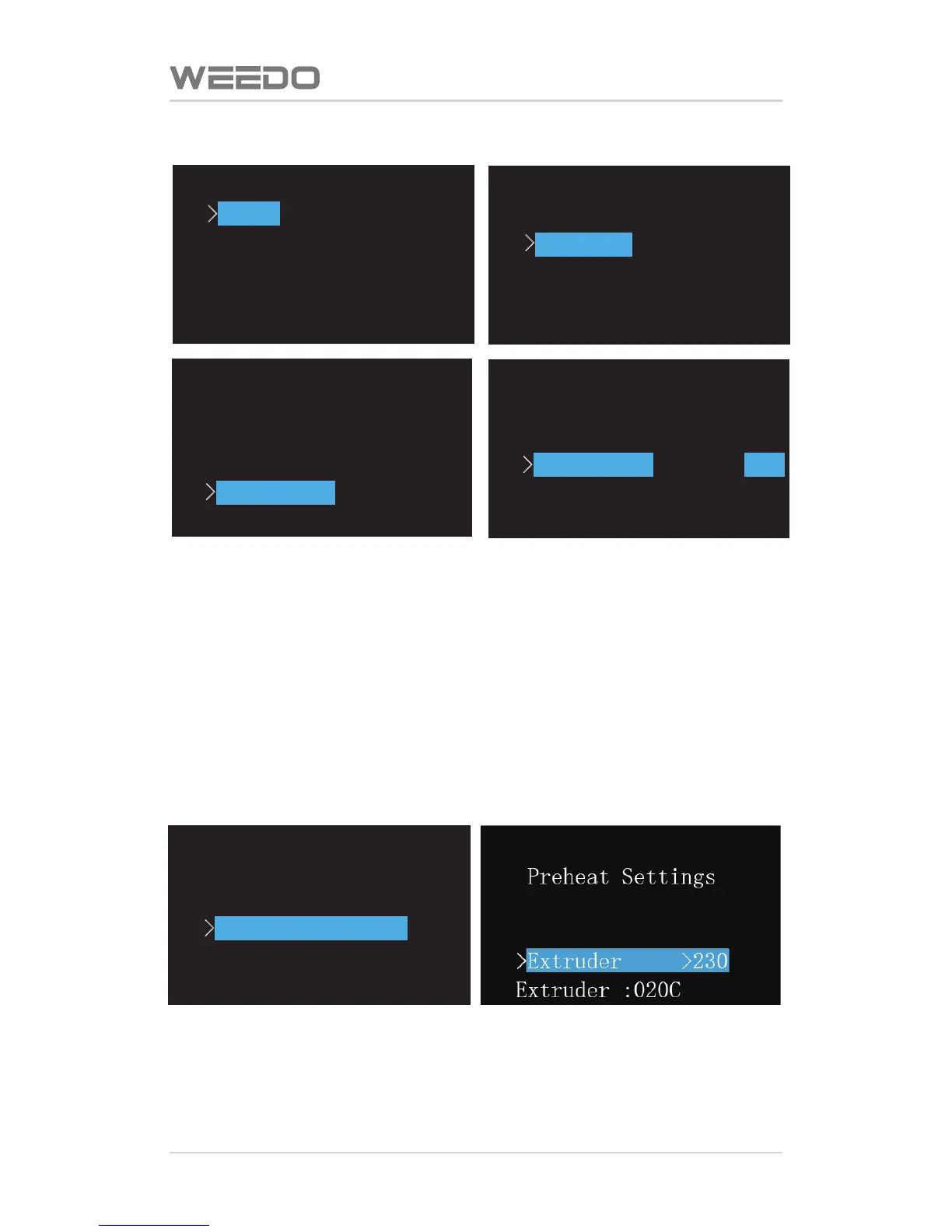
Preheang Temperature Sengs
In the start menu, choose the forth item “Printer Parameter Informaon”,
enter to the secondary menu, choose the third item “Preheang Sengs”,
and enter the preheang temperature seng interface, In this interface can
set nozzle/plaorm preheang temperature. Press buon OK to choose spray
heat or plaorm, press up and down buons to adjust the temperature.
Return to the previous menu, please press buon OK→Le buon.
Setting&Info
Bot Statistics
settings
>
Preheat Settings
Version Infoemation
Extruder :020C
Setting&Info
Bot Statistics
>
Settings
Preheat Settings
Version Infoemation
Extruder :020C
Settings
>
Sound ON
Heat LEDs ON
LED Colour OFF
Accelerate ON
Extruder :020C
Settings
Sound ON
Heat LEDs ON
>
LED Colour OFF
Accelerate ON
Extruder :020C
Settings
Sound ON
Heat LEDs ON
LED Colour OFF
>
Accelerate ON
Extruder :020C

Related product manuals