About the ECW500 .
20 | ECW500
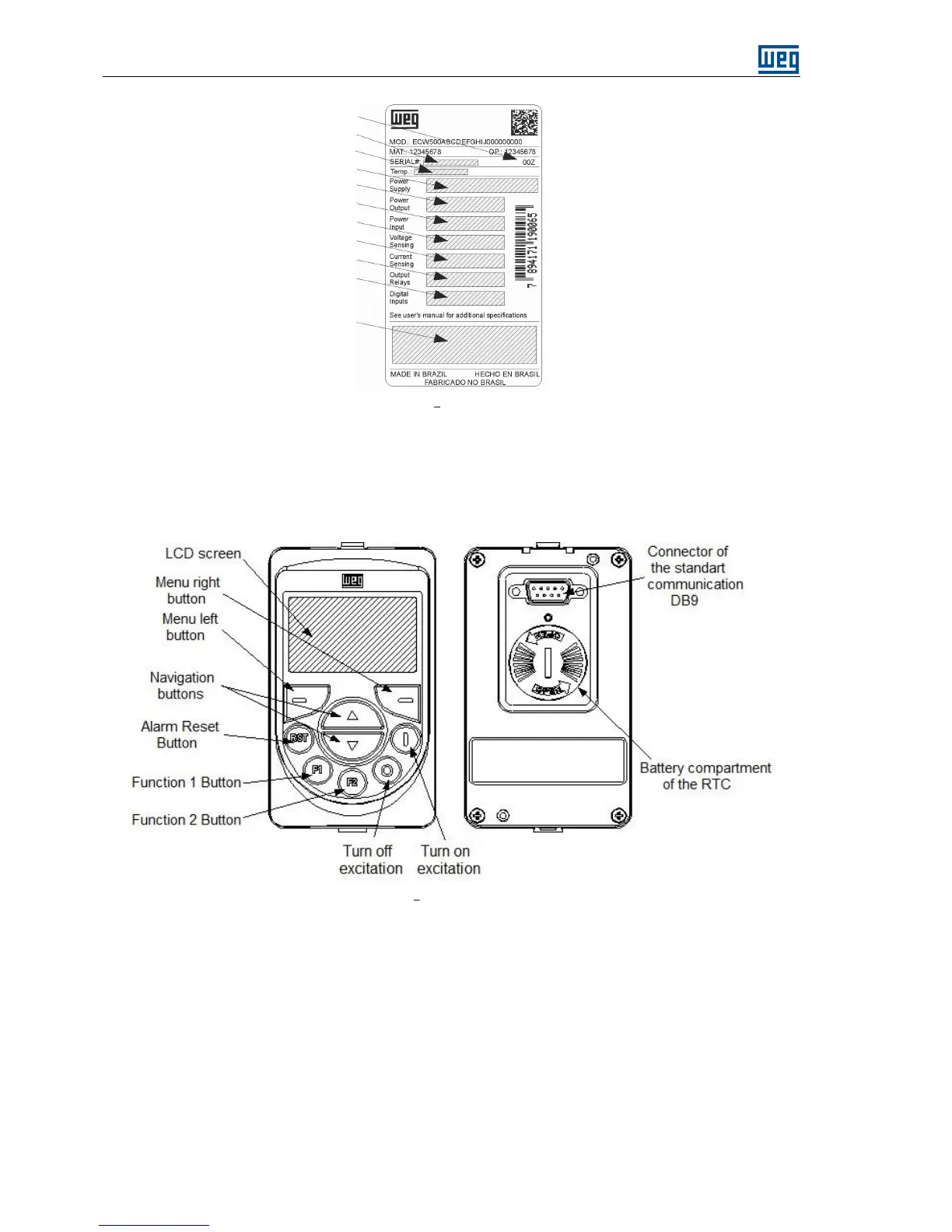
Figure 4.2 Identification label
4.5 HUMAN MACHINE INTERFACE (HMI)
Through the HMI of the product is possible to perform the command and configuration of the regulator, since
this interface gives access to all parameters. It has intuitive form of navigation, with the option of parameter
access via menus.
Figure 4.3 Description of the buttons
4.5.1 Keys
The navigation keys include the navigation buttons ▲ / ▼ and the left and right menu buttons. The ▲ e ▼
navigation buttons are used for both navigating through the menus and increasing and decreasing the values of
variables. The functions of the left and right menu vary according to the indication made on the LCD.
The buttons Turn on and Turn off can be configured to not operate, if is desired that operation be performed
only by external controls.
The alarm reset button (RST) is always available.


 To Next Page