Functional Description .
ECW500 | 57
NOTE!
If necessary o automatic tuning execution anytime through the
F1 key.
6.11.3 Messages
In order to inform the user about one eventual fail in execution of automatic tuning and the time that the function
starts and stops, the ECW500 will register some messages in its event list.
In the Table 6.4 there is a description of all messages related with automatic tuning that can be registered in the
event list.
Table 6.4 Possible messages generated in the event list by the automatic tuning function.
Autotuning closed by overshoot of the limits defined in 31100 and 31112
Autotuning process started
Autotuning process finished with success
Autotuning canceled by the user (key
F1
or
Turn Off excitation
)
Autotuning finished for exceeding the time defined in 31076
6.11.4 Monitoring
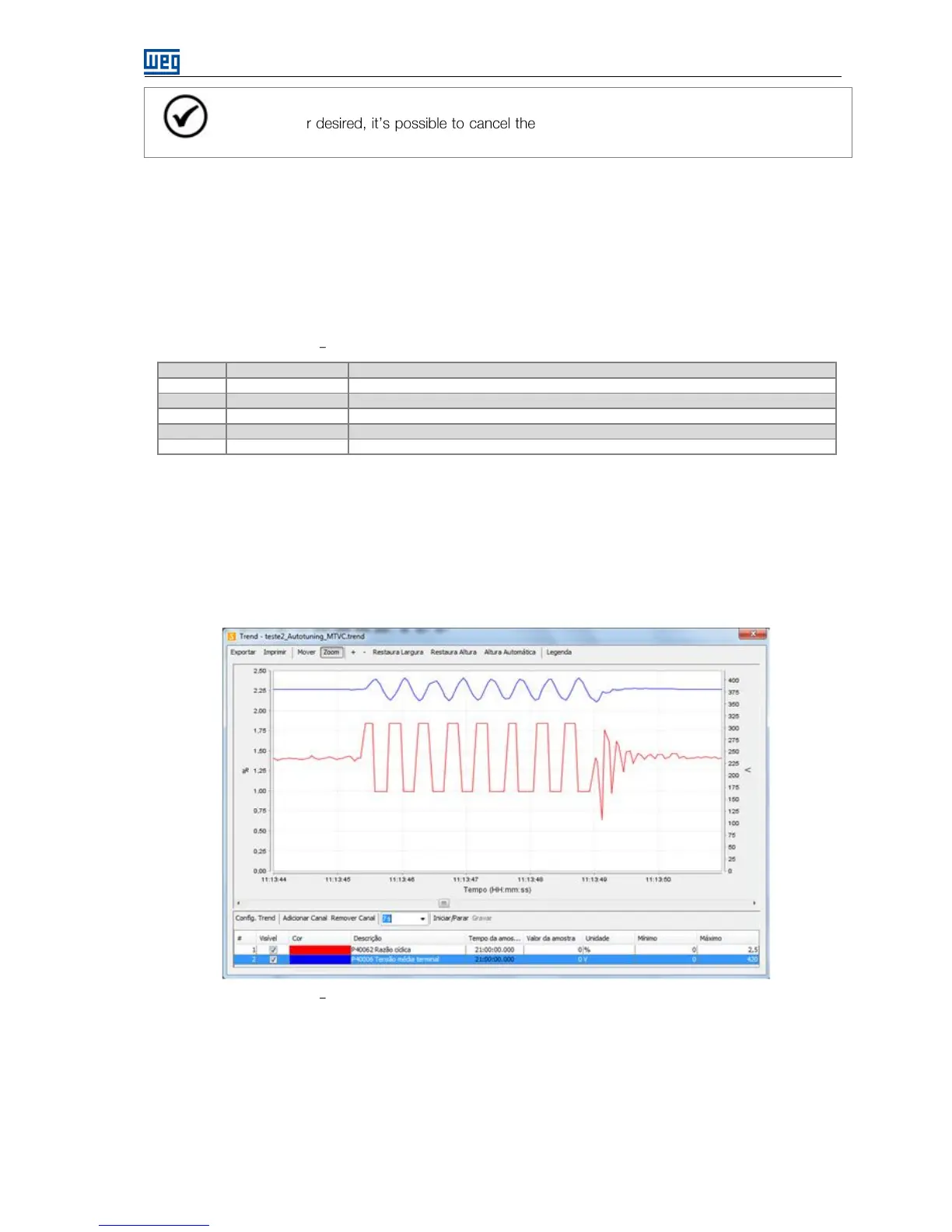
To verify if the automatic tuning is working correctly, it is recommended to monitor the variation of the duty cycle
and the feedback variable during the execution of the function with a trend graphic at the Superdrive G2
Software.
In MTVC mode the variation of these signals must be similar to the Figure 6.22.
Figure 6.22 Variation for the duty cycle and the voltage feedback during the automatic tuning.
6.12 SPECIAL FUNCTIONS
6.12.1 Self-Calibration of the Excitation Current Measurement
The ECW500 has a self-calibration function of the analog channel for reading the excitation current. The
calibration allows correcting inaccuracies inherent in the product manufacturing and in the tolerance of
components, providing greater precision for the measurement.


 To Next Page