12 Chapter 1 Introduction Welch Allyn CP 200 Electrocardiograph
Moving Through the Menus
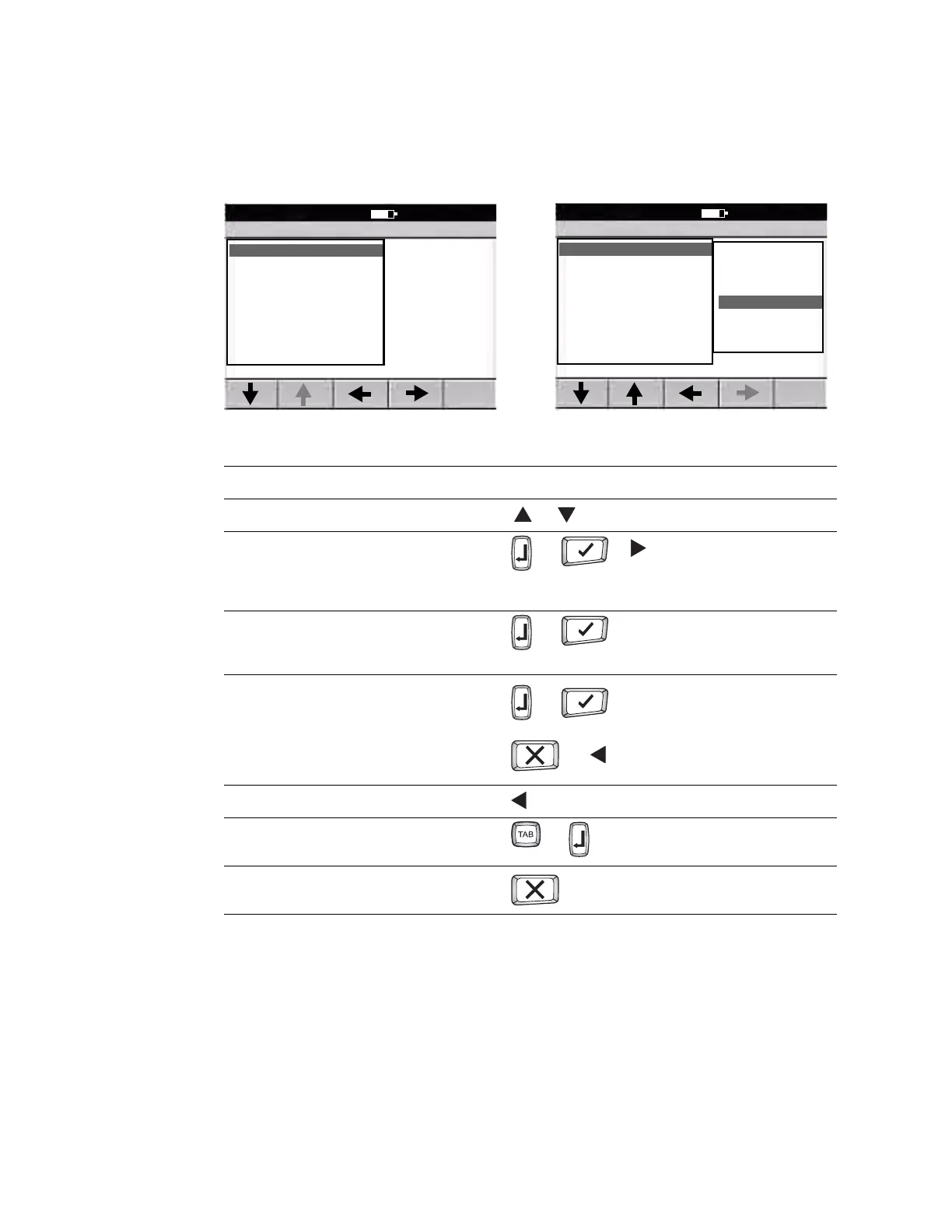
Figure 10. Standard Menu Figure 11. Parent Menu With Submenu
Desired Actions Keys to Press
To move up or down a list or (keyboard or softkey arrows)
To open a standard menu (
Figure 10)
To move from parent menu to submenu on same
screen (
Figure 11)
or or or item’s number or letter
To perform an action
To accept data
To check or uncheck a checkbox
or
To return to parent menu from submenu on same
screen (
Figure 11) or
or
To move back through the menus or zero key
To move through data-entry fields or
To return to the ECG Preview screen from a standard
menu (
Figure 10)
Note
Keyboard and softkey arrows work the same way.
Edit Auto Report 1
9:17AM Oct 16 08
1 Format
2 Interp Settings
3 Patient Data
0 Previous Menu
Format
9:17AM Oct 16 08
1 Lead Arrangement
2 Rhythm Lead 1
3 Rhythm Lead 2
4 Rhythm Lead 3
5 Extended Measurements
6 Average Cycles
0 Previous Menu
3x4
3x4 +1R
3x4 +3R
6x2
12x1
6x2 50 mm/s
6x2 Ext.
2x6+1R
(To select the highlighted submenu
item.)
(To make no change.)



 To Next Page
 Loading...











