.
16 © Weldclass 2019 | E.&O.E. | Edition 2.2
4.3 Function Selection
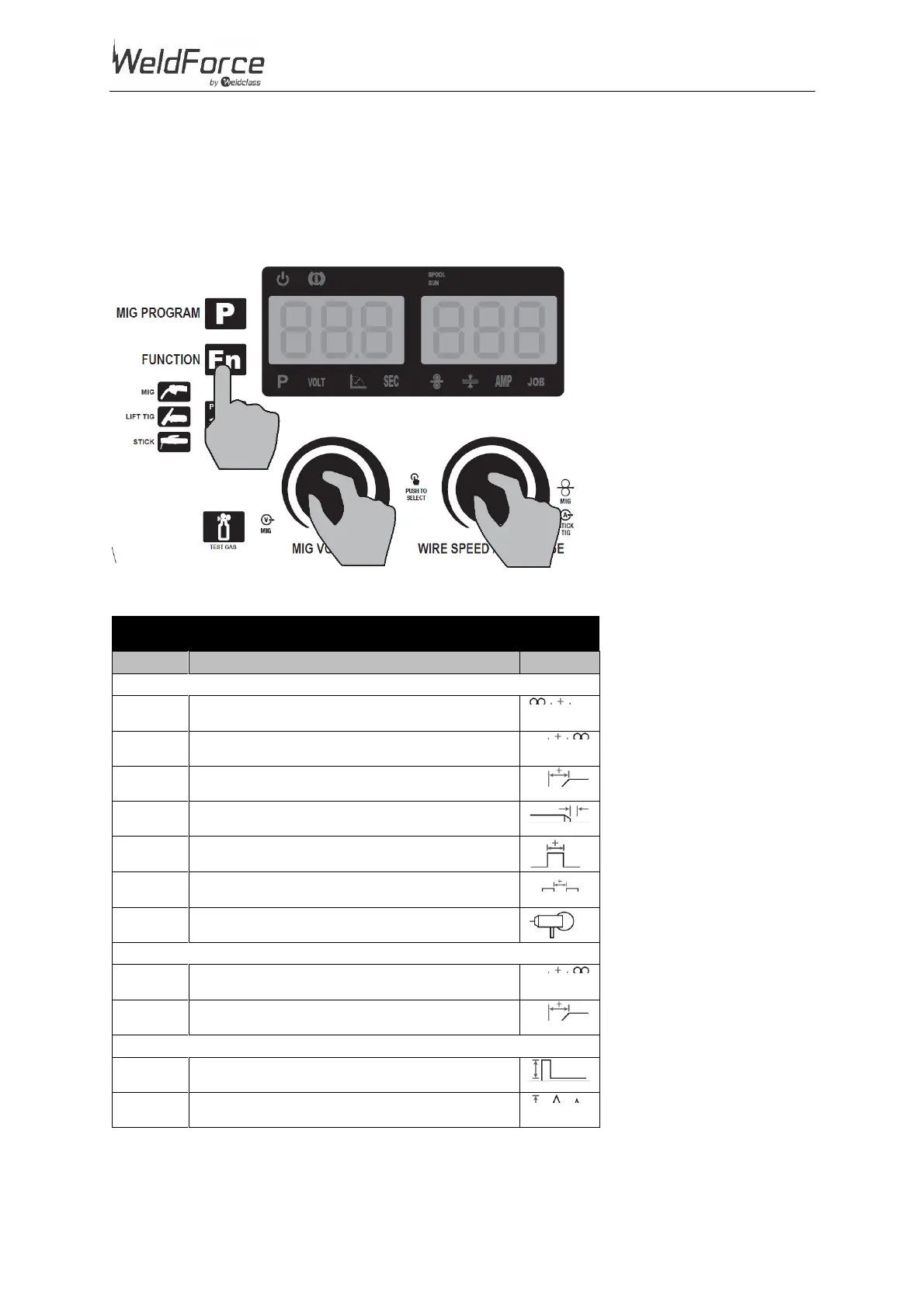
1. Press ‘Fn’ button (27)
2. Rotate Left Selection Knob (31) to select Function (refer to chart below)
3. Rotate Right Selection Knob (32) to adjust parameter for the chosen Function
4. If desired, press ‘Fn’ (27) button to exit the Function setting
Figure 8
Spot/Stitch Weld Time (sec)
Stitch Weld Gap/Interval Time (sec)
Table 6


 To Next Page