WF-255MST
© Weldclass 2019 | E.&O.E. | Edition 2.2 21
4.7 Feed Wire / Wire Inch
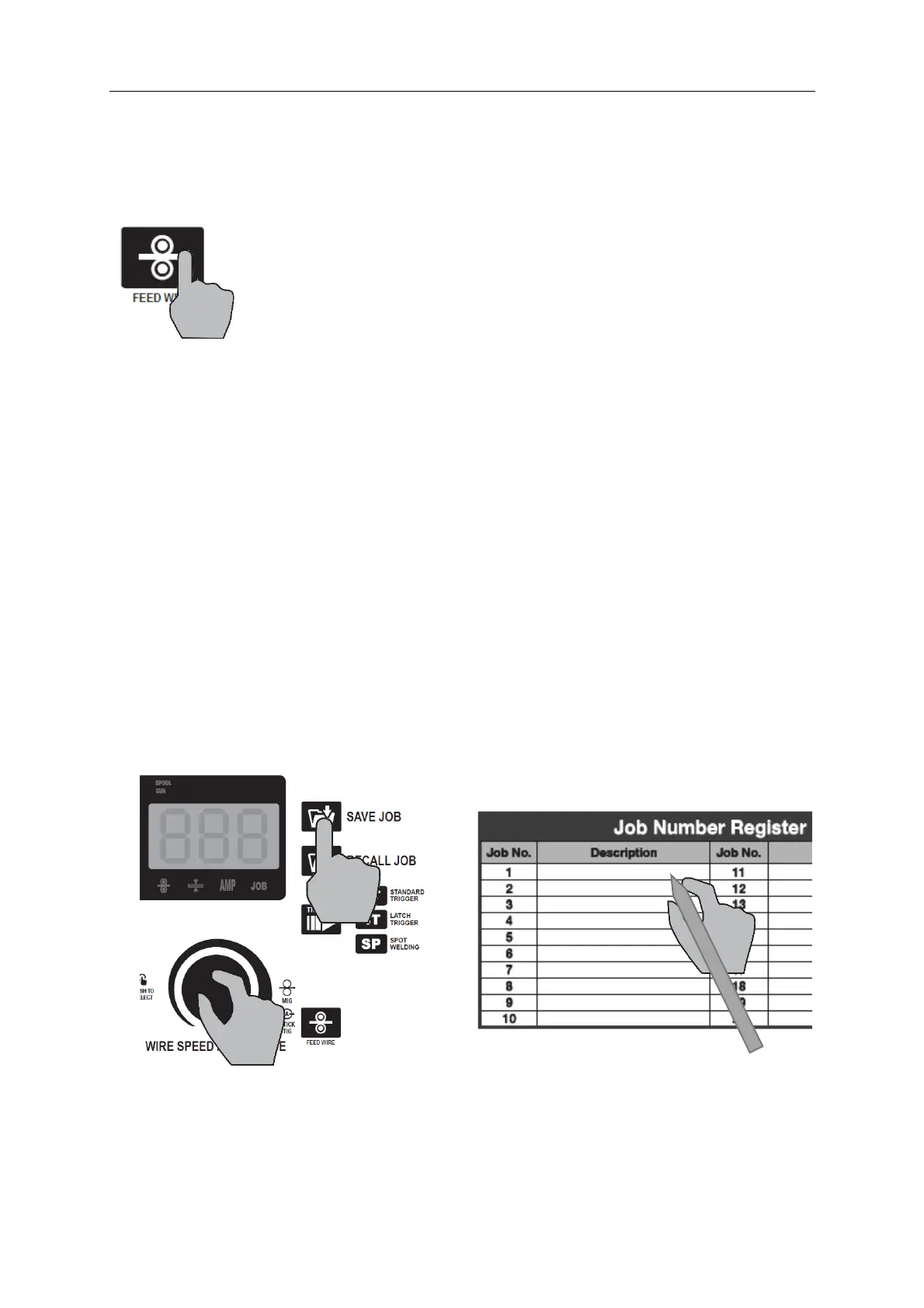
The ‘Feed Wire’ button (33) only applies to MIG process mode.
This simply activates the MIG wire drive rollers to feed the wire (without wasting gas or giving arc voltage).
This is very useful when loading a new roll of wire and feeding the wire up the torch.
Figure 13
4.8 Job Memory
The Job Memory can be used to store settings that you want to be able to recall in the future.
This is great if you have several common tasks that you do with your machine. You can save the settings for
each different task in the Job Memory and quickly and easily recall these settings when you change tasks.
This makes it much easier and simpler rather than trying to write down settings or tune correct settings
every time you change tasks.
4.8.1 Save or Update a Job
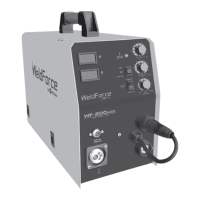
1. Set all desired settings
2. Press ‘Save Job’ button (37)
3. Rotate Right Selection Knob (32) to choose Job number. The Right LCD Readout (38) will alternate
between displaying the selected Job number and the Amperage setting that was last saved
against the selected Job number.
4. Press ‘Save Job’ button (37) again. [Note: To exit without saving press Right Selection Knob (32)
instead]
5. Write a brief description beside the Job Number on the ‘Job Number Register’ chart on the inside
of the door of the machine so you know what number was allocated to that job.
Figure 14


 To Next Page