.
22 © Weldclass 2019 | E.&O.E. | Edition 2.2
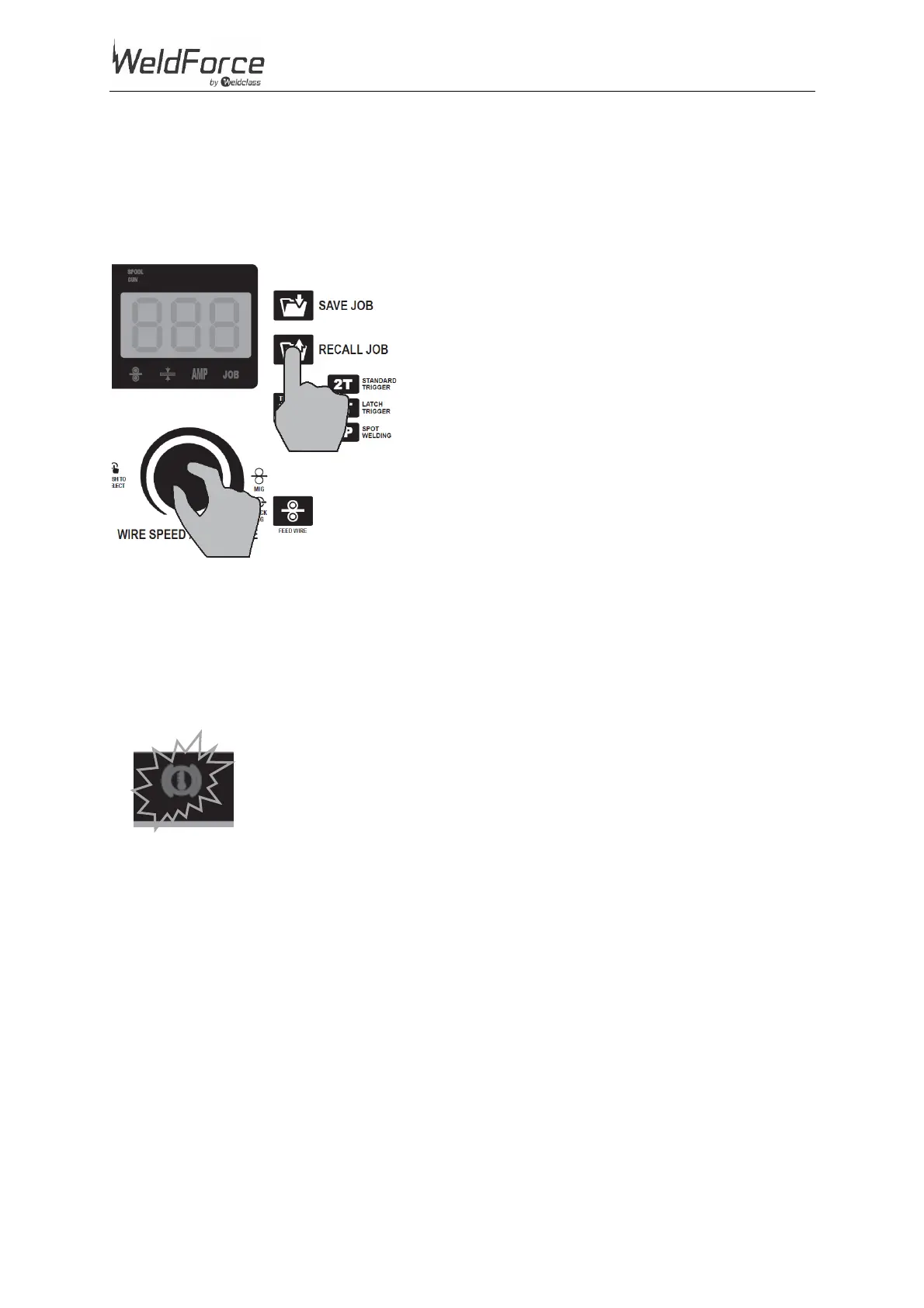
4.8.2 Recall a Job
1. Press ‘Recall Job’ button (36)
2. Rotate Right Selection Knob to select the desired Job Number (32). The Right LCD Readout (38)
will alternate between displaying the selected Job number and the Amperage setting for that
selected Job number.
3. Press ‘Recall Job’ button again (36)
Figure 15
4.9 Error/Over Temperature Indicator Light
Error/Over Temperature Indicator Light (41) illuminates when duty cycle is exceeded and thermal
protection is activated. When thermal protection is activated, welding output will be disabled until
machines cools sufficiently and overload indicator lamp goes out.
This may also activate if there are electronic circuit failure issues.


 To Next Page