Direct to function selection wheel:
– water care
– maintenance
– date & time
– keypad
– electrical config
– wifi
– about
List of
featured items
Mode selection wheel:
settings icon
SETTINGS
You can use the Settings mode to manage settings of your spa system.
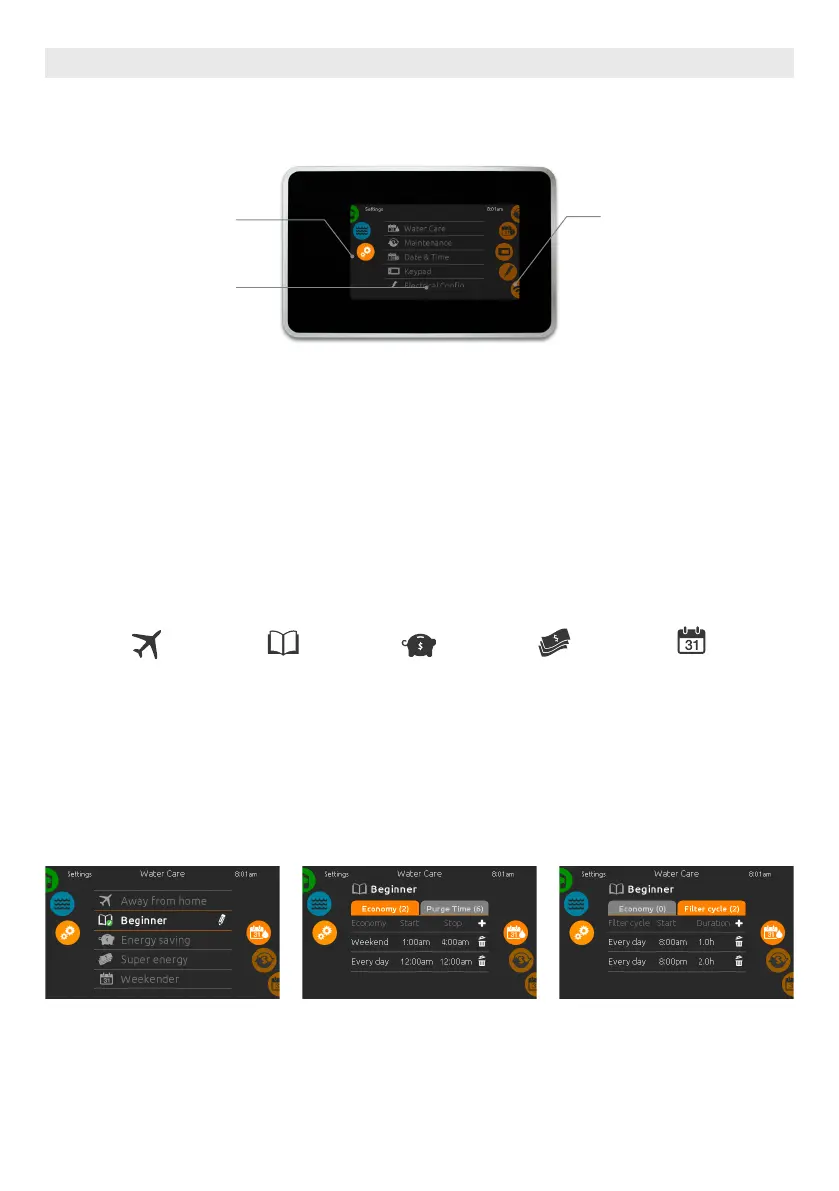
MODIFYING WATER CARE SCHEDULES
WATER CARE
To modify a Water care category, touch
the pen icon at the right end of the
desired water care to open the selected
Water Care menu.
ECONOMY
Touch the Economy tab to change
the economy schedule. You can add
economy schedules by touching the «
+ » symbol . To delete a schedule, touch
the garbage can icon at the right end of
the desired line.
FILTER CYCLES
Touch the Filter cycle tab to change
the filter cycle schedules. You can add
filtration schedules by touching the « +
» symbol . To delete a schedule, touch
the garbage can icon at the right end of
the desired line.
To select the settings mode, slide the left wheel up or down until the settings icon menu is highlighted in the
middle.
In the Settings page you can access the following:
• water care • electrical configuration
• maintenance • wifi
• date & time • about
• keypad
To select an item, slide the right wheel until the desired icon is highlighted in the middle or press on the menu
name.
WATER CARE
The Water care page will help you set up your ideal filtration and heating settings.
Choose, set or modify one of the 5 suggested modes depending on your needs at any given time.
AWAY FROM HOME
In this mode the spa
will always be in econ-
omy; the set point will
be reduced by 20° F.
BEGINNER
The spa will never
be in economy mode
and will be filtering
according to the
pack's low level con-
figuration.
ENERGY SAVINGS
The spa will be in
economy mode during
the peak hours of
the day and resume
normal mode on the
weekend.
SUPER ENERGY
The spa will always
be in economy mode
during peak hours,
every day of the week.
WEEKENDER
The spa will be in
economy mode from
Monday to Friday, and
will run normally on
the weekend.
USER INTERFACE SMART TOUCH
29





 To Next Page