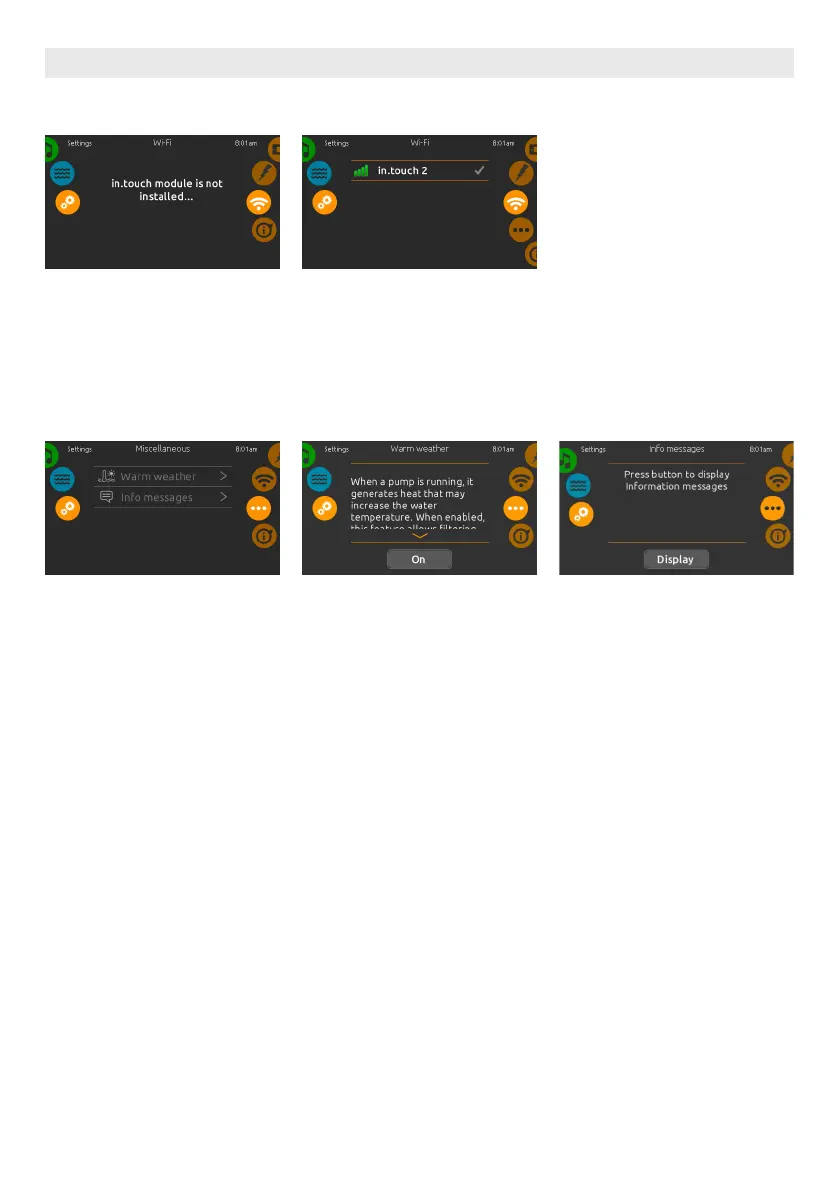
IN.TOUCH MODULE NOT CON-
NECTED
If the in.touch module of your spa
system is not connected, this message
will be displayed.
WIFI
When a in.touch 2 is detected, this
network will appear.
WIFI IN.TOUCH 2
MISCELLANEOUS
This menu gives access to modify the
Warm Weather option and info messag-
es in the media center.
WARM WEATHER
The Warm weather option allows you
to bypass the pack filtration over-tem-
perature feature. When Warm weather
is Off, the filtration over-temperature
is disabled. This feature allows the spa
to continue filtering even though the
water temperature is high.
INFO MESSAGES
When pumps are running, they pro-
duce heat that may increase your water
temperature. "Warm Weather" option
gives you the option to bypass the pack
filtration over-temperature feature.
When Warm Weather is "OFF" the filtra-
tion over-temperature is disabled and
your spa filtering will continue even if
the water temperature is high.
USER INTERFACE SMART TOUCH
34





 To Next Page