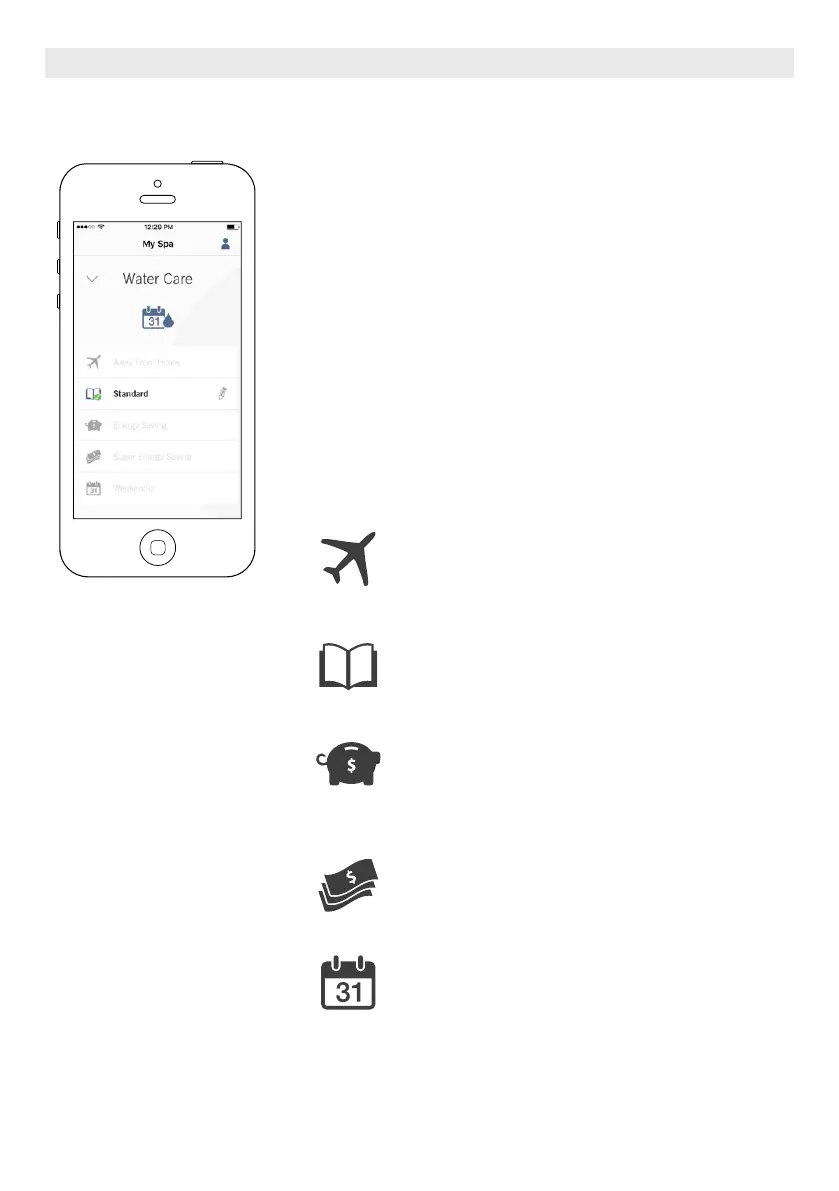
WATER CARE
The Water Care page will help you set up your ideal filtration and heating set-
tings. Choose between Away from Home, Beginner, Energy Savings,
Super Energy and Weekender, depending on your need. Touch the Water Care
name you would like to activate, a green checkmark will appear on the icon,
indicating you have selected it.
By default, each Water Care mode has pre-configured schedules of economy
and filtration.To modify Water Care options, touch the pencil icon at the right
end of the desired Water Care to open its menu.
Below you have a short description of each Water Care at default state:
Away From Home:
In this mode the spa will always be in economy; the set
point will be reduced by 20° F.
Beginner / Standard:
The spa will never be in economy mode and will be fil-
tering according to the pack’s low level configuration.
Energy Savings:
The spa will be in economy mode during the peak
hours of the day and resume normal mode on the
weekend.
Super Energy Savings:
The spa will always be in economy mode during peak
hours, every day of the week.
Weekender:
The spa will be in economy mode from Monday to
Friday, and will run normally on the weekend.
OPTIONAL ACCESSORIES IN.TOUCH 2
74





 To Next Page