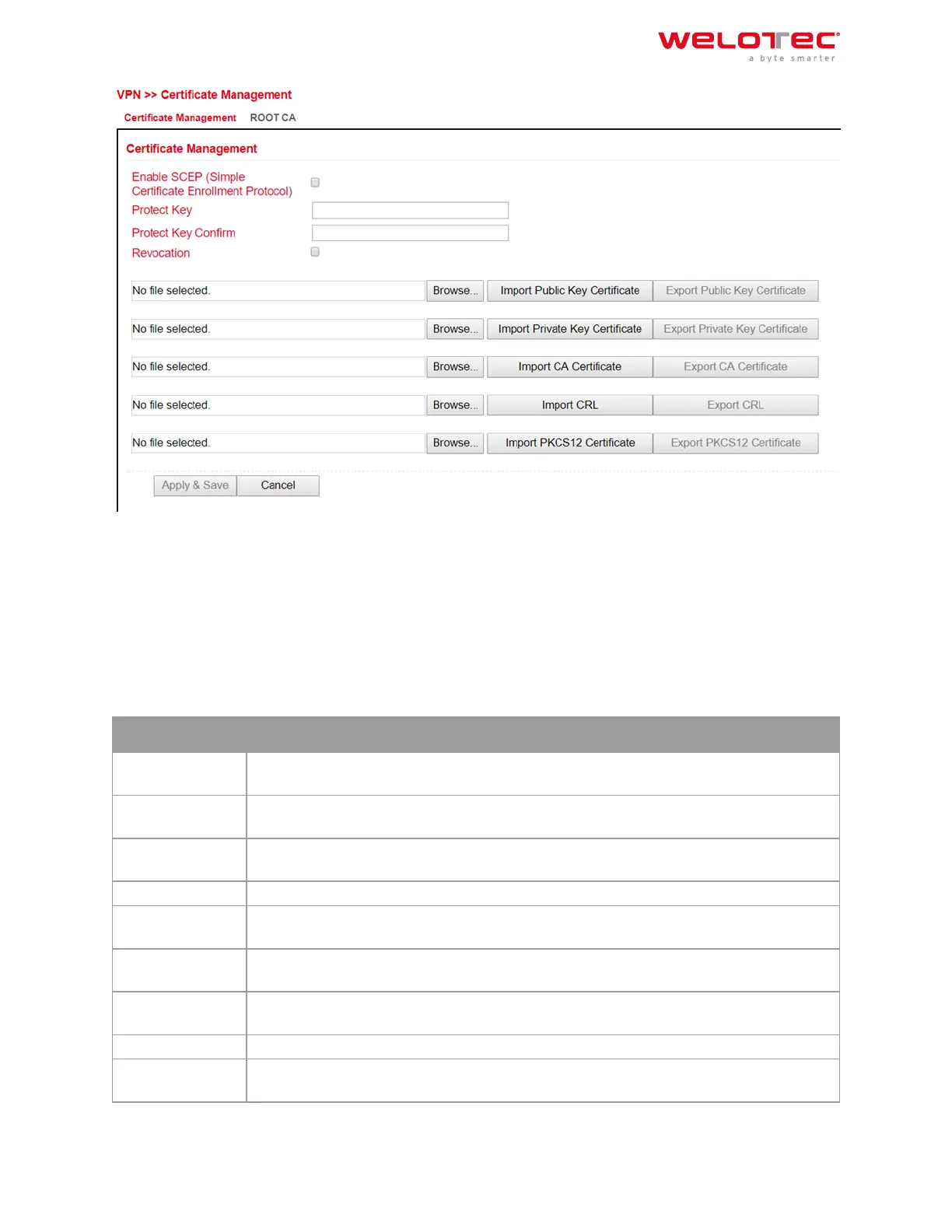
To upload a certificate, you have to click on “Browse”, select the locally stored certificate and then click on “Im‑
port…”.
The “Export Function” can be used to check whether the certificates have been uploaded properly.
If the files have a size of 0 bytes, try to upload the certificates with another browser or PC.
If a PKCS12 certificate set has been imported and is password protected, the password must still be entered under
Protect Key and Protect Key Confirm aer the import.
Then click on “Apply & Save” at the bottom to save the imported certificates in the configuration.
Parameter
Description
Enable SCEP SCEP (Simple Certificate Enrollment Protocol) is used to roll out secured certificates to net‑
work devices and users. Check the box to enable this feature.
Protect Key If the certificate is password protected, then the password for the certificate must be en‑
tered in this field, otherwise it cannot be uploaded correctly.
Protect Key Con‑
firm
Enter the certificate password again to confirm the correctness of the entered password.
Revocation Enabling this function enables the creation of a revocation list for invalid certificates
Import Public Key
Certificate
Public Key Certificate is the certificate of the public key
Import Private
Key Certivicate
Private Key Certificate is the certificate of the private key.
Import CA Certifi‑
cate
Certificate Authority (CA) is the certificate of the certification authority.
Import CRL Certificate Revocation List is the certificate revocation list.
Import PKCS12
Certificate
PKCS12 Certificate
Welotec GmbH
Zum Hagenbach 7
48366 Laer
www.welotec.com
info@welotec.com
+49 2554 9130 00
Page 121



 To Next Page