• Enter the encryption in the corresponding field. The Advanced Encryption Standard (AES) is the successor
encryption standard to DES (Data Encryption System). 3DES with 128 bits is still considered secure but is
significantly slower than AES because of the triple encryption. AES supports 128, 192 and 256 bit long keys.
• Authentication is used for authentication and can be selected with MD5, SHA1 und SHA2.
• In addition to the choice between AH and ESP, you have the option of sending the packets over the network
in transport or tunnel mode. In transport mode, the original IP header, i.e. IP address plus IP options, will
stillbe used. In tunnel mode, IPsec encapsulates the entire packet including the IP header and writes a new
IP header in front of it. The original IP address is no longer visible. Only when decrypting on the opposite
side, the IP address together with the rest of the packet becomes visible again. Set the appropriate mode
here.
3. IPsec Tunnels:
To create the IPsec tunnel, first click the “Add” button
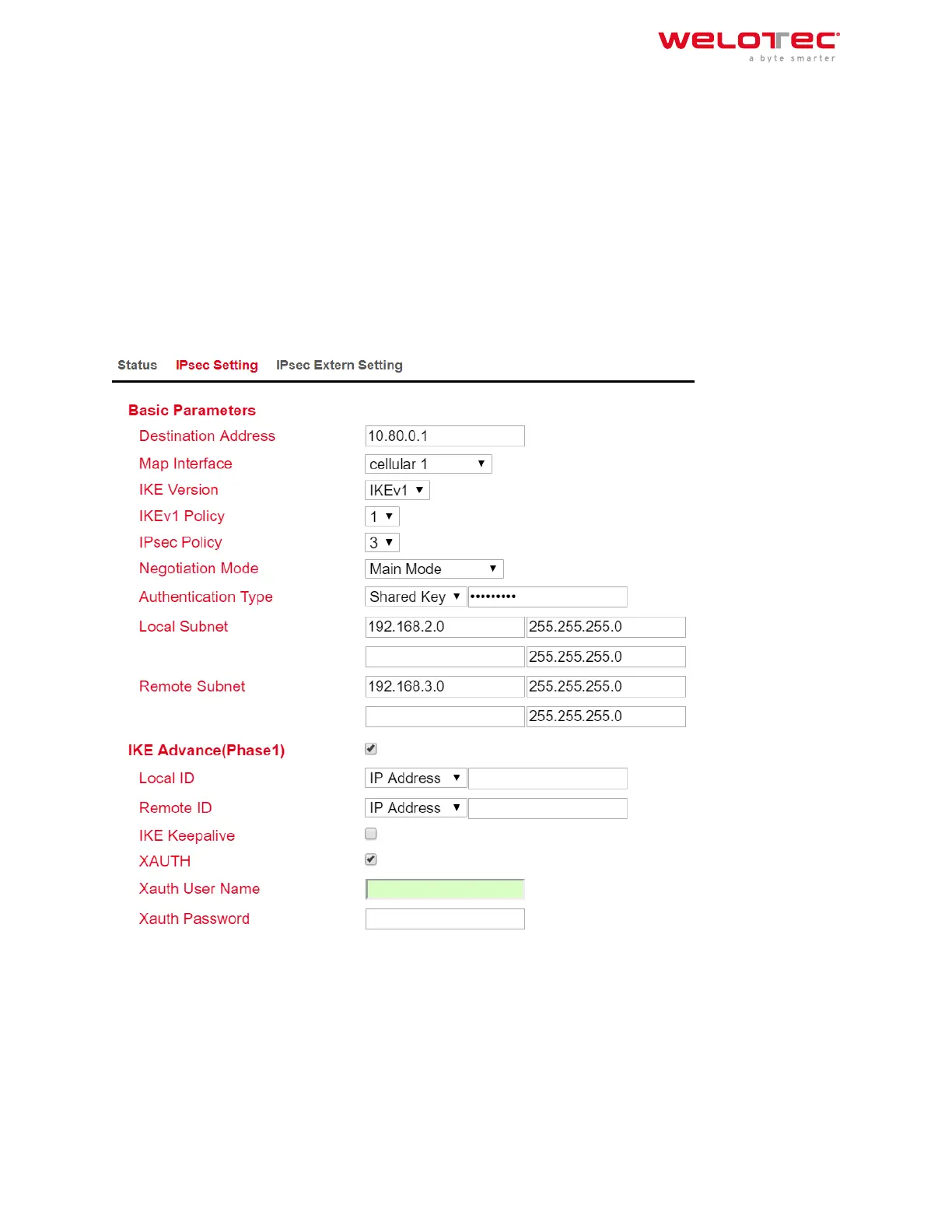
• Basic Parameters
1. The “Destination Address” is the IP address of the tunnel remote station. Enter the corresponding IP ad‑
dress here.
2. For “Map Interface”, please enter the interface via which the connection is to be established.
3. Under “IKE Version”, select the version you created under IKEv1 or IKEv2. Depending on the defaults, the
values in the list box will be applied.
4. The name of the IPsec policy created previously appears in the “IPsec Policy” field.
Welotec GmbH
Zum Hagenbach 7
48366 Laer
www.welotec.com
info@welotec.com
+49 2554 9130 00
Page 158



 To Next Page