can choose between several groups that work with Diie Hellman keys. For example, Group 1 has an en‑
cryption of 768 bits, Group2 has 1024 bits and Group 5 uses 1536 bit, etc.
2. You can enter the validity period of the SA (Security Association) under “IPsec SA Lifetime”. A Security
Association groups IP packets together based on an SPI (Security Parameter Index), the IP destination ad‑
dress and the Security Protocol Identifier. An SA is only valid for ONE directionat a time, so there are always
two SAs in use.
3. With “IPsec SA Idletime” you specify whether SAs associated with inactive peers can be deleted before the
global lifetime has expired. The 0 means that the function is disabled.
• Tunnel Advance
Aer activation, the following options are available:
1. For “Tunnel Start Mode”, set how the tunnel should start. The default setting is always automatic.
2. In the “Local Send Cert Mode” field, you specify when a certificate should be sent for the local area. The
default setting is that the certificate should always be sent (Send cert always).
3. With “Remote Send Cert Mode” you define when a certificate should be sent for the remote site. The
default setting is that the certificate should always be sent (Send cert always).
image
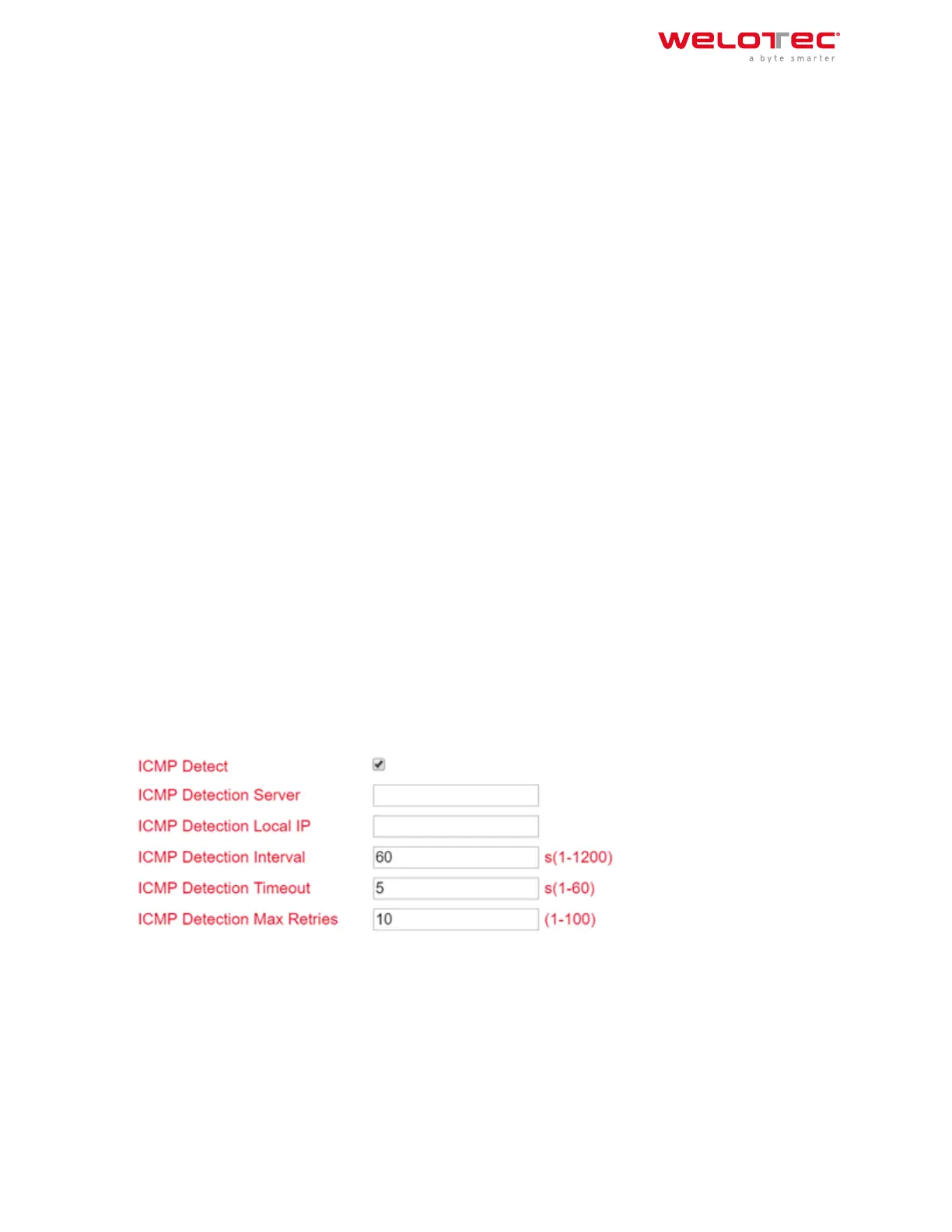
4. With “ICMP Detect” you can activate or deactivate the ICMP Watchdog function.
5. For “ICMP Detection Server”, specify the address of a server that can only be reached through the tunnel.
6. Under “ICMP Detection Local IP”, enter the router interface IP of the local subnet.
7. Under “ICMP Detection Interval”, specify the interval at which the ICMP packet is to be sent.
8. “ICMP Detection Timeout” is the timer aer which the ICMP packet is discarded. Enter a value here be‑
tween 1 and 60 sec.
9. “ICMP Detection Max Retries” are the maximum attempts aer a failed ICMP ping, which you can enter
here.
6.1.4 IPsec Status
If the IPsec tunnel(s) have been successfully established, then you will see the following in the status overview.
Welotec GmbH
Zum Hagenbach 7
48366 Laer
www.welotec.com
info@welotec.com
+49 2554 9130 00
Page 160



 To Previous Page