3.1.4
3.1.5 3.1.4. User Management
Under Administration > User Management the users that have access to the router can be configured. The router
distinguishes between the administrator and the standard user. The administrator is created by the system (adm).
The administrator can create other standard users with limited rights.
The Administrator user is suitable for configuring and managing the router. The Standard user is suitable for mon‑
itoring and checking the router.
3.1.4.1. Create a User
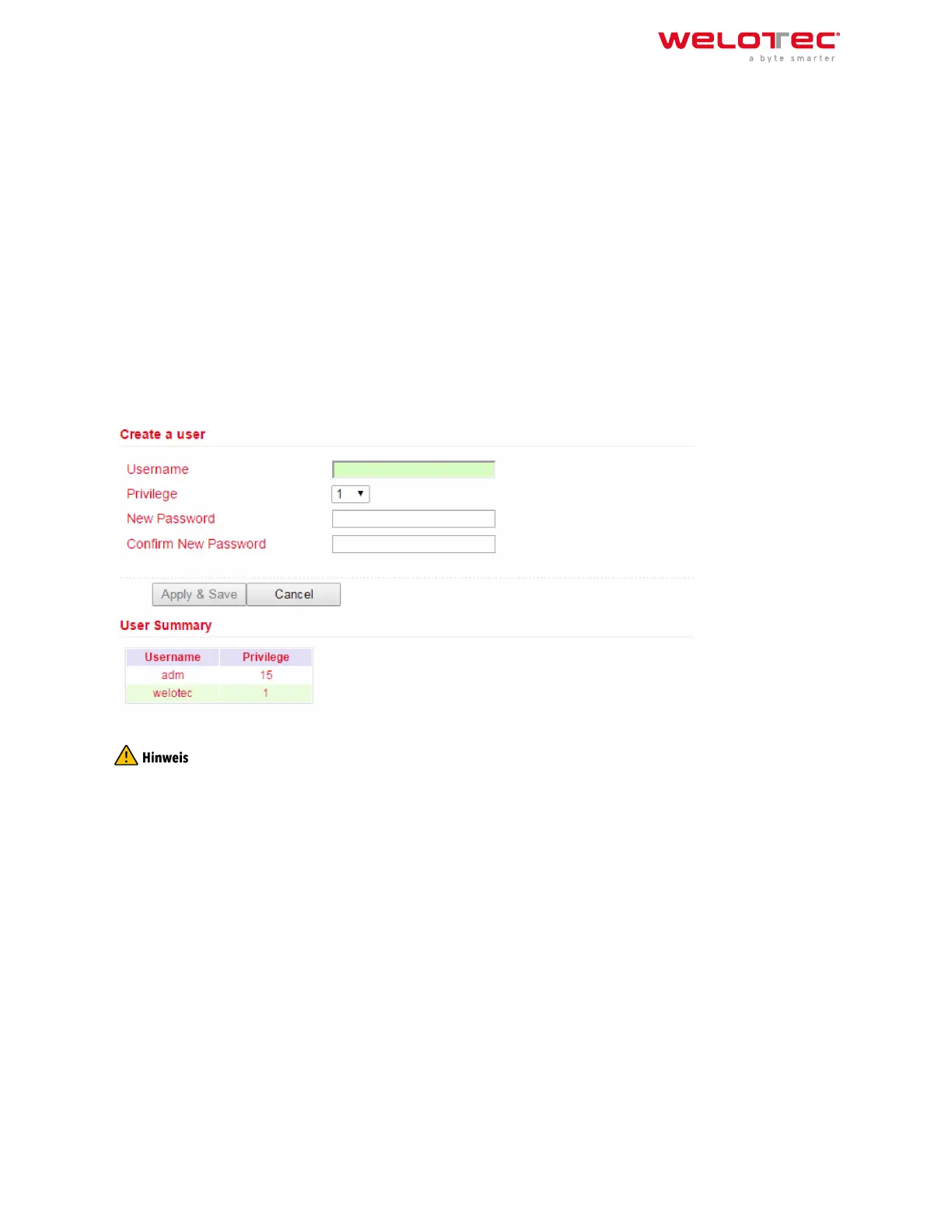
Under Administration > User Management > Create a User you can create additional users.
A Username and Password must be created and the Permission (Privilege) must be entered. Privilege 1 to 14 is for
standard users (read only) and privilege 15 for administrators (full access). Under User Summary you will find a list
of all users and their privileges.
A secure password should consist of at least 8 characters and preferably contain upper/lower case, numbers and
special characters. The username root is reserved for the operating system of the router.
3.1.4.2. Modify a User
If you want to make adjustments to users, then you can edit them under Administration > User Management >
Modify a User. Permissions and passwords can be changed.
Under User Summary a user can be selected and then edited under Modify a user.
Welotec GmbH
Zum Hagenbach 7
48366 Laer
www.welotec.com
info@welotec.com
+49 2554 9130 00
Page 30



 To Next Page