Parameter
Description
Warm Start Warm start/reboot of the router
Cold Start Cold start = booting the router if it was switched o or had no power before
Memory Low Memory Low
Digital Input High Digital Input High
Digital Input Low Digital Input Low
FE0/1 Link Down Fast Ethernet Port 0/1 disconnected
FE0/1 Link Up Fast Ethernet Port 0/1 connected
Cellular Up/Down Mobile connection GPRS/UMTS/LTE conected or disconnected
ADSL Dialup (PPPoe)
Up/Down
ADSL Dialup connected or disconnected
Ethernet Up/Down Ethernet connected or disconnected
VLAN Up/Down VLAN connected or disconnected
WLAN Up/Down WLAN connected or disconnected
Daily Data Usage Displays the daily data used by the SIM card (only if the Data Usage function is acti‑
vated, see Services > Data Usage)
Monthly Data Usage Displays the monthly data used by the SIM card (only if the Data Usage function is
activated, see Services > Data Usage)
3.1.9.3. Alarm Output
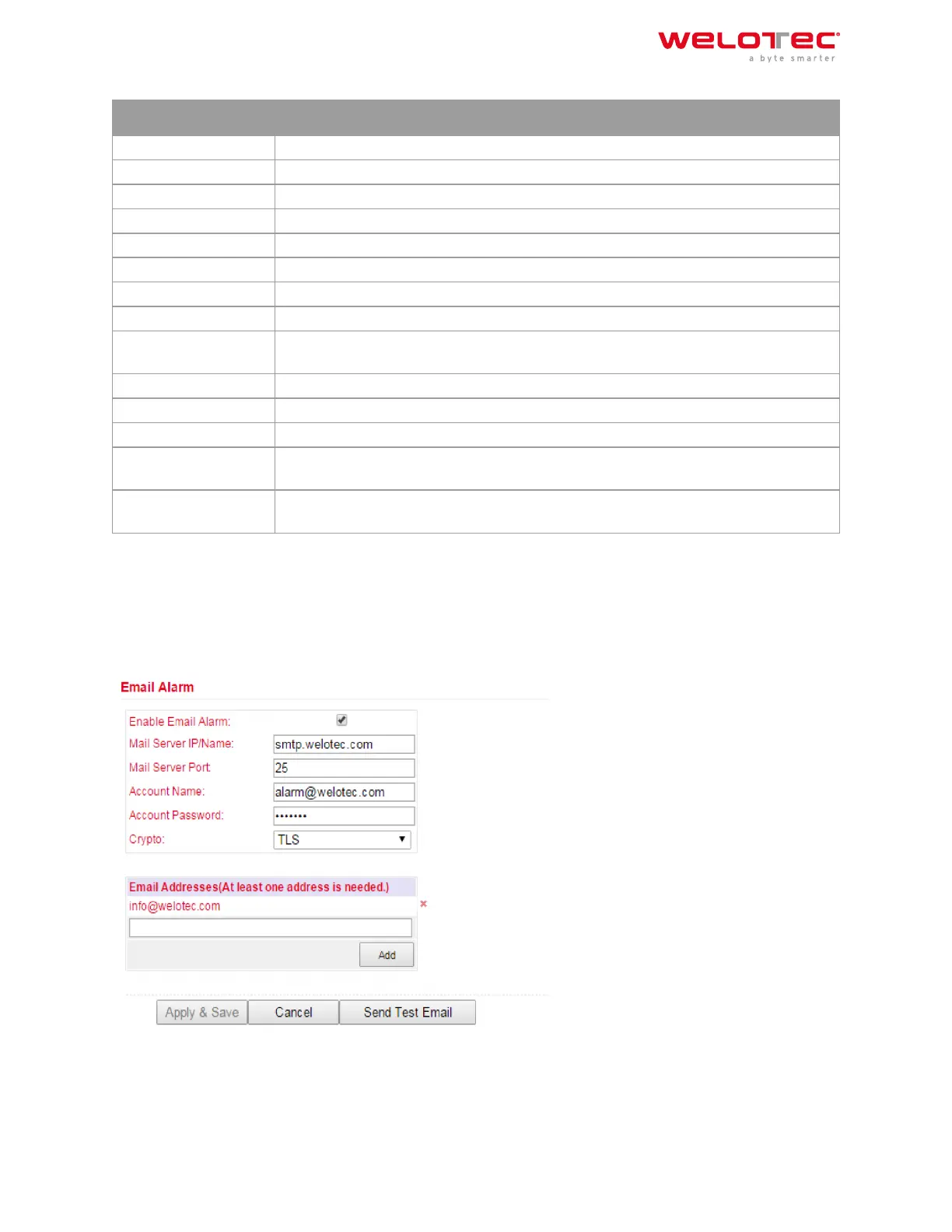
The Alarm Output menu is used to configure the e‑mail server that will forward the alerts by mail.
If an alarm is triggered, a message is generated by the router and sent to the stored e‑mail addresses via the spec‑
ified e‑mail server.
Welotec GmbH
Zum Hagenbach 7
48366 Laer
www.welotec.com
info@welotec.com
+49 2554 9130 00
Page 40



 To Next Page