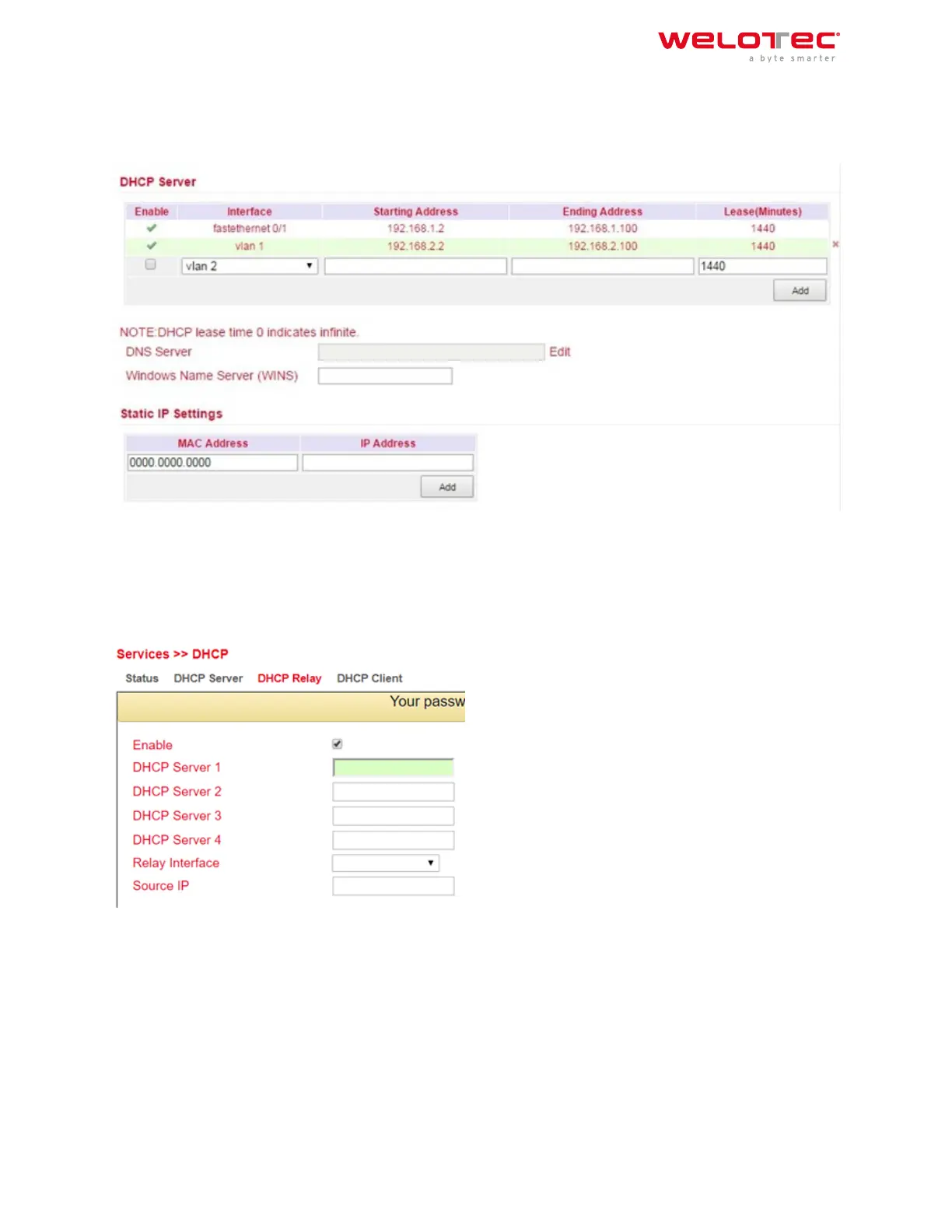
3.3.1.2. DHCP Server
Under Services > DHCP > DHCP Server you can configure settings for the DHCP server. Select the appropriate inter‑
face and enter the start or end IP address and the lease, see example.
With Static IP Settings an IP address can be assigned to a specific MAC address.
3.3.1.3. DHCP Relay
Under Services > DHCP > DHCP Relay you can specify remote DHCP servers, which then take over the DHCP man‑
agement for the networks connected to the router. By clicking Enable, you activate this function.
3.3.1.4. DHCP Client
Under Services > DHCP > DHCP Client the router itself can receive a DHCP address from a DHCP server. To do this,
select the interface that is to be configured via DHCP. The interfaces can vary depending on the router model.
Welotec GmbH
Zum Hagenbach 7
48366 Laer
www.welotec.com
info@welotec.com
+49 2554 9130 00
Page 61



 To Next Page