Status query / restart
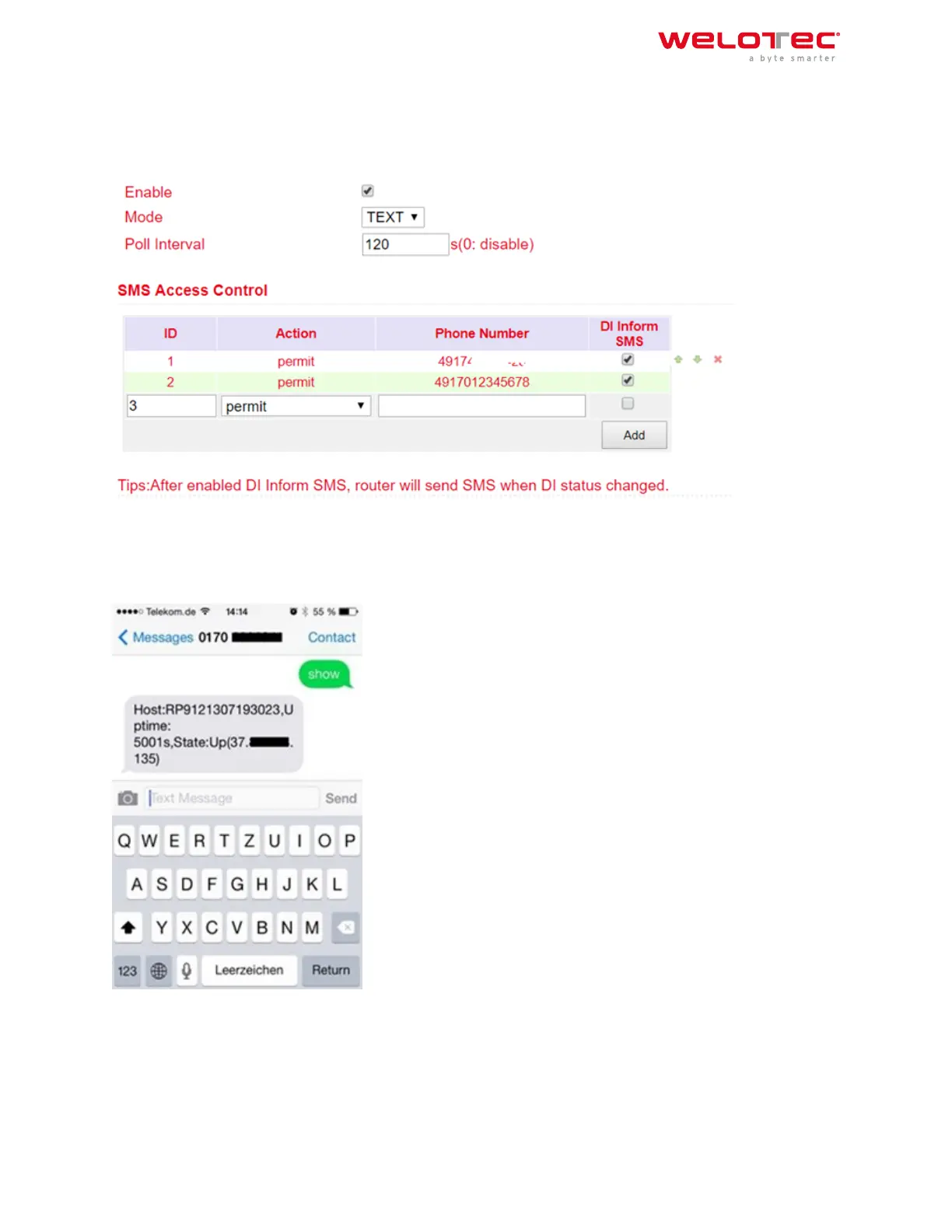
1. Go to the SMS subitem via the Services menu item
2. Click the Enable checkbox to turn on the feature
3. Enter in the table SMS Access Control the phone numbers which are allowed to send SMS to the router (format
4917123456789, no 0049 or +49!) and enter permit as action
If an SMS with the content show is now sent to the mobile phone number of the router, the router sends its current
status as a reply
If an SMS with the content reboot is sent to the router, it restarts. You can also follow this process in the router’s
log.
Welotec GmbH
Zum Hagenbach 7
48366 Laer
www.welotec.com
info@welotec.com
+49 2554 9130 00
Page 65



 To Next Page