Connecting or disconnecting from the Internet
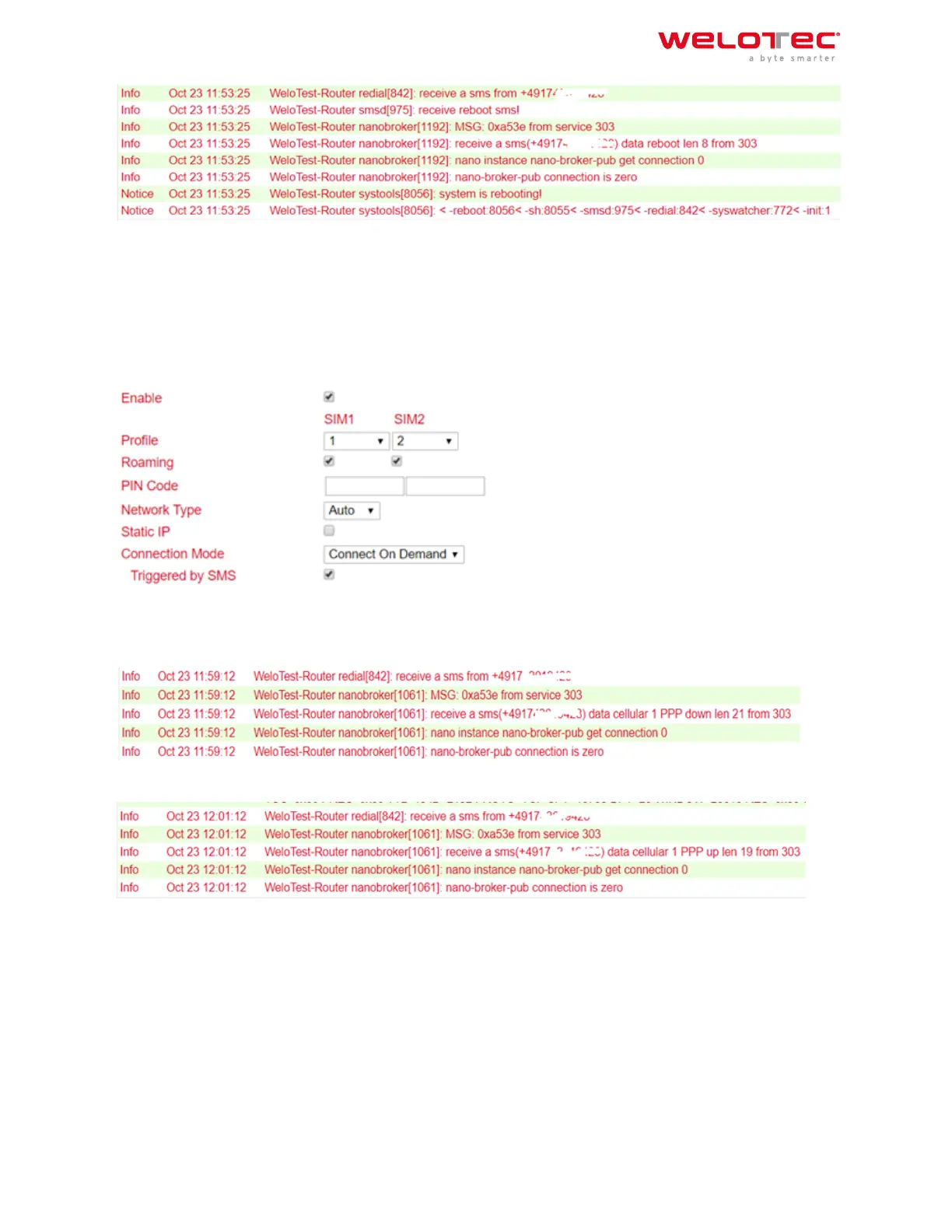
Aer successful configuration, you can also control the router’s Internet connection via SMS. However, this requires
that the router is set to “Connect On Demand”!
1. Go to the Network menu item and select the Cellular subitem.
2. Now select the Cellular tab
3. Select the Connect On Demand mode here under Connection Mode and activate the Triggered by SMS field. Now
you can send the following commands to the router via SMS:
disconnects the Internet connection (see fig.)
cellular 1 ppp up ‑ restores the Internet connection (see fig.)
Welotec GmbH
Zum Hagenbach 7
48366 Laer
www.welotec.com
info@welotec.com
+49 2554 9130 00
Page 66



 To Next Page