■
Forced Air + Steam Mode
Cooking food with hot air and steam to prevent moisture loss during high temperature cooking. The rear fan provides good
circulation of hot air to ensure even heating on multiple levels. This mode is suitable for all types of food. It is recommended to
place aluminum foil or baking paper onto the baking tray before cooking. Always ensure the water tank is lled before using
this mode.
Temperature Time
Default Setting 180℃ 30 mins
Setting Range 100℃ - 230℃ 5 mins - 6 hours and 59 mins
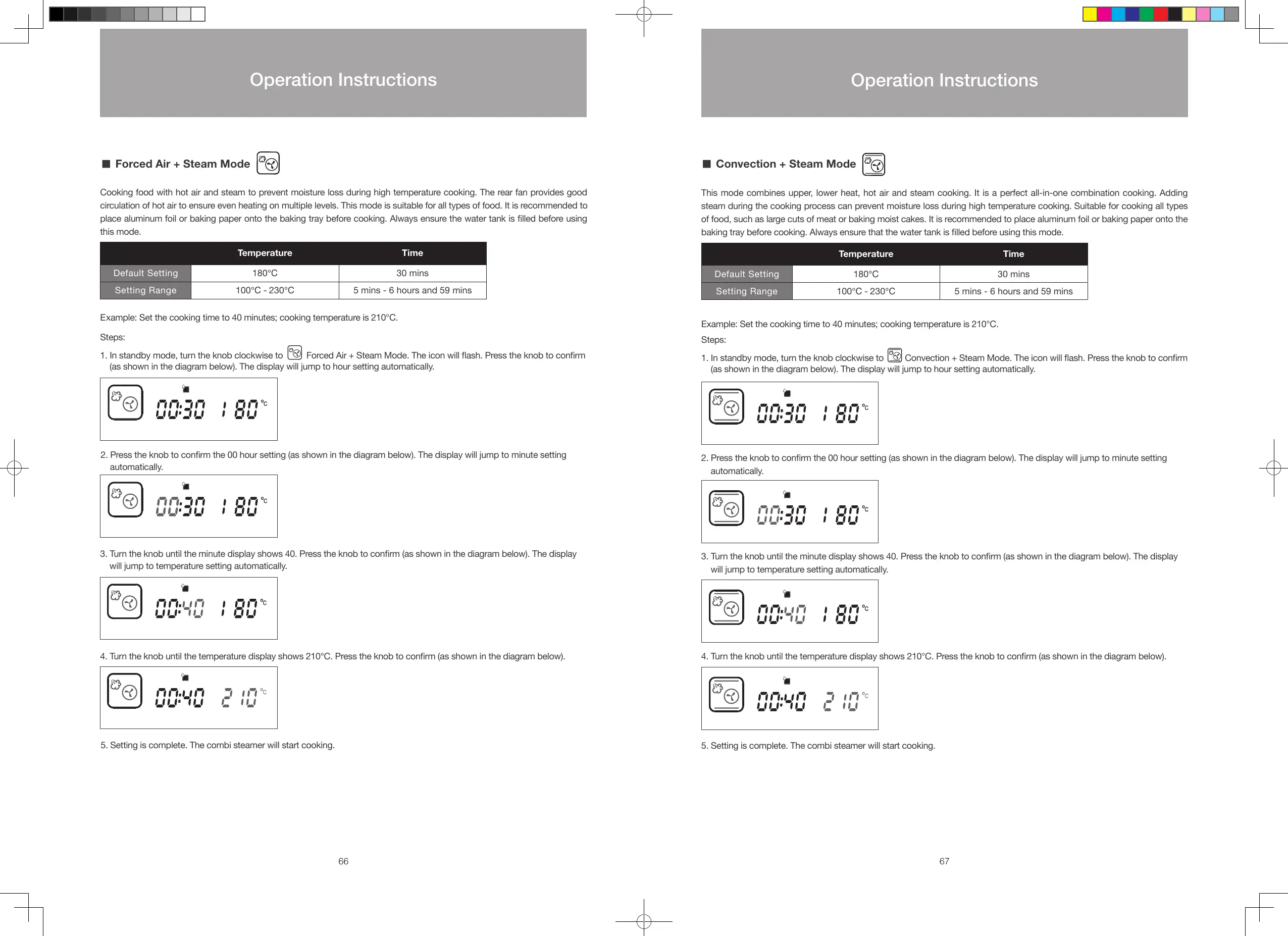
Example: Set the cooking time to 40 minutes; cooking temperature is 210°C.
Steps:
1. In standby mode, turn the knob clockwise to
Forced Air + Steam Mode. The icon will ash. Press the knob to conrm
(as shown in the diagram below). The display will jump to hour setting automatically.
2. Press the knob to conrm the 00 hour setting (as shown in the diagram below). The display will jump to minute setting
automatically.
3. Turn the knob until the minute display shows 40. Press the knob to conrm (as shown in the diagram below). The display
will jump to temperature setting automatically.
4. Turn the knob until the temperature display shows 210°C. Press the knob to conrm (as shown in the diagram below).
5. Setting is complete. The combi steamer will start cooking.
■
Convection + Steam Mode
This mode combines upper, lower heat, hot air and steam cooking. It is a perfect all-in-one combination cooking. Adding
steam during the cooking process can prevent moisture loss during high temperature cooking. Suitable for cooking all types
of food, such as large cuts of meat or baking moist cakes. It is recommended to place aluminum foil or baking paper onto the
baking tray before cooking. Always ensure that the water tank is lled before using this mode.
Temperature Time
Default Setting 180℃ 30 mins
Setting Range 100℃ - 230℃ 5 mins - 6 hours and 59 mins
Example: Set the cooking time to 40 minutes; cooking temperature is 210°C.
Steps:
1. In standby mode, turn the knob clockwise to
Convection + Steam Mode. The icon will ash. Press the knob to conrm
(as shown in the diagram below). The display will jump to hour setting automatically.
2. Press the knob to conrm the 00 hour setting (as shown in the diagram below). The display will jump to minute setting
automatically.
3. Turn the knob until the minute display shows 40. Press the knob to conrm (as shown in the diagram below). The display
will jump to temperature setting automatically.
4. Turn the knob until the temperature display shows 210°C. Press the knob to conrm (as shown in the diagram below).
5. Setting is complete. The combi steamer will start cooking.
66 67
Operation Instructions
Operation Instructions
S48893-Whirlpool Combi Steamer User Manual_EN_V12.indd 66-67 26/7/2016 下午12:55





 To Next Page