■
Preset Function
You must set the clock before using the preset function. For instructions on clock setting, please see “Setting the Clock” on
page 60 of this instruction manual.
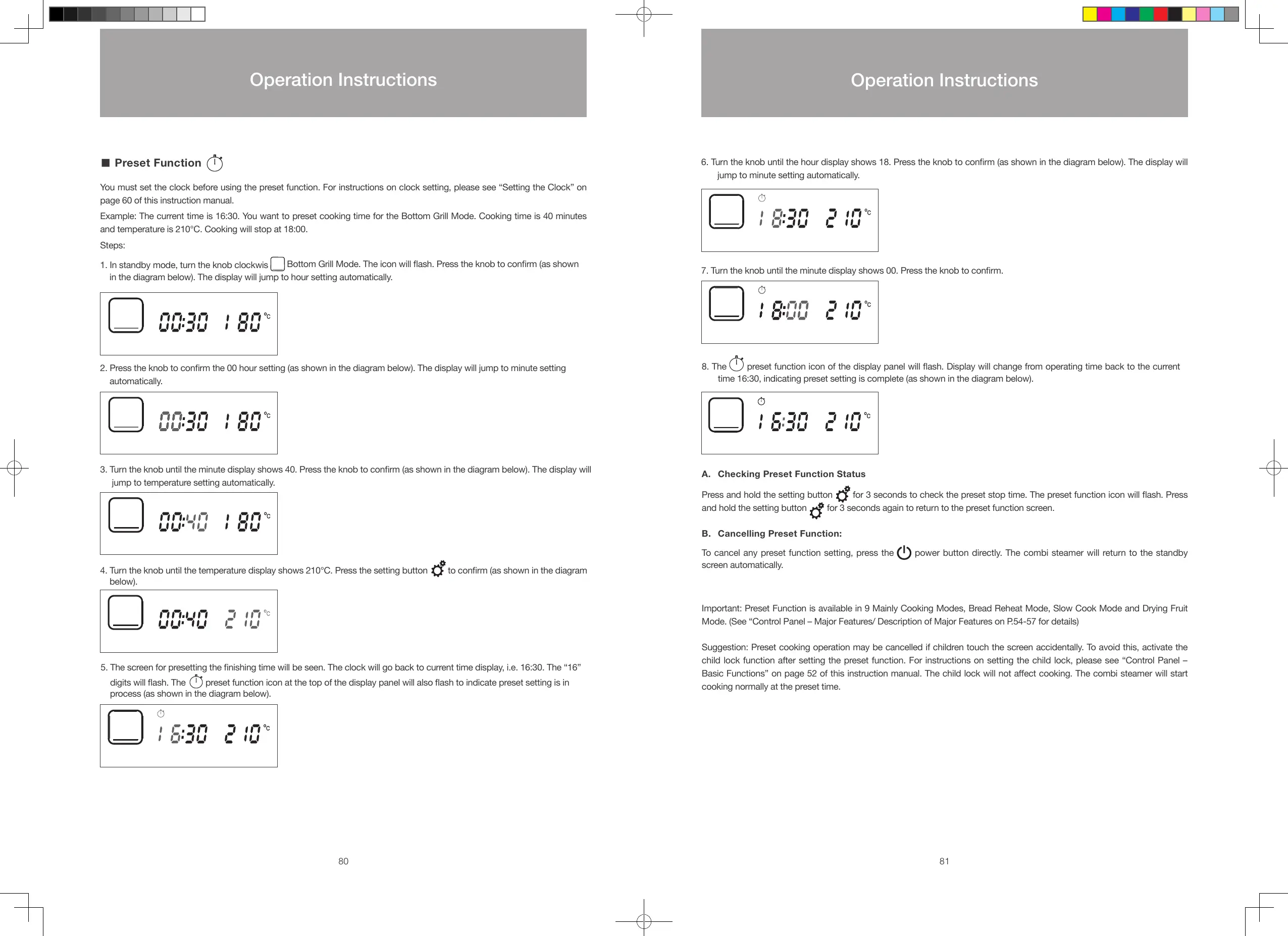
Example: The current time is 16:30. You want to preset cooking time for the Bottom Grill Mode. Cooking time is 40 minutes
and temperature is 210°C. Cooking will stop at 18:00.
Steps:
1. In standby mode, turn the knob clockwis
Bottom Grill Mode. The icon will ash. Press the knob to conrm (as shown
in the diagram below). The display will jump to hour setting automatically.
2. Press the knob to conrm the 00 hour setting (as shown in the diagram below). The display will jump to minute setting
automatically.
3. Turn the knob until the minute display shows 40. Press the knob to conrm (as shown in the diagram below). The display will
jump to temperature setting automatically.
4. Turn the knob until the temperature display shows 210°C. Press the setting button to conrm (as shown in the diagram
below).
5. The screen for presetting the nishing time will be seen. The clock will go back to current time display, i.e. 16:30. The “16”
digits will ash. The
preset function icon at the top of the display panel will also ash to indicate preset setting is in
process (as shown in the diagram below).
6. Turn the knob until the hour display shows 18. Press the knob to conrm (as shown in the diagram below). The display will
jump to minute setting automatically.
7. Turn the knob until the minute display shows 00. Press the knob to conrm.
8. The preset function icon of the display panel will ash. Display will change from operating time back to the current
time 16:30, indicating preset setting is complete (as shown in the diagram below).
A. Checking Preset Function Status
Press and hold the setting button
for 3 seconds to check the preset stop time. The preset function icon will ash. Press
and hold the setting button
for 3 seconds again to return to the preset function screen.
B. Cancelling Preset Function:
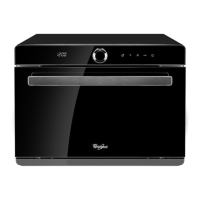
To cancel any preset function setting, press the power button directly. The combi steamer will return to the standby
screen automatically.
Important: Preset Function is available in 9 Mainly Cooking Modes, Bread Reheat Mode, Slow Cook Mode and Drying Fruit
Mode. (See “Control Panel – Major Features/ Description of Major Features on P.54-57 for details)
Suggestion: Preset cooking operation may be cancelled if children touch the screen accidentally. To avoid this, activate the
child lock function after setting the preset function. For instructions on setting the child lock, please see “Control Panel –
Basic Functions” on page 52 of this instruction manual. The child lock will not aect cooking. The combi steamer will start
cooking normally at the preset time.
80 81
Operation Instructions
Operation Instructions
S48893-Whirlpool Combi Steamer User Manual_EN_V12.indd 80-81 26/7/2016 下午12:55





 To Next Page