EasyManua.ls Logo

Whirlpool CS1250 - User Manual

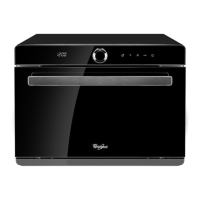
Whirlpool CS1250
88 pages
Print Icon
To Next Page IconTo Next Page
Loading...
產品安全指引、使用說明、安裝指南及
網上登記保養資料
Health & Safety, Use & Care, Installation Guide and
Online Warranty Registration Information
Model
產品型號
:
CS1250

Table of Contents

Questions and Answers

  • L
    lisarichardsonAug 5, 2025
    Why is my Whirlpool CS1250 Oven not working?
    • C
      collinberryAug 6, 2025
      Your Whirlpool Oven might not be working due to several reasons: * The power supply plug may not be connected correctly, so try plugging it in again. * The oven door might not be closed properly; ensure it is securely closed. * The water tank could be incorrectly positioned; make sure it is placed correctly. * The child lock may be enabled; disable it to see if that resolves the issue. If none of these steps work, the circuit board might be damaged, requiring professional after-sales service.
  • B
    Benjamin SmithAug 12, 2025
    What to do if the display is not working properly on my Whirlpool Oven?
    • S
      smithkennethAug 12, 2025
      If the display on your Whirlpool Oven isn't functioning correctly, it could be due to a damaged display. In this case, contact after-sales service for assistance.
  • C
    Carl WoodsAug 17, 2025
    What to do if my Whirlpool CS1250 Oven has no display?
    • J
      Jordan WilliamsonAug 17, 2025
      If your Whirlpool Oven display is not showing anything, here are a few things to check: * Ensure the combi steamer is properly connected to the power supply. * Check if the power socket is working by testing other electrical appliances. If these steps don't resolve the issue, the power cords may not be working, and you should contact after-sales service.
  • J
    jordanjamesAug 25, 2025
    What to do if my Whirlpool Oven has water leakage?
    • M
      Michele RichardsonAug 25, 2025
      If you notice water leaking from your Whirlpool Oven, it might be because the water tank is not in the correct position. To fix this, fill the water tank and ensure it is correctly placed back in its designated spot.
  • R
    Robert FosterAug 30, 2025
    Why is there so much water or steam during cooking in my Whirlpool CS1250?
    • B
      Brian OlsonAug 30, 2025
      Excessive water or steam during cooking in your Whirlpool Oven can occur if the oven door isn't closed tightly. Ensure the oven door is completely and tightly closed. If the issue persists, the door seal might be damaged, and you should contact after-sales service.

Summary

Health & Safety, Use & Care, Installation Guide and Online Warranty Registration

Important Safety Information

Crucial safety guidelines for using the appliance safely and preventing hazards.

Precautions before First Use

Essential steps and checks before operating the appliance for the first time.

Precautions and Advice

Important usage tips and warnings to ensure safe and proper operation.

Product Placement

Guidelines for correctly positioning the appliance for optimal ventilation and stability.

Earthing Instructions

Requirements and importance of proper grounding for electrical safety.

Appliance and Accessories Chart

Identification and overview of the appliance's components and included accessories.

Control Panel Overview

Introduction to the appliance's control panel layout and key buttons.

Control Panel - Basic Functions

Explanation of fundamental buttons and their operations on the control panel.

Control Panel - Major Features

Overview of the main cooking modes and icons displayed on the control panel.

Control Panel - Description of Major Features

Detailed descriptions of the functions and settings of various cooking modes.

Use and Cooking Tips

Practical advice and helpful hints for effective and optimal cooking results.

Operation Instructions

Setting the Clock

Step-by-step guide to setting the appliance's current time for accurate operation.

Steam Mode

How to use the steam function for preserving food taste, nutrients, and color.

Forced Air + Steam Mode

Using hot air and steam together to prevent moisture loss during high-temperature cooking.

Grill and Bake Modes

Instructions for upper grill, bottom grill, and conventional bake modes for roasting and baking.

Forced Air Mode

Utilizing the rear fan for even hot air distribution for multi-layer cooking.

Convection Modes

Operating convection modes for even heat distribution in baking and roasting.

Proving Mode

Using steam for stable humidity to aid dough fermentation and rising.

Reheat Modes

Instructions for reheating buns and bread to maintain freshness.

Slow Cook and Drying Fruit Modes

Using low-temperature steam for slow cooking and hot air for dehydrating food.

Defrost Mode

How to safely defrost chilled or frozen food using steam.

Preheat Modes

Preheating the oven cavity using steam or baking functions to reach desired temperatures.

Special Function Modes

Operating modes like Keep Warm, Cavity Drying, and Sterilization for specific needs.

Descaling Mode

Procedure for cleaning limescale buildup using a descaling program and agent.

Preset and Timer Functions

Setting cooking programs in advance and adjusting settings during cooking.

Child Lock and Indicators

Activating child lock and understanding residual heat indicators for safety.

Cleaning and Maintenance

General Cleaning and Maintenance

Routine cleaning procedures to keep the appliance in good condition and prevent damage.

Lowering the Upper Heater

Step-by-step guide on how to safely lower the upper heating element for cleaning.

Others

Troubleshooting Guide

Solutions for common problems encountered with the appliance's operation and display.

Normal Operating Conditions

Explanation of sounds, smells, and visual phenomena considered normal during operation.

Product Specifications

Technical details including model number, voltage, power, and dimensions.

Register Your Product Online

Whirlpool CS1250 Specifications

General IconGeneral
Fuel TypeElectric
Capacity1.2 cu. ft.
Number of Power Levels10
TypeMicrowave
Voltage120 Volts
Control TypeDigital

Related product manuals