74
Operation Instructions
■
Cavity Drying Mode
In this mode, the oven is heated to a high temperature so any excessive moisture and steam are evaporated. This function is
used for drying the oven after any steam cooking modes.
Temperature Time
Default Setting 230°C 25 mins
Setting Range Cannot be adjusted Cannot be adjusted
Steps:
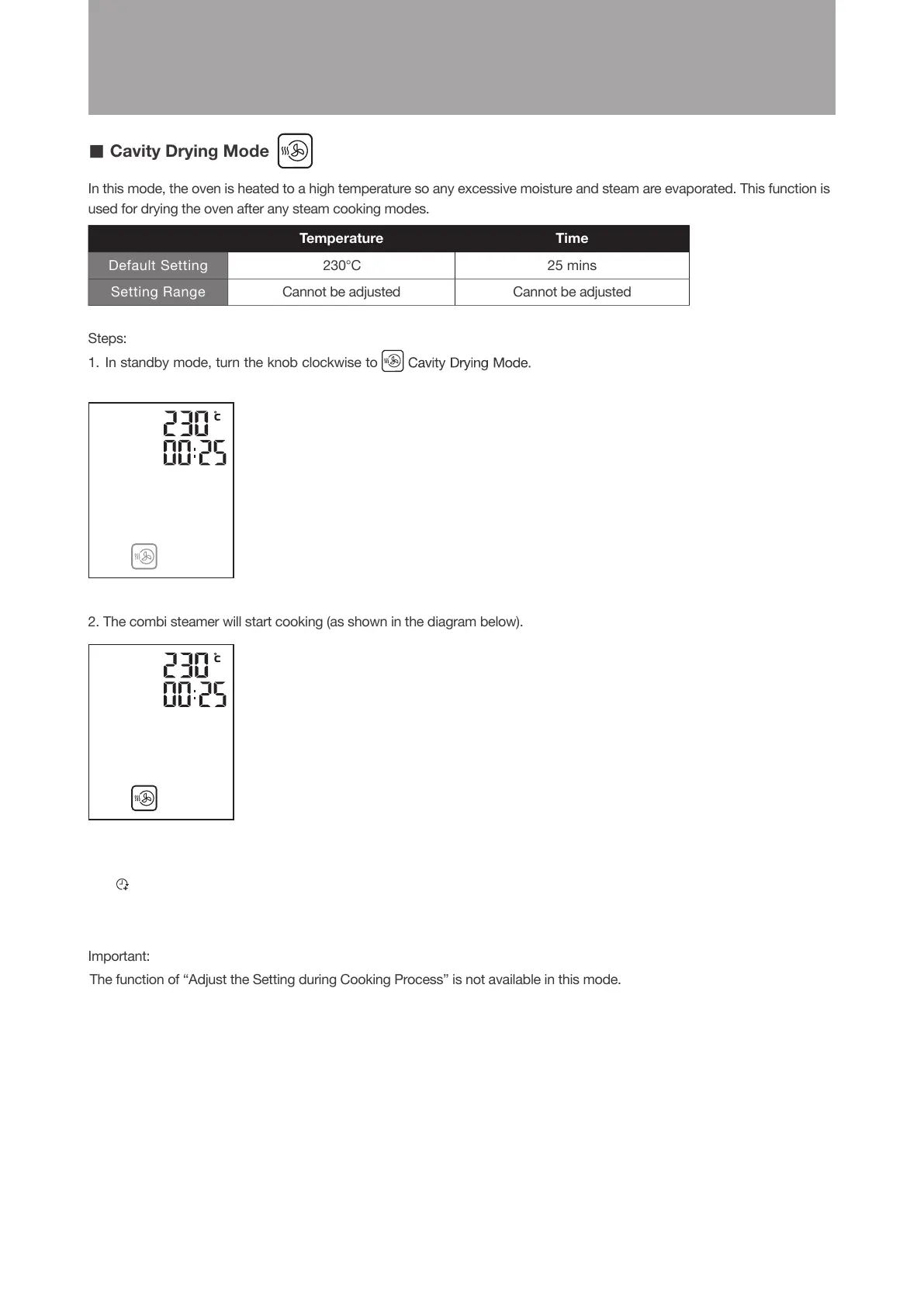
1. In standby mode, turn the knob clockwise to
2. The combi steamer will start cooking (as shown in the diagram below).
Important:
The function of “Adjust the Setting during Cooking Process” is not available in this mode.
77
Operation Instructions
(as shown in the diagram below).
The icon will flash. Press the knob to confirm
■
Cavity Drying Mode
In this mode, the oven is heated to a high temperature so any excessive moisture and steam are evaporated. This function is
used for drying the oven after any steam cooking modes.
Temperature Time
Default Setting 230°C 25 mins
Setting Range Cannot be adjusted Cannot be adjusted
Steps:
1. In standby mode, turn the knob clockwise to
2. The combi steamer will start cooking (as shown in the diagram below).
Important:
The function of “Adjust the Setting during Cooking Process” is not available in this mode.
77
Operation Instructions
(as shown in the diagram below).
The icon will flash. Press the knob to confirm
When cooking is completed, the “END” will be shown
on display and an audio tone sounds.
The “Extended Cooking Time” icon (customer can
increase the cooking time after cooking is completed)
will flash.





 To Next Page