59
Operation Instructions
■
Forced Air + Steam Mode
Temperature Time
66
Operation Instructions
Cooking food with hot air and steam to prevent moisture loss during high temperature cooking. The rear fan provides
good circulation of hot air to ensure even heating on multiple levels. This mode is suitable for all types of food. It is
recommended to place aluminum foil or baking paper onto the baking tray cooking. Always ensure the water tank is filled
before using this mode.
Default Setting 30 mins
Setting Range 5 mins - 1 hours and 30 mins
-
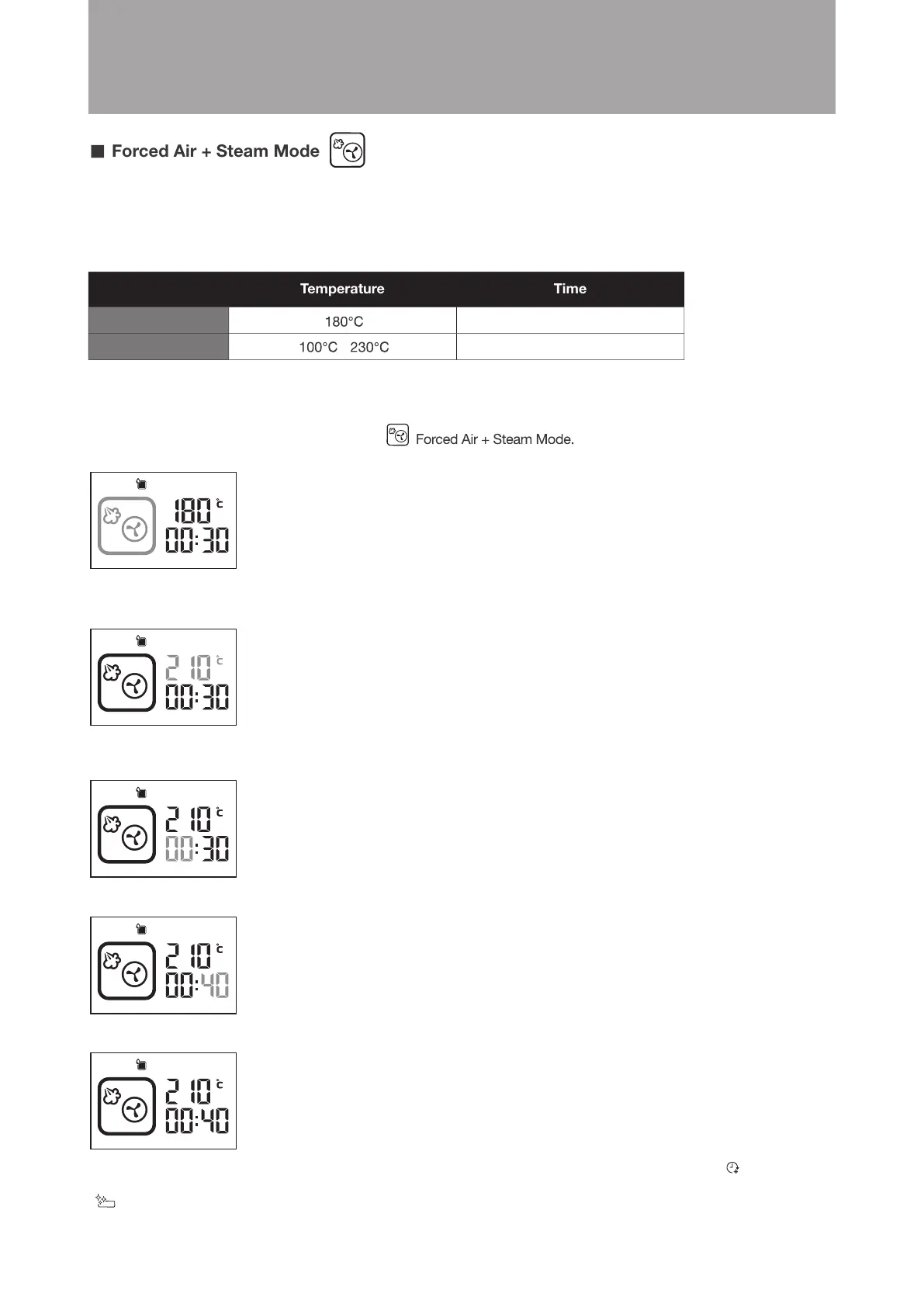
Example: Set the cooking time to 40 minutes; cooking temperature is 210°C.
Steps:
1.In standby mode, turn the knob clockwise to
confirm (as shown in the diagram below). The display will jump to temperature setting automatically.
The icon will flash. Press the knob to
2. Turn the knob until the temperature display shows 210°C. Press the knob to confirm (as shown in the diagram below).
The display will jump to hour setting automatically.
3. Press the knob to confirm 00 hour setting (as shown in the diagram below). The display will jump to minute
setting automatically.
4. Turn the knob until the minute display shows 40. Press the knob to confirm (as shown in the diagram below).
5. Setting is complete. The combi steamer will start cooking. (as shown in the diagram below)
When cooking is completed, the “END” will be shown on display and an audio tone sounds. The
“Extended Cooking Time” icon (customer can increase the cooking time after cooking is completed) and
“Drip Tray Cleaning Reminder” icon (customer has to clear up the water in the drip tray if any) will flash.





 To Next Page