66
Operation Instructions
Bun Reheat Mode
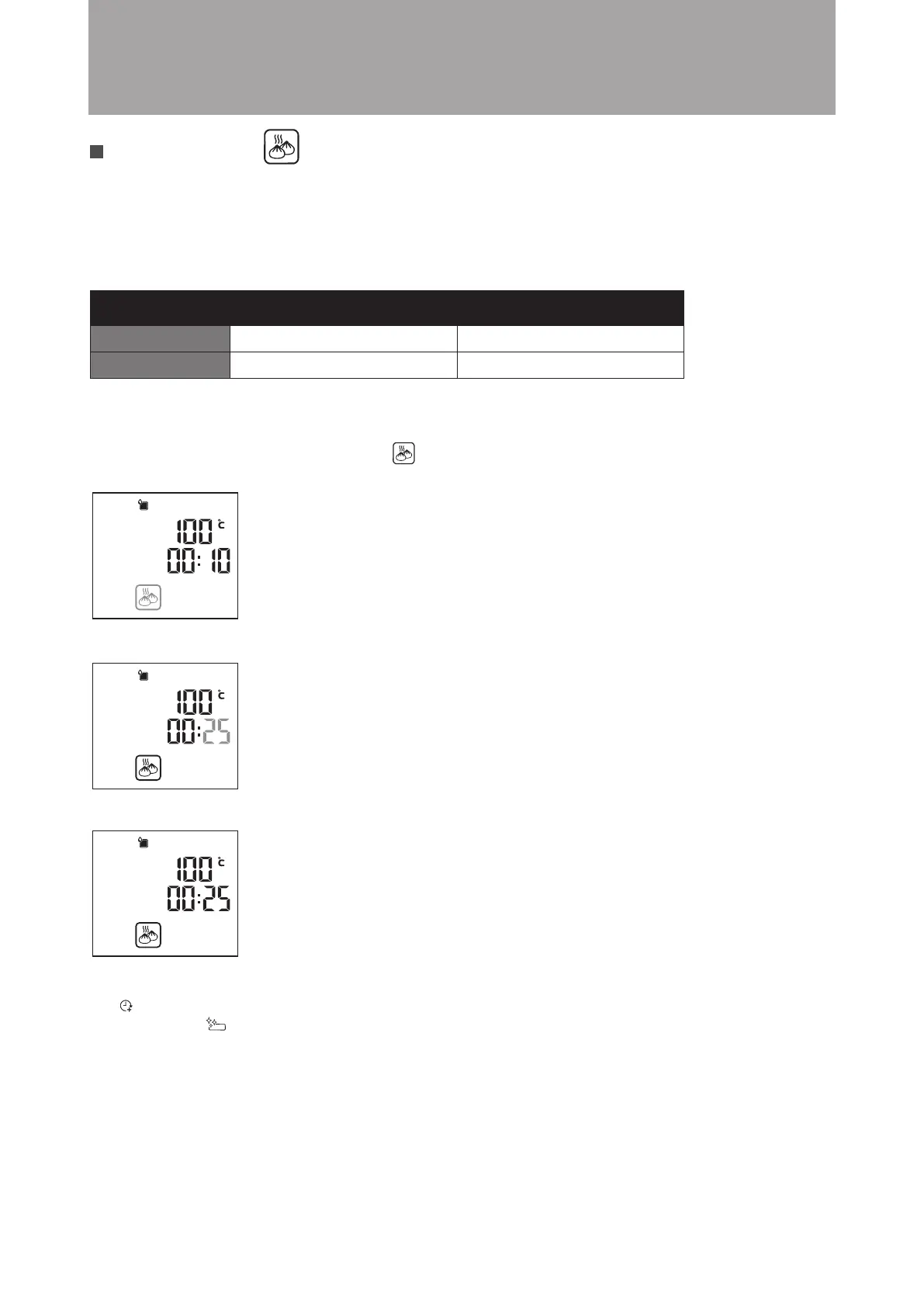
Example: Cooking bread that has been refrigerated. Set the cooking time to 25 minutes.
Steps:
1. In Standby mode, turn the knob clockwise to Bun Reheat Mode, the icon will flash. Press the knob to confirm
(as shown in the diagram below). The display will jump to minute setting automatically.
Bun reheated at a regulated temperature and steam is added to reheat that tastes just like freshly-steamed bun.
Always ensure that the water tank is filled before using this mode.
Suggested cooking time: Reheating time for frozen bun: about 10-15 minutes; Reheating time for room temperate bun:
about 8-13 minutes. It is recommended to add cooking time for bun with fillings as needed. This suggested cooking
time is solely for reference. Cooking time is affected by bread’s quantity, size, type and personal taste.
2. Turn the knob until the minute display shown 25. Press the knob to confirm (as shown in the diagram below).
3. Setting is complete. The combi steamer will start cooking. (as shown in the diagram below)
When cooking is completed, the “END” will be shown on display and an audio tone sounds.
The “Extended Cooking Time” icon (customer can increase the cooking time after cooking
is completed) and “Drip Tray Cleaning Reminder” icon (customer has to clear up the water
in the drip tray if any) will flash.
100°C
Cannot be adjusted
10 mins
5 - 59 mins
Default Setting
Setting Range
Temperature Time





 To Next Page