11 Info level
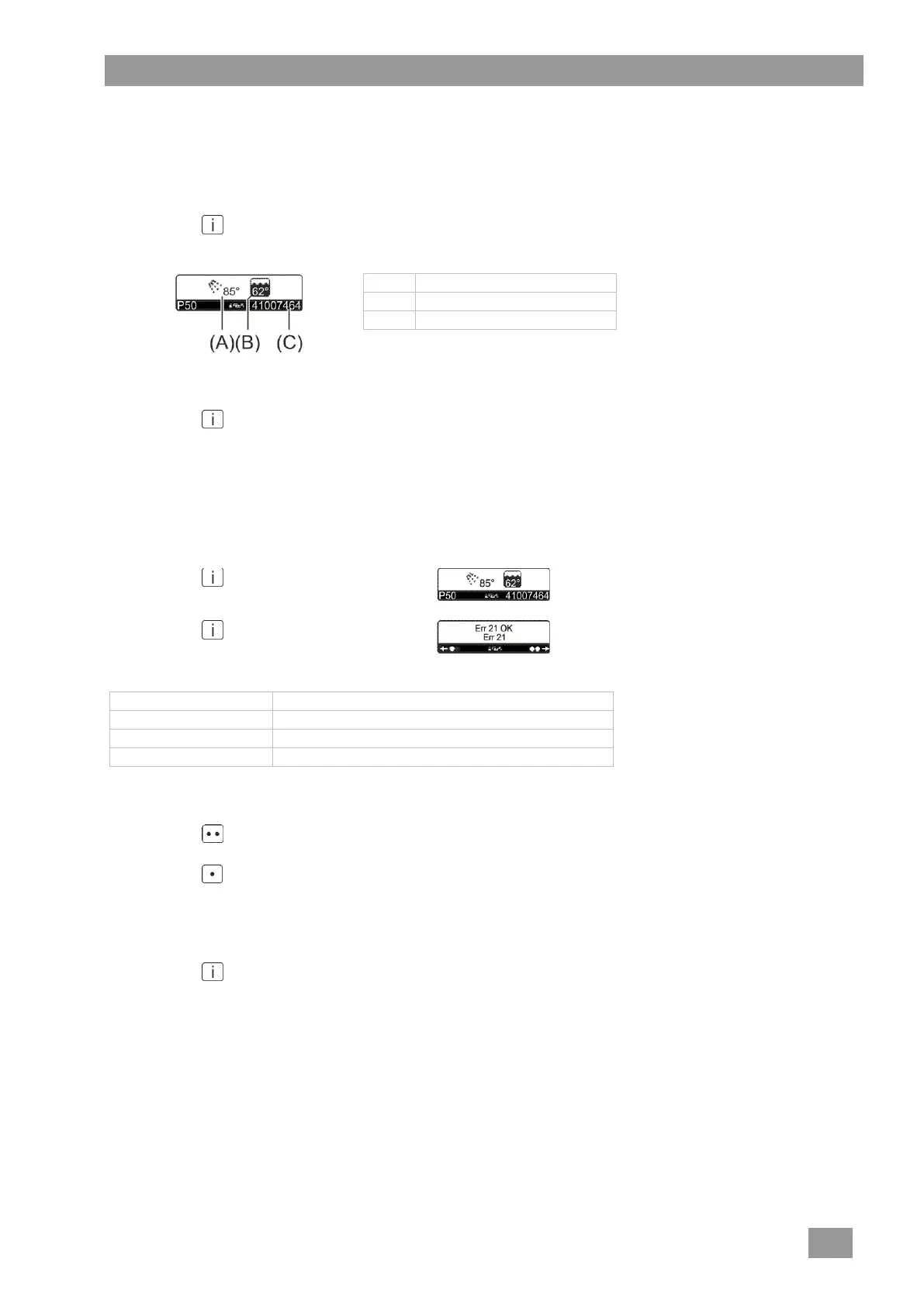
In the info level you can retrieve the serial number and the current temperatures in the boiler and tank.
Accessing the info level
Press the button.
The following information is shown in the display:
Temperature in the boiler
Leaving the info level
Press the button three times.
12 Error memory
All errors with an error code are saved in the error memory. The error that occurred last is displayed first.
Accessing the error memory
Press the button.
The temperatures are displayed.
Press the button again.
The error memory will be displayed.
Entry is generated by turning on the machine
Navigating in the error memory
Press the button several times.
Older errors are displayed.
Press the button several times.
Newer errors are displayed.
Leaving the error memory
Press the button twice.




 To Next Page