Wiring Shadow 8 Heads Directly to WPC A-1
Appendix A. Wiring Shadow 8 Heads
Directly to WPC
You can wire Shadow 8 Main Transmitter and Receiver directly to a WPC 2000 or “new-
style” WPC 1000 clutch/brake control designed especially for Shadow 8. This WPC unit has
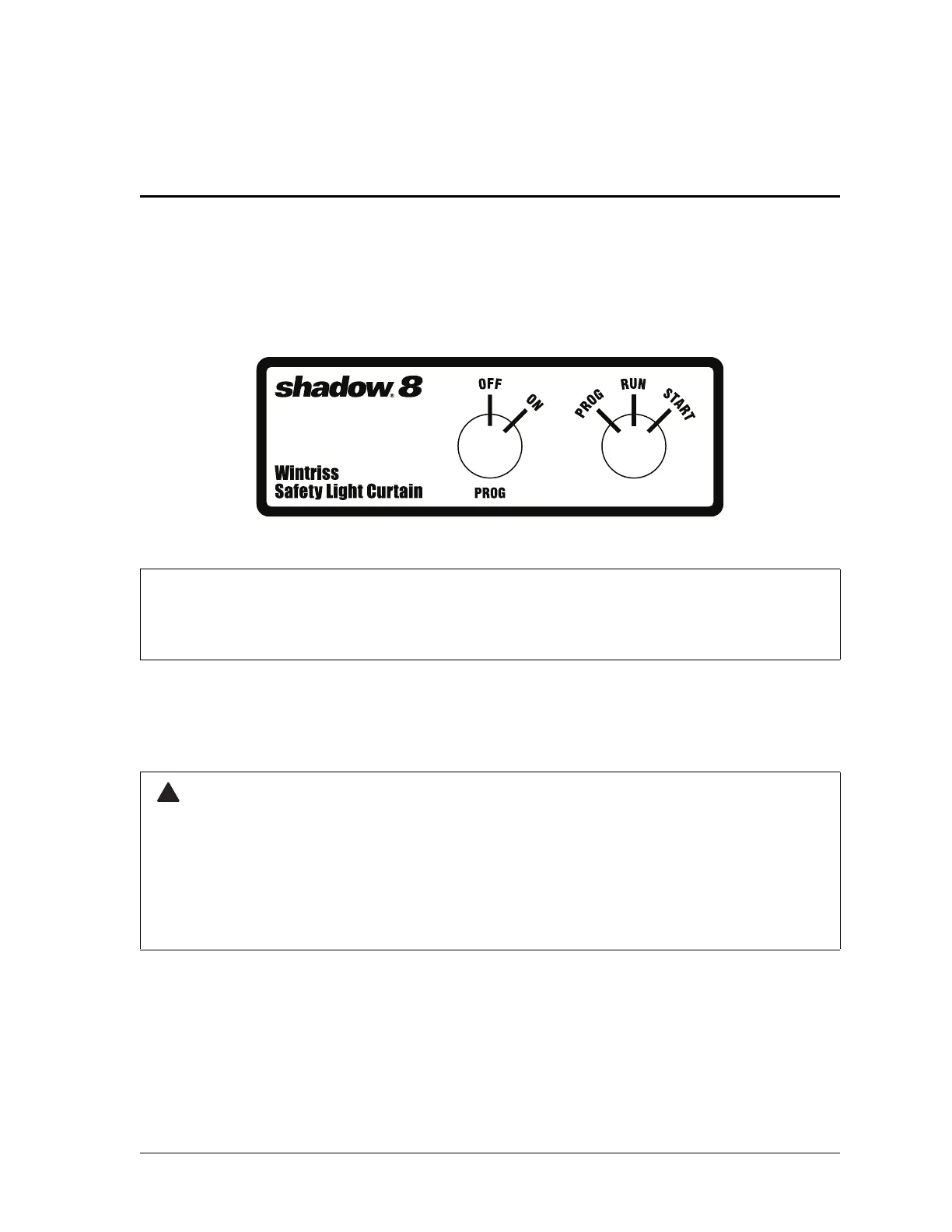
Program/Run/Start and Program Off/On key switches installed on the front of the enclosure
(see Figure A-1 for switch label). Switches are pre-wired. However, you must connect the
Start terminal on the Main Receiver to the Start contact on the Program/Run/Start key switch.
Shadow 8’s External Device Monitoring (EDM) feature must be disabled, using Receiver
switch 2, when connecting optic heads directly to WPC. Refer to page 2-47 for instructions.
To connect Shadow 8 Main heads to WPC, do the following:
1. Make sure that Shadow 8 and WPC are powered down.
2. Determine how you will bring wiring from your Main heads to the WPC enclosure.
3. Run the wires through flexible liquid-tight conduit to the enclosure (see Figure A at the
end of the manual for a drawing and parts list). Run WPC 2000 wiring to one of the
knockouts in the lower right corner (center- or right-mounted unit) or lower left corner
(left-mounted unit). Run WPC 1000 wiring to a knockout in the bottom center of the unit.
Figure A-1. WPC Label for Program Off/On and Program/Run/Start Key Switches
EXTERNAL DEVICE MONITORING (EDM) MUST BE DISABLED
You must disable External Device Monitoring (EDM) when connecting Shadow 8 directly to WPC.
GUARD AGAINST ELECTRIC SHOCK HAZARD
• Ensure that the power source is off before you make any wiring connections.
• Turn off and disconnect power from the Shadow 8 safety light curtain and from the machinery it is
connected to, including the machine control and motor, before making any wiring connections.
• Ensure that all procedures are performed by qualified personnel.
Failure to comply with these instructions could result in death or serious injury.


 To Next Page