Chapter 4: Web Management
EN-78
4.4.4 PIR Motion Sensor
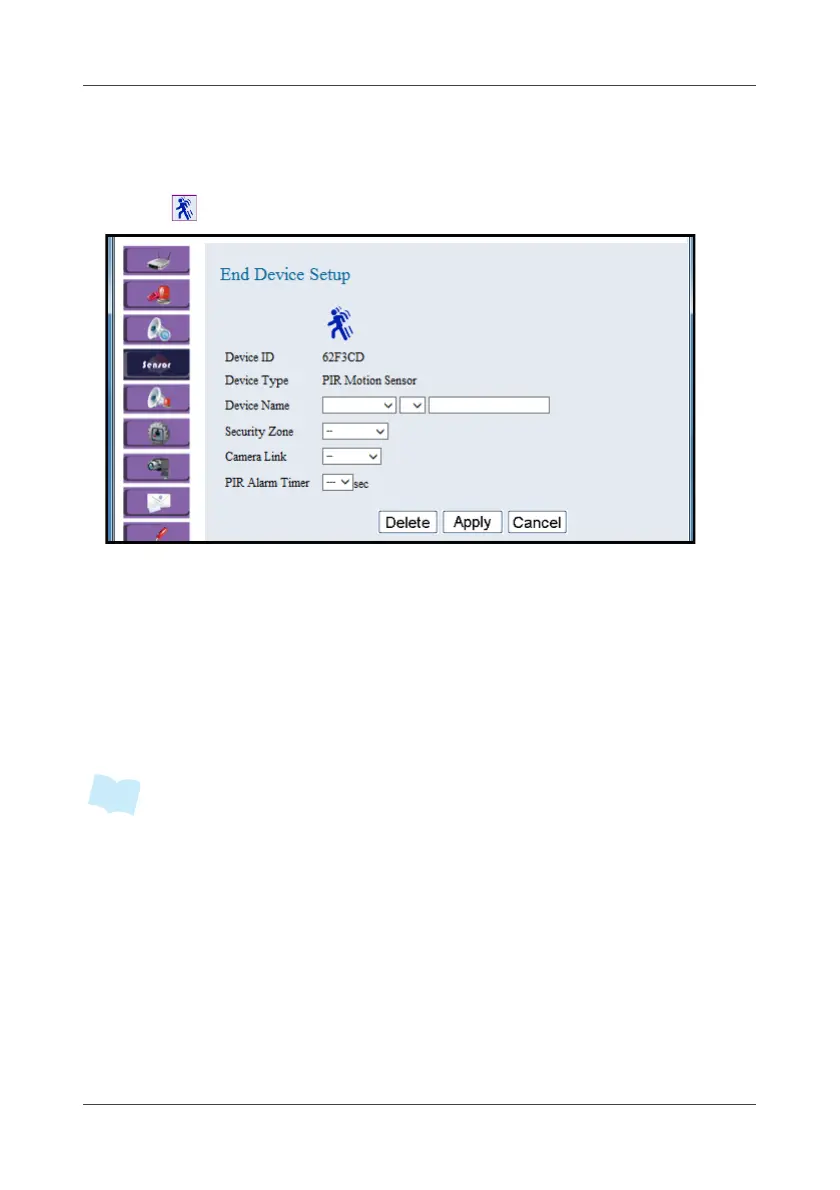
This option allows you to configure the Wireless Motion Sensor settings.
1. Click .
2. Select the location, device number, and specify the sensor name.
Click on the pull-down menu to see more options.
3. Select the security zone while enabling partial arm.
4. In the Camera Link field, select the camera for enabling the event-
triggered recording.
5. In the PIR Alarm Timer field, set the alarm timer for siren once triggered.
This is to avoid any false alarm likes animal immunity.
6. Click Apply to save the settings.
• To avoid false alarm and save the battery power, there is a 30 seconds lock-out
after motion sensor triggered; which means after the motion sensor triggered, it
will stay in sleep mode for 30 seconds.



 To Next Page