Lubricator Operating manual
Revision: 02
2022-D064493
en-16
6.4 Switching the lubricator on/off
3x
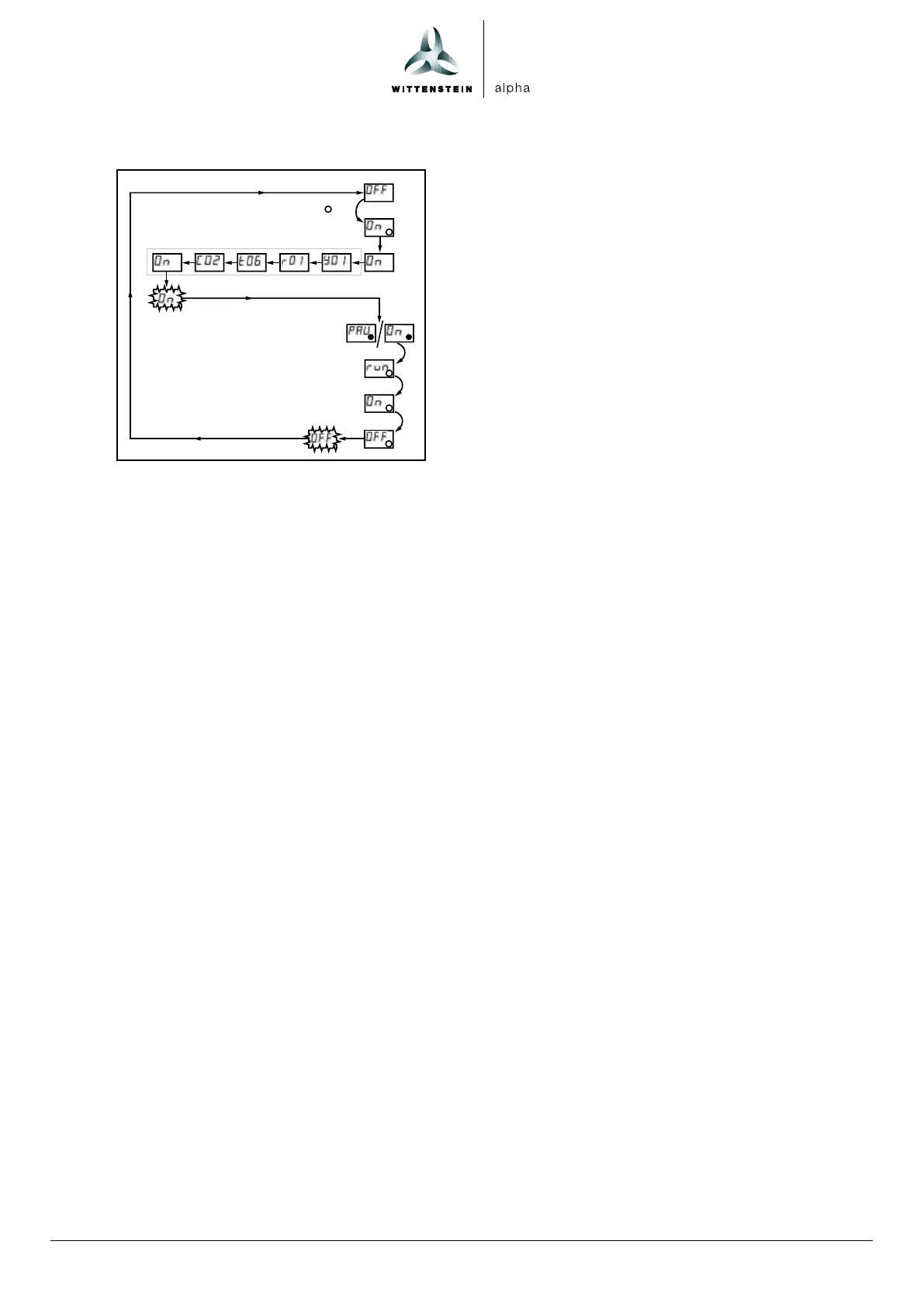
Switching on
1. Hold the magnetic pin against the action field.
The LED flashes three times red.
2. Remove the magnetic pin when the display indicates ON.
3. The firmware information and the settings for Emptying time (t) and Number of cycles (C)
are displayed.
On flashes twice on the LCD
The green LED flashes; the lubricator is in operation.
The lubricator discharges lubricant in accordance with the presets for t and C.
If the LCD displays PAU, the lubricator is not receiving a control signal from an external controller.
Switching off
1. Hold the magnetic pin against the action field.
The LED flashes red and run, On and OFF are displayed in succession on the LCD.
2. Remove the magnetic pin when the display indicates OFF.
OFF flashes twice on the LCD.
The lubricator is switched off.



 To Next Page