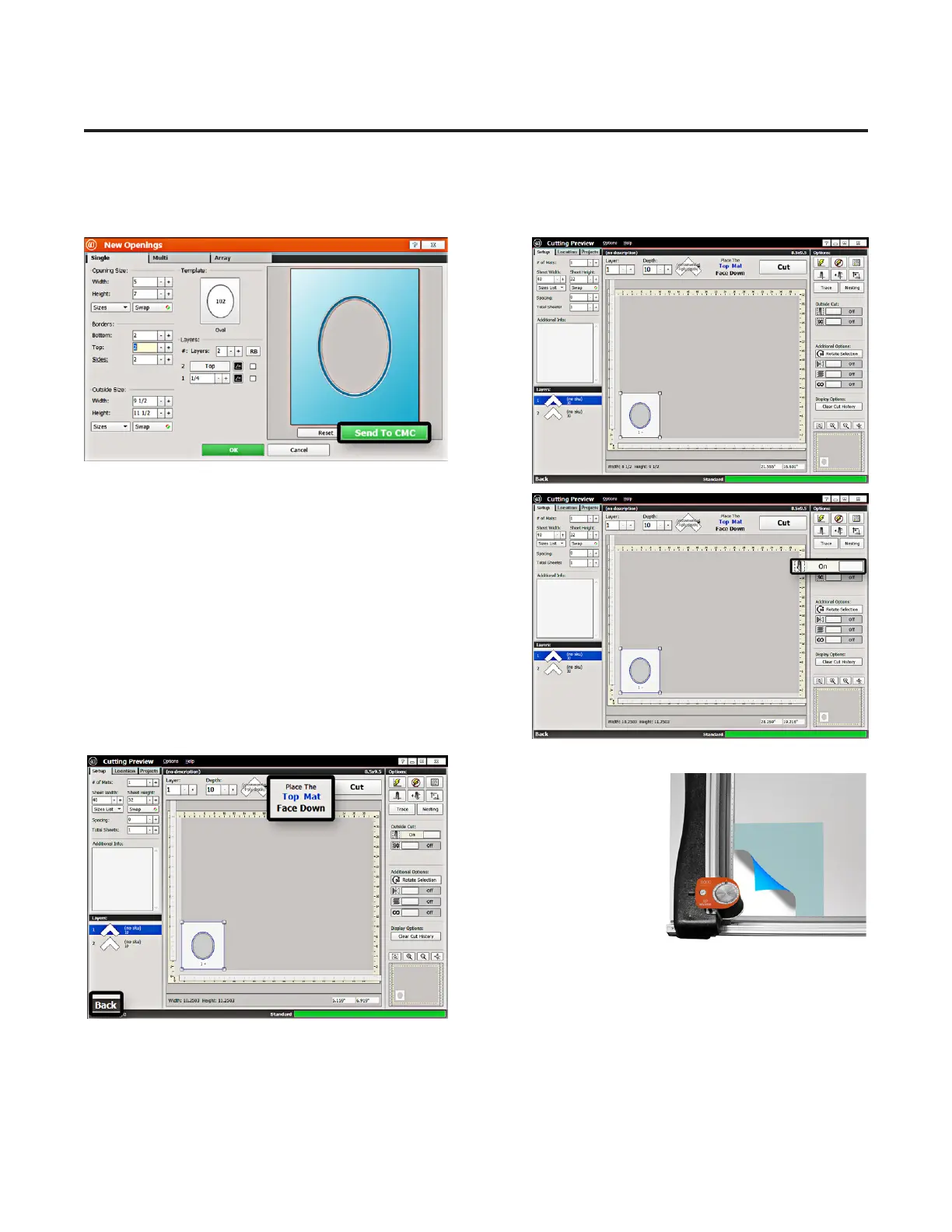
Proceed to Cutting
1. Click Send to CMC to go to the Cut Preview screen.
Outside Cut
1. Click the Outside Cut toggle to On. We will be putting
in a larger piece of matboard to cut the outside.
Prepare the Matboard
1. The cut preview displays whether the current layer
is to be cut from the
front or from the back
of the matboard. This
determines how to place
the matboard into the
CMC. This design is cut
from the back. Make sure
there are two layers of
disposable slipsheets of
adequate size underneath
the matboard to be cut. Since we are cutting the outside,
make sure you are using a matboard of adequate size.
2. This design is cut from the back. Place the matboard
face down onto the CMC (facing away from the operator). Make sure the matboard nestles tightly under the
horizontal clamp and vertical clamp of the CMC.
20
Wizard™ International, Inc., 4600 116th St. SW, Mukilteo, WA 98275 888/855-3335 wizardcutters.com
20-34300-1A GettingStartedManual9K-70FrameShop
02/23/24
Wizard™ CMC Model 9000 Hardware and Software Getting Started Guide


 To Next Page