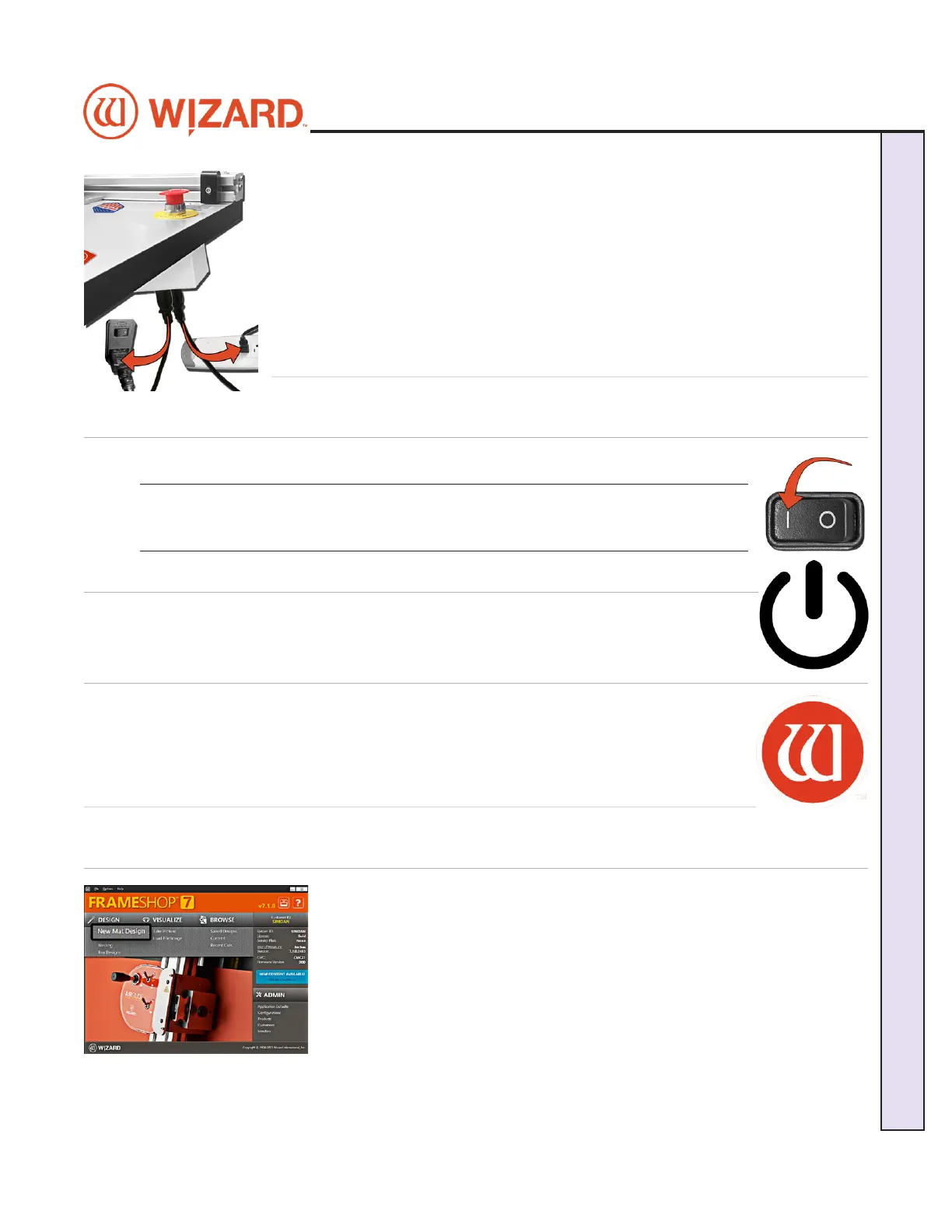
4. Connect the other end of the ECU power supply plug to the top port behind the
emergency stop on the back of the board. Make sure the plug is rmly inserted to
ensure the grounding wire makes contact.
5. Connect the power cord for the emergency stop into the bottom port on the back of
the board.
6. Connect the other end of the emergency stop power cord into a surge protector.
7. The ECU is now connected.
Power Up Sequence
Power Up the ECU
Press the | on the rocker switch on the back of the ECU to turn on the ECU.
*The ECU must be on for the CMC to cut. Press | on the
rocker switch to turn it on.*
Start Up the Computer
Turn on the computer. Allow a minute or so for it to power up.
Launch FrameShop
Double-click on the FrameShop icon to start the software.
Creating Your First Mat
Edit New Mat
1. Click New Mat Design on the main screen to create a new design.
20-34300-1A GettingStartedManual9K-70FrameShop
02/23/24
13
Wizard CMC Model 9000 Hardware and Software Getting Started Manual
Wizard™ CMC Model 9000 Hardware and Software Getting Started Guide


 To Next Page