Setting up the CMC
Congratulations on acquiring the Wizard™ computerized mat cutter (CMC). The following instructions will
walk you through unpacking and setting up the CMC.
Begin by clearing an area for the CMC. Refer to the Stand Instructions for the minimum amount of space
needed.
Setting up the Stand or Wall Mount
* CAUTION: The stand or wall mount MUST be assembled before
unpacking the CMC so it can be immediately installed in the
operating position.*
Assembling the Wall Mount or Stand Assembly
Refer to the wall mount or stand assembly instructions located in the box. If the instructions or any parts are
missing, call Technical Support at (888) 855-3335.
Taking the CMC out of the Box
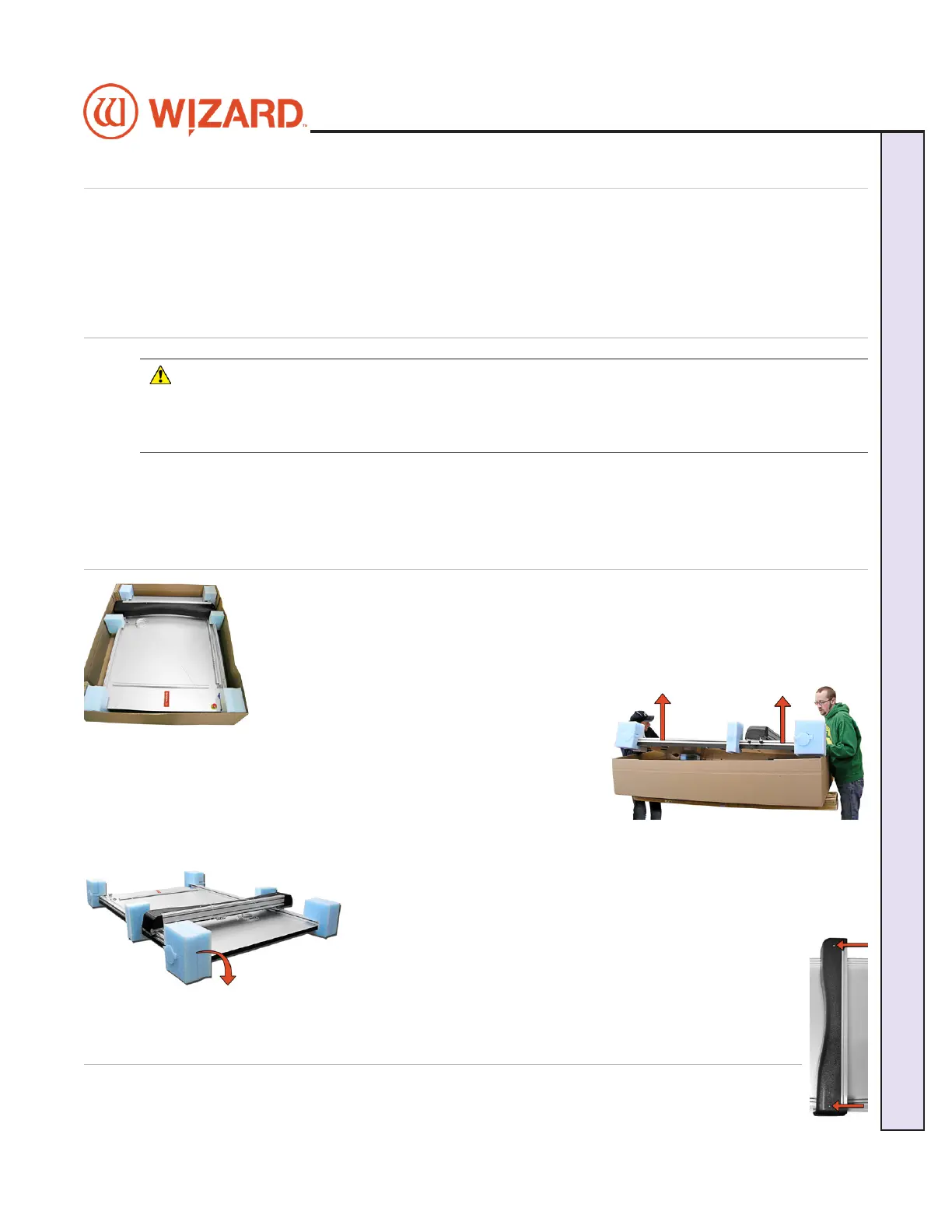
1. With the help of a second person, place the box on a at surface, cut the strapping
tape and lift the cover of the box away. Take care to save the packaging.
2. Working together, carefully lift the CMC straight up out of the box.
3. Gently set the CMC upright resting on the foam corners.
4. Position the CMC on the wall mount or stand, making sure that
none of the air lines are crimped, and that the grounding strap on
the right rear side of the board is not crimped between the board and
stand arm.
5. Remove the foam corners and move the box out of the way.
6. Follow the instructions that came with the stand to secure the CMC into
place and attach the grounding strap.
7. Place the foam corners back into the box. Save packaging,
foam corners and shipping blocks (removal instructions
described next) for future use. See Contract Section 1 “Shipping
Charges.”
Remove Gantry Cover
1. Remove the two screws holding the gantry cover in place, and set the cover and screws aside.
20-34300-1A GettingStartedManual9K-70FrameShop
02/23/24
7
Wizard CMC Model 9000 Hardware and Software Getting Started Manual
Wizard™ CMC Model 9000 Hardware and Software Getting Started Guide


 To Next Page