Variable Pressure Optimization (VPO) Feature
Adjusting for Regular or Dense Matboard
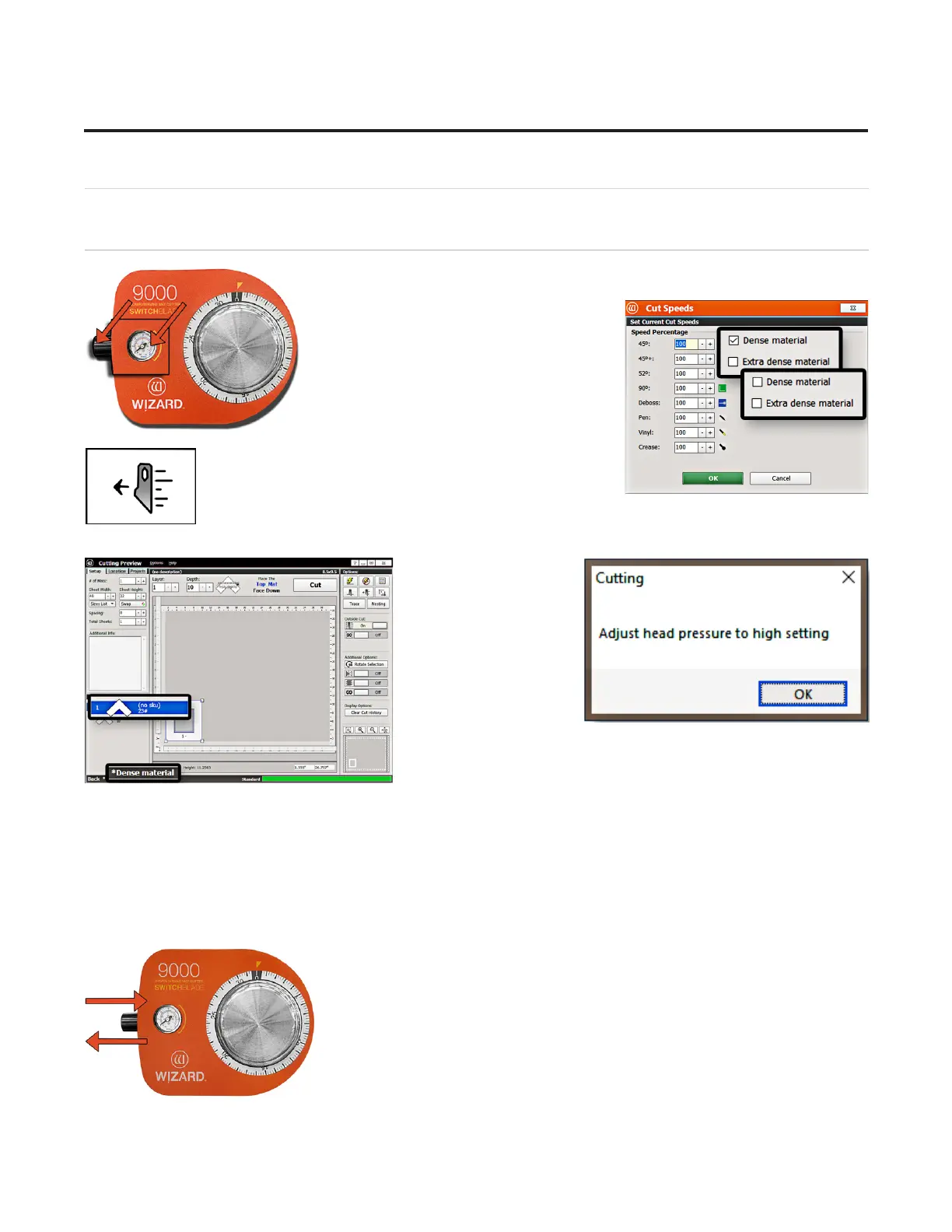
The head air regulator is located on the left side of the head and controls the
pressure of the Footblock against the matboard as it is cutting.
The software will prompt for a head pressure
change only if the current mat is a dierent
setting than the previously cut mat. If the
settings are the same as the previously cut
mat, adjusting the head air pressure is not
needed.1. Select the desired layer on the
Cut Preview.
2. Click the Cut Speeds button to open the Cut Speeds
Screen.
3. Check or uncheck
the Speed Reduction
options according to
the type of matboard
you’re cutting. For
instance, uncheck
Dense Material if you
are cutting regular
matboard.
• Uncheck Dense for regular matboard
• Check Dense for dense matboard
4. Change the Blade Depth to the appropriate setting for this matboard.
5. Click OK. The Cut Preview displays the selection of matboard.
• Regular matboard displays no indicator.
• Dense matboard displays the dense layer with an asterisk and indicates that this layer is dense.
6. Click Cut to cut the mat and Align the Head if requested.
7. The Head plunges at the home position and applies the current pressure.
8. Pull out the air regulator pressure knob by pulling it to the left.
22
Wizard™ International, Inc., 4600 116th St. SW, Mukilteo, WA 98275 888/855-3335 wizardcutters.com
20-34300-1A GettingStartedManual9K-70FrameShop
02/23/24
Wizard™ CMC Model 9000 Hardware and Software Getting Started Guide


 To Next Page