Prepare the Matboard
*Make sure there are two layers of disposable slipsheets of
adequate size underneath the matboard to be cut.*
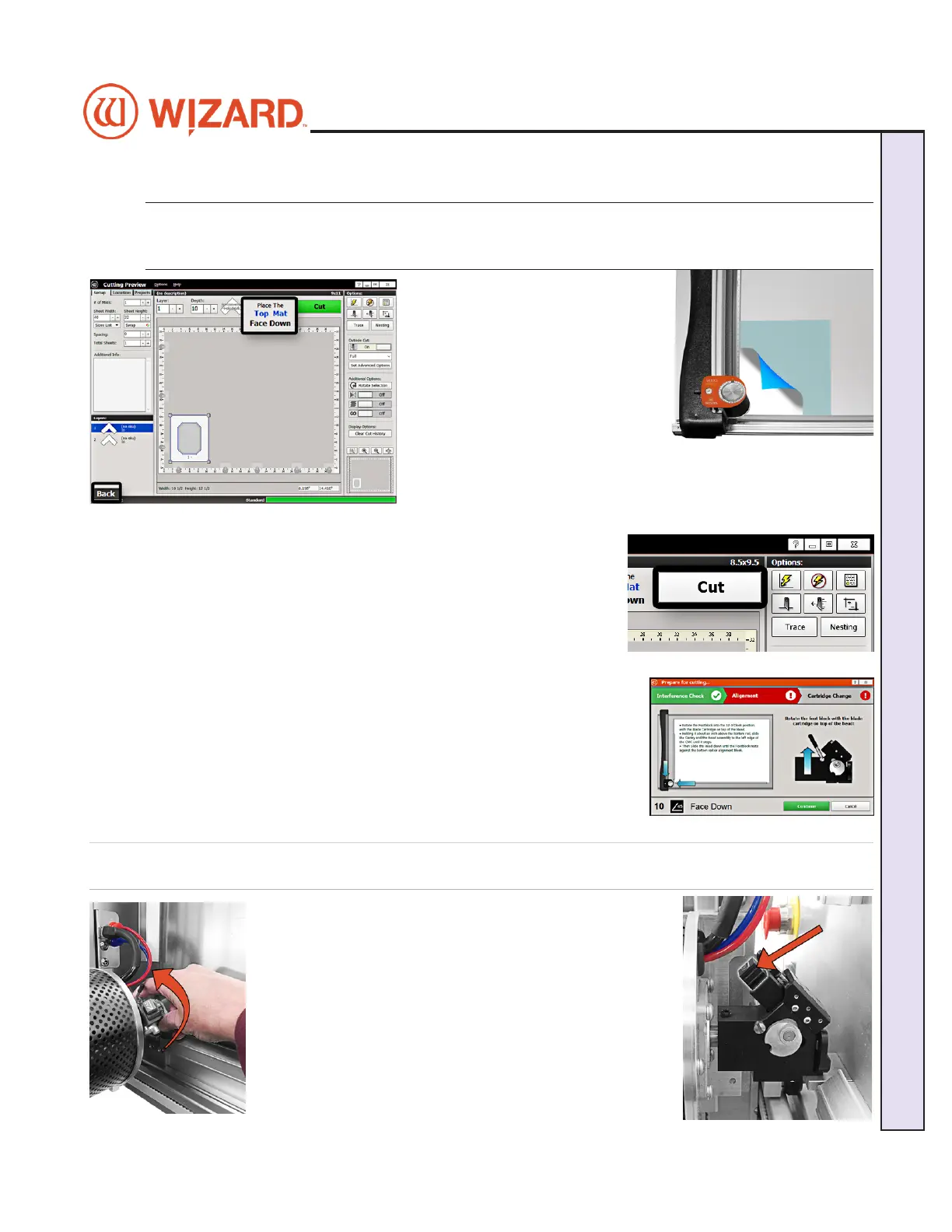
1. The cut preview displays
whether the current layer is to be
cut from the front or from the back
of the matboard. This determines
how to place the matboard into the
CMC.
2. When cutting from the back,
place the matboard face down
onto the CMC (facing away from the operator). Make sure the
matboard nestles tightly under the horizontal clamp and vertical
clamp of the CMC.
Click Cut
1. Click Cut to cut the design.
2. If the motors are disengaged, the software will prompt to Align the
Head. When the motors are disengaged, the gantry can be moved easily
back and forth and the head moves easily up and down on the gantry.
See “Homing and Alignment” page 17 for instructions on how to Align
the Head.
3. Make sure that the Pen, Vinyl and Crease cartridges are not currently
installed on the head.
4. If the head is aligned but a dierent cartridge or blade depth is needed,
user will be prompted to change the blade cartridge and/or the blade
depth. See “Cartridge Change and Depth Setting” page 18 for more
information.
Prepare to Cut
Homing and Alignment
1. Rotate the footblock into the 12 O’Clock position, with
the blade cartridge on top of the head.
20-34300-1A GettingStartedManual9K-70FrameShop
02/23/24
17
Wizard CMC Model 9000 Hardware and Software Getting Started Manual
Wizard™ CMC Model 9000 Hardware and Software Getting Started Guide


 To Next Page