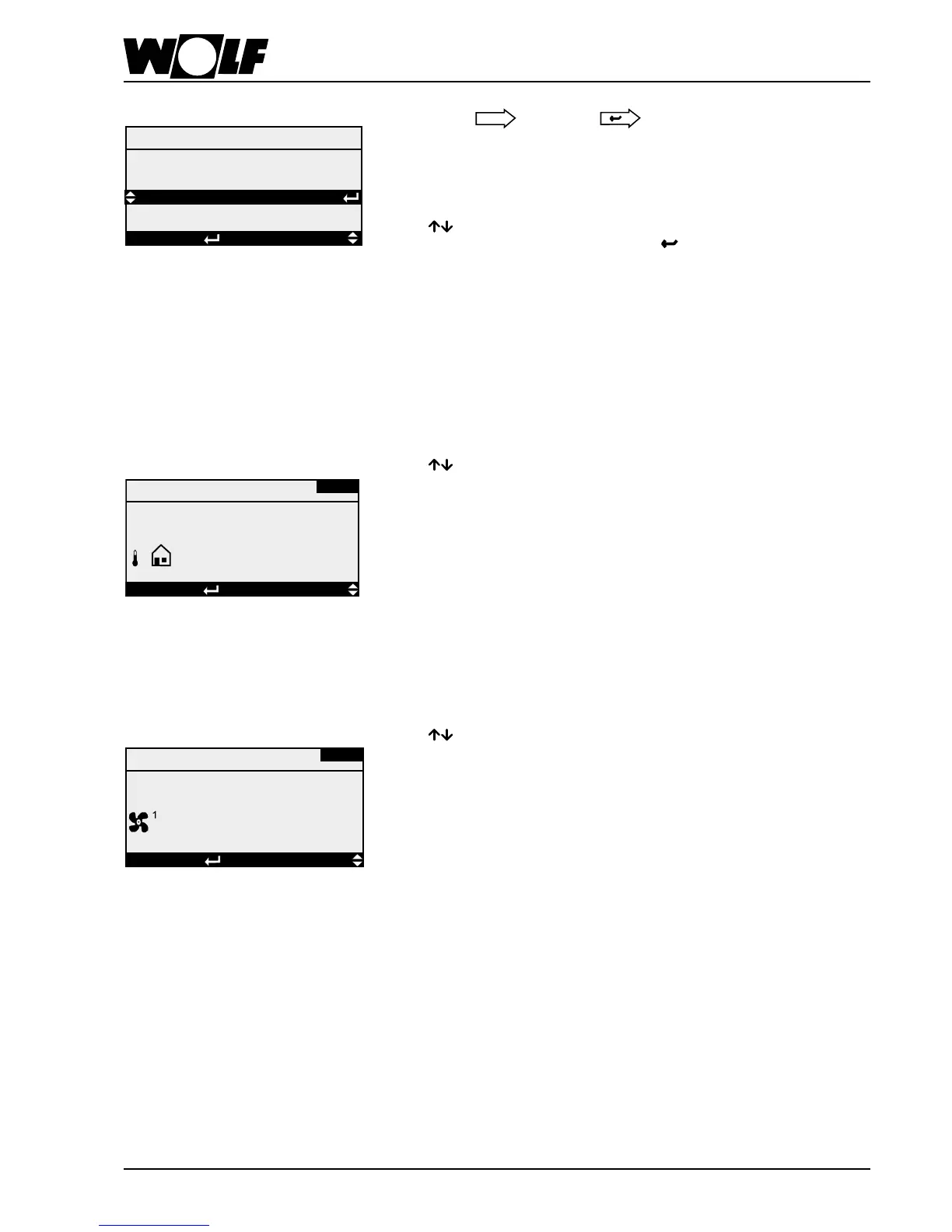
Main menu Displays
All available sensors and components are displayed.
Inaddition,thesoftwareversionandthesystemcongurationcanbecalledup;the
menu language can also be changed.
Pressing enables selection between the overview of the illustrated menu points.
After selecting the menu point required, pressing leads you to the selected
sub-menu.
Overview:
→
Sensors
→
Components
→
Hours run
→
Other…
Pressing enables the display in sequence of the current status, subject to the
connected components.
Overview:
→ Fanstage → Mixerairdamper
→ Fanspeed → Heatrecovery
→ Pump,heatingcircuit → Humidier
→ Heatingwatervalve → Ext.enabling
→ Pump,coolingcircuit → KG/WO
→ Coldwatervalve → Reheaterbank
→ Electricheaterbank → Heatpump
→ Directevaporator
Components
AK-01
Displays
< OFF >
Fan stage
Sensors
AS-01
DISPLAYSELECTIONEsc BACK
Displays
Room temperature
18.0 °C
Pressing enables the display in sequence of the actual values of connected
sensors.
Overview:
→ Roomtemperature → Icing-uptemperature → HighpressureRC1
→ Rel.humidity(room) → Outsidetemperature,day → HighpressureRC2
→ Vent.airtemperature → Outsidetemperature,total → LowpressureRC1
→ Rel.hum.,vent.air → Airquality → LowpressureKK2
→ Extractairtemp → Airpressure
→ Rel.hum.,extractair → Flowrate
→ Outsidetemperature → Setvaluetransducer



 To Next Page