29
3062878_201707
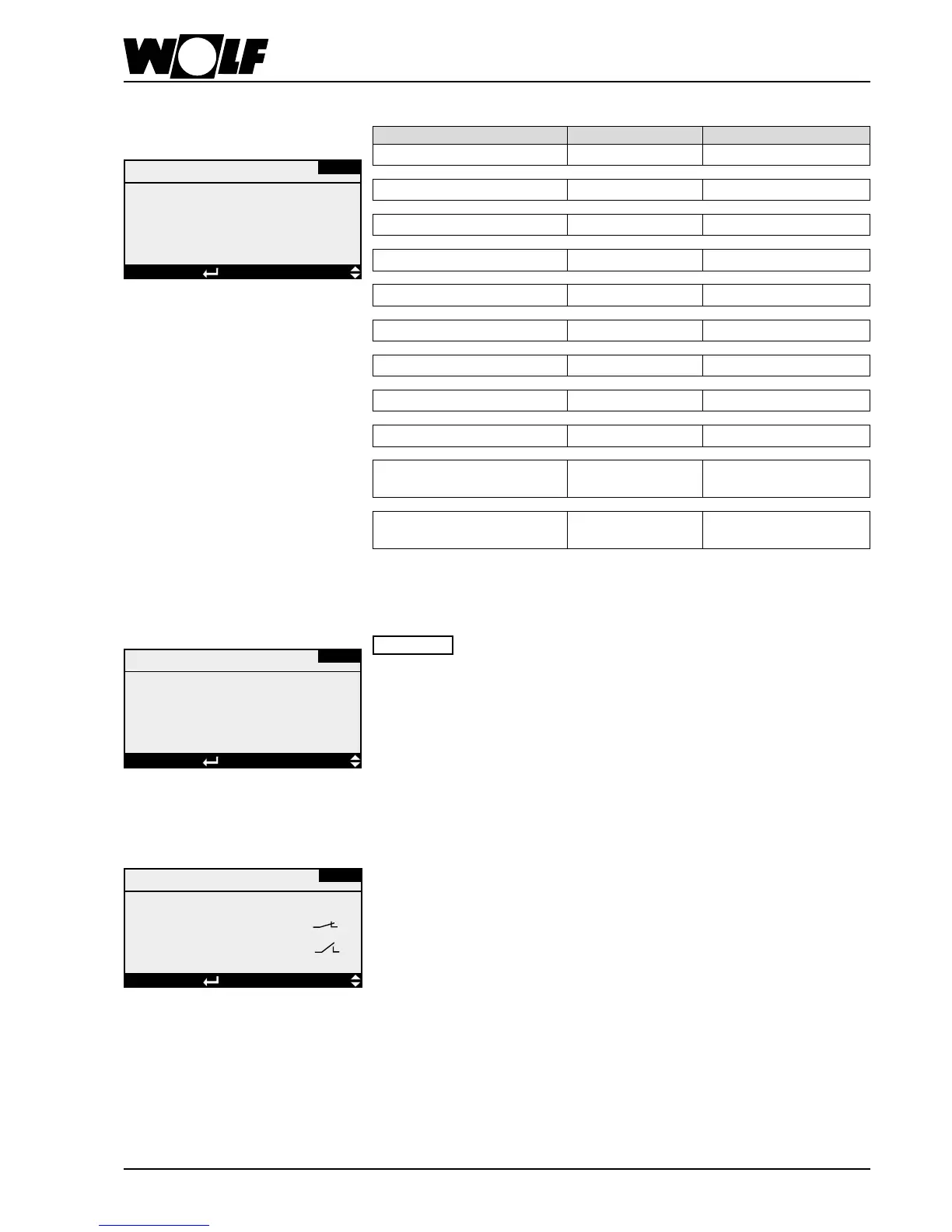
Here, sensor corrections can be carried out.
Sensor adjustment
Sensor adjustment
0.0 K
Room temperature
DISPLAYSELECTIONEsc BACK
FA-01
Parameter Setting range Factory setting
Room temperature -5 - 5 K 0 K
Vent. air temperature -5 - 5 K 0 K
Extract air temp -5 - 5 K 0 K
Outside temperature -5 - 5 K 0 K
Icing-up temp -5 - 5 K 0 K
Ventilation air humidity -20 - 20 % r.h. 0 % r.h.
Rel. humidity (room) -20 - 20 % r.h. 0 % r.h.
Rel. hum., extract air -20 - 20 % r.h. 0 % r.h.
Air quality CO
2
-200 - 200 ppm. 0 ppm.
Diff. pressure sensors, supply
air
-100 - 100 Pa 0 Pa
Diff. pressure sensors, extract
air
-100 - 100 Pa 0 Pa
10. Operating level 2
Here, every drive can be activated manually.
Please note
As a safety precaution, the parameters for activating the electric
heater bank or the direct evaporator are only shown when the fan
runs (in the case of single stage fans, this must receive a control
signal of at least 2 V).
Inthecaseofapsthatcanbeeitheronlyopenorclosed,thefanactivation
parameterswillonlybedisplayedwhentheapsareopen.
Manual mode
(condition: system switched OFF)
Manual mode
HB-02
Ventilation fan
Stage 1 : OFF
Stage 2 : OFF
Stage 3: OFF
DISPLAY SELECTION Esc BACK
Digital inputs
DE-01
Fault, inv. vent. fan
ID15 KLM - M/L
Fault, EC mtr, vent air
ID--
DISPLAYSELECTIONEsc BACK
Here, all digital inputs (faults, operating messages) are displayed with their current
status (contact closed or contact open).
Digital inputs



 To Next Page