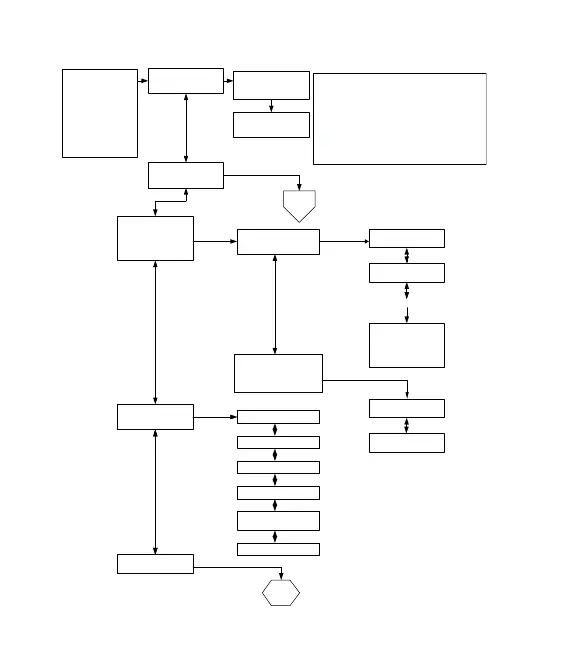
TIME OUT: No key press for 5 min. test shuts down.
VALID KEY PRESSES:
CLEAR: will step back a state regardless of state level.
ENTER: will step forward a state within the state level.
LOCK: will return to the initial Diagnostics Menu.
DIAGNOSTIC/SHOWROOM
Mode Entry: Press and Hold
TIMER key for 3 Seconds.
1 key = Diag/Showroom
Press #1 = Self Test
Press #2 = Manual Test
Press #3 = Error History
Press #4 = Version Info
Press #5 = Statistics
2. MANUAL TEST
3. ERROR HISTORY
2. CLEAR ERROR HISTORY
1. AUTO SELF TEST
MANUAL
TEST
2. ERROR MESSAGE 2
date code
1. ERROR MESSAGE 1
date code
Press ENTER to see
Error Message 1, CLEAR
to return to Error History
Continue for 20 errors
2. CLEAR HISTORY
2 = Yes?
1. CLEAR HISTORY
1 = No?
1. VIEW ERROR HISTORY
5. STATISTICS
4. VERSION INFO
Displayed: (LIL) RM HIV
S/N of OVEN CONTROL
DATA LOGGER VERSION
Displayed: (LIL) CRC
Displayed: (LIL) UIM
Displayed: (LIL) RM LOV
1. SELF TEST ACTIVE
2. SELF TEST RESULTS
STATISTICS
E-SERIES Diagnostic/Showroom Entry Menu Flow Chart
NOTE: See Technical
Service Manual 807792,
Section 5 to view full size.



 To Next Page