41 | Page
Wolfcom Vision unit
Docking station
Car vision External camera
12v Cigarette power adapter (Sold separately)
GPS Pack (Optional)
Battery Pack (Optional)
1. Mount the docking station near your center console(recommended) or near a 12v cigarette lighter socket.
2. Plug the 12v cigarette power adapter (sold separately) into the cigarette lighter socket and the other side
into the power socket(#5) on the back of the docking station. Power on the Docking station by using the
On/Off switch(#2).The status LED(#1) on the front of the docking station will light up RED. (Note: Some
vehicles cigarette plugs power on when vehicle ignition is started. Other Vehicles cigarette plug power stay
on even though the car is not started. This will drain your battery.)
3. Mount the Carvision External camera (sold separately) securely onto your windshield. Run the camera wire
along the edge of your windshield to the docking station.
4. On the Wolfcom Vision, slide the Function switch down to "CAR MODE" and OTR Switch in the up position.
Slide the Mode switch to Video Mode. Insert the Wolfcom Vision into the docking station.
5. Plug the Carvision External camera into the A/V in jack on the Wolfcom Vision
6. When you start your Vehicle the Wolfcom Vision will automatically start recording Audio and Video. When
you turn the ignition off, the Wolfcom Vision will stop recording.
7. To use the Vision as a body camera, simply disconnect the Carvision External camera from the A/V jack,
Undock the unit, and use as normal. (There is no need to slide the Function switch out of car mode.)
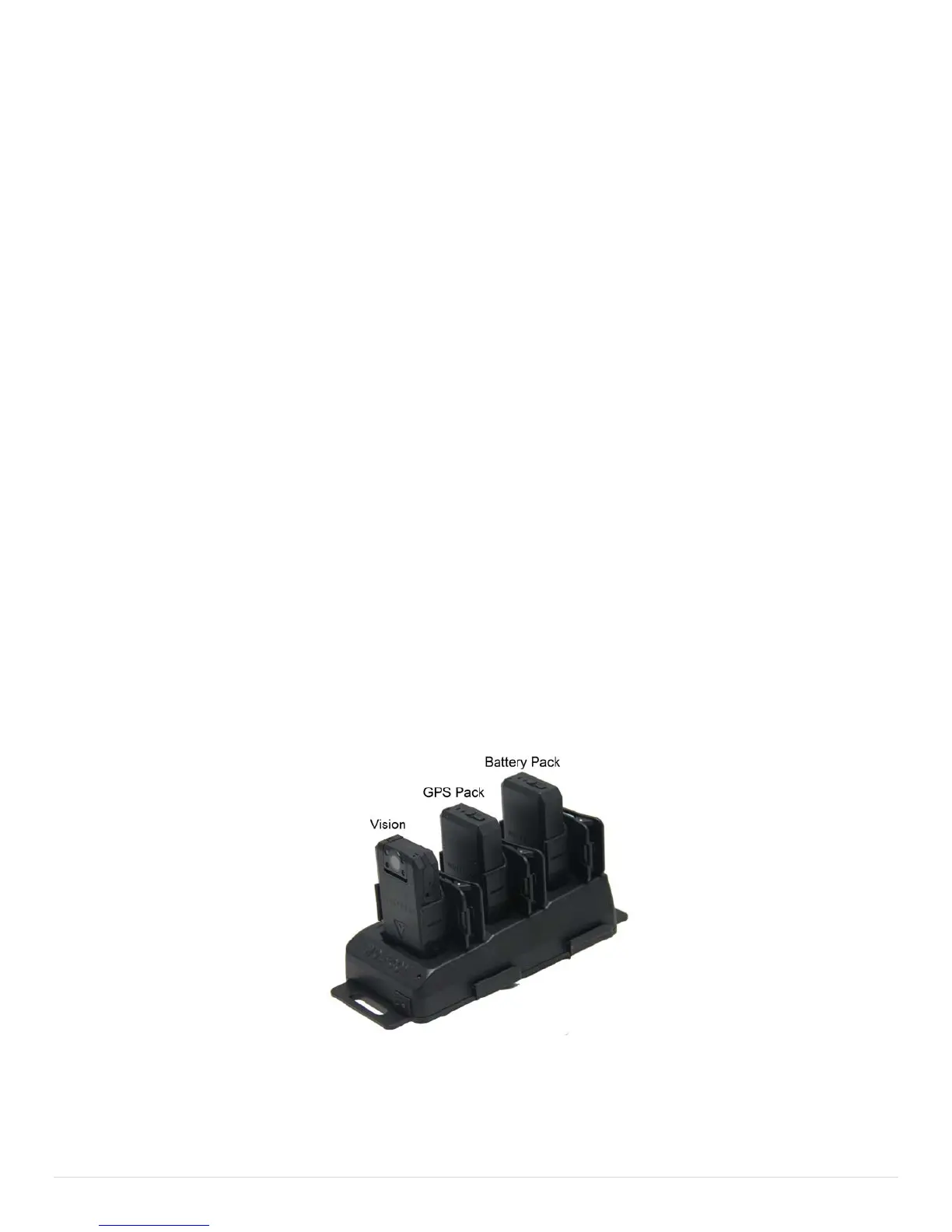
If you are using the accessory packs and want GPS Pack to link to the Wolfcom Vision. They must be in the
position pictured below:
.


 To Next Page