BASIC OPERATIONBASIC OPERATION
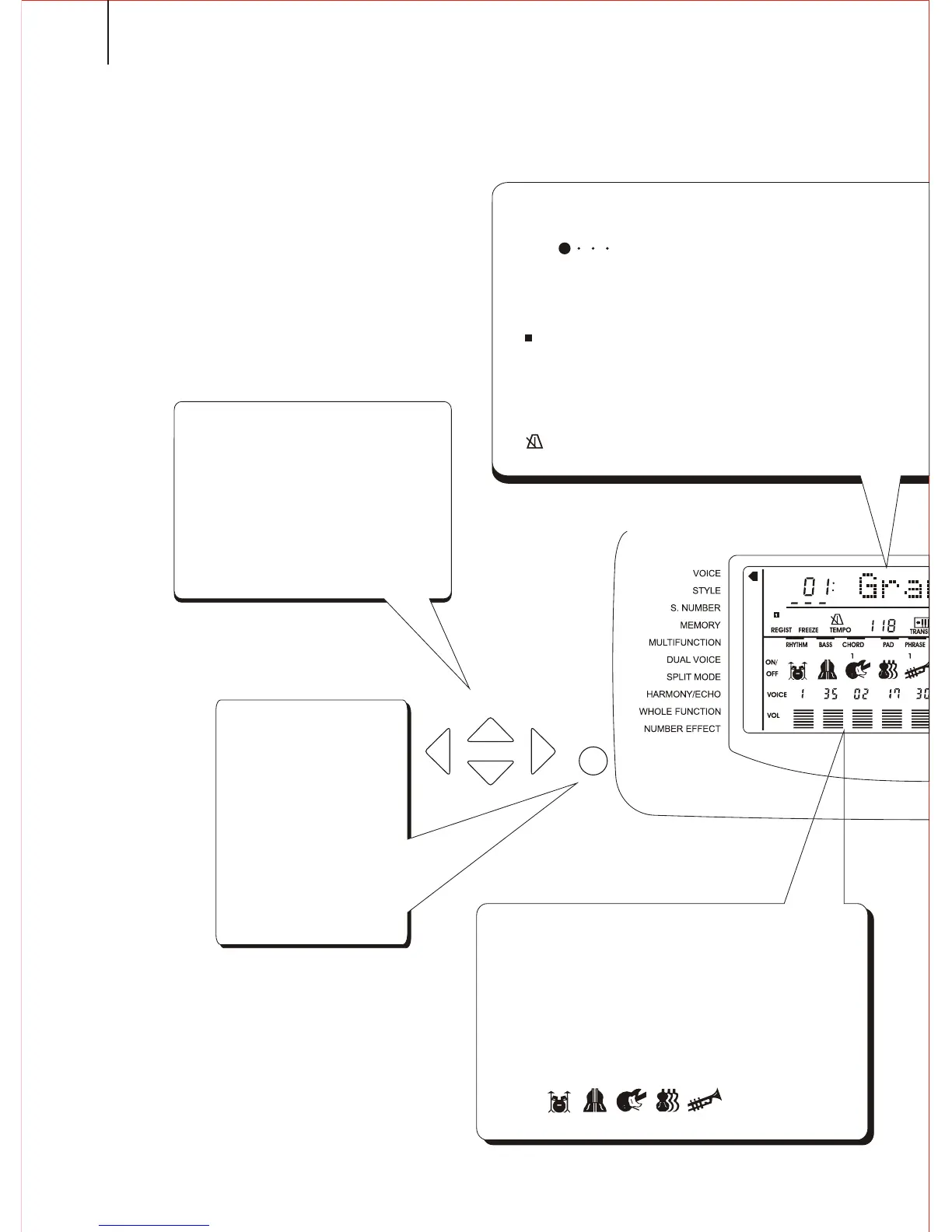
This instrument can display many important parameters in the screen. The following are the
introductions about these parameters and icons in the screen, and as well as the basic operation
of the panel buttons.
These buttons are used to select
various parameters in the screen.
The selected parameter will either be
added an underline, or be brightened,
or flicker. The cursor will be moved in
the direction according to the
corresponding cursor button. Up and
down cursor buttons can also be
applied to select certain functions in
the Function Team.
12
FUNCTION
CURSOR
RHYTHM
BASS
CHORD
PAD
PHRASE
1
1
Accompaniment Track Parameters and Icons.
There are altogether 7 accompaniment tracks, such
as Rhythm, Bass, Chord 1/2, Pad, and Phrase 1/2. Each
track has its own switch, voice number and volume
parameter. When one track is turned on, the
corresponding icon appears in the screen.
Function Team
By using Up and Down
Function buttons you can
select every function of
this instrument, such as
voice, style, song number
and etc. The arrow in the
screen points to the
function you have
selected. Pressing the
Function buttons to move
this arrow.
Cursor Buttons
BEAT
A
REGIST
FREEZE
Parameter Icons
Beat Icon
This shows the current tempo and beat both
in Song Mode and Style Mode.
Registration Memory Icon
This shows the current setting number of
registration memory.
TEMPO
Tempo Icon
This shows the tempo of the
accompaniment and song playback.



 To Next Page