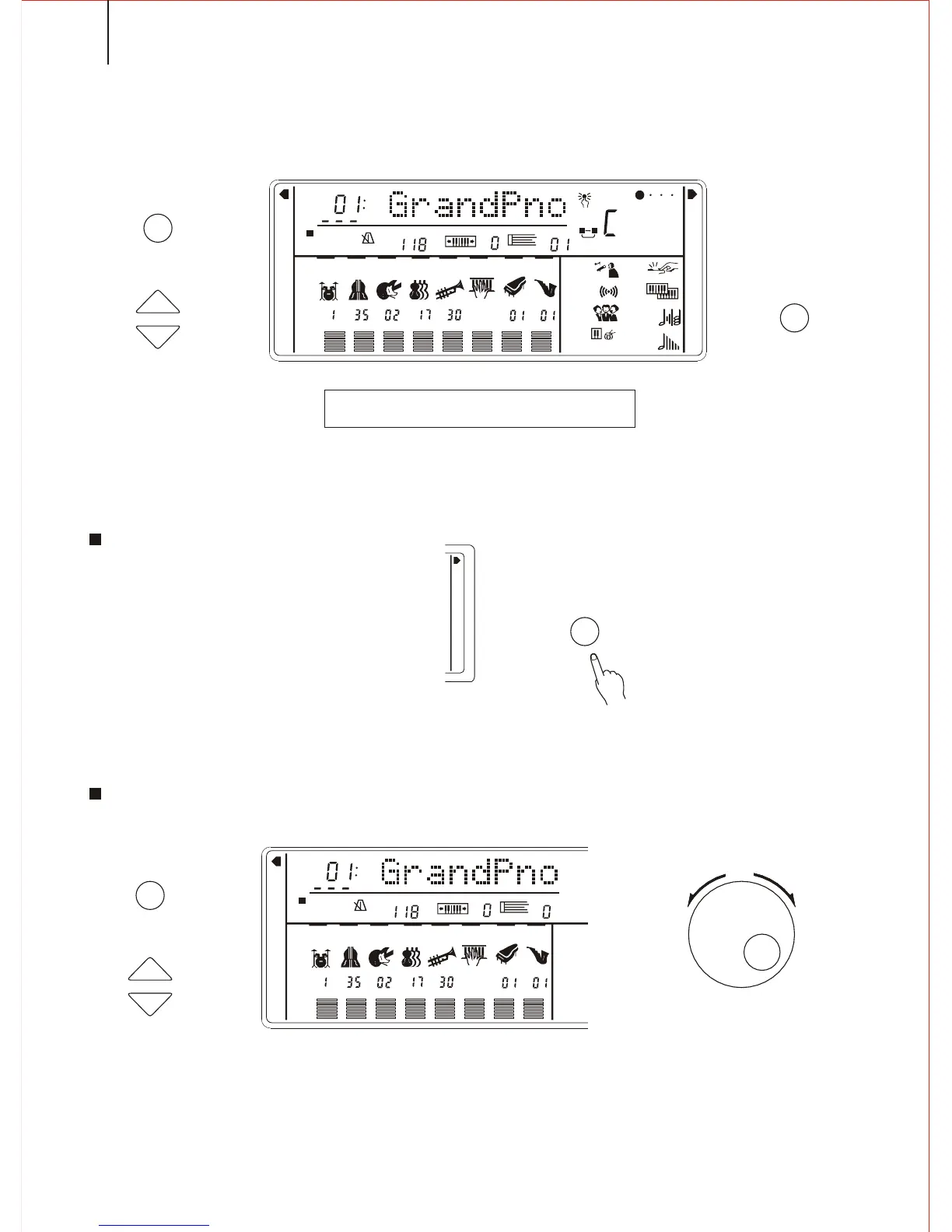
This instrument comes with 153 built-in voices and 10 percussion teams..Use the following
procedure to select the voice you want to use.
1.Selecting the normal mode
Under this mode, the instrument can only perform a single voice. Press the [MODE] button
in the panel until the arrow in the screen points to the normal performance position..
2.Selecting the Voice Play function
You have to select the Voice Play Function before performance. First press [FUNCTION]
button until the arrow points to the [VOICE] position, then adjust the [SEARCH] dial to select
the voice you desire or select directly one of the 32 common voices from the [VOICE] team.
When the up-light of the [VOICE] A/B button is on, it indicates the voice you can select
is among the down-row voices; otherwise, it is from te up-row voices.
.
Selecting and Playing a Voice
S.TS.T
PLAYING THE PIANO
1
REGIST
FREEZE
TEMPO
TRANSPOSE
MEASURE
REPEAT
A
B
OTS
CHORD
BEAT
RHYTHM
BASS
ON/
OFF
VOICE
VOL
CHORD
PAD
PHRASE
ACCOMP
MELODY
MELODY
1
1
1
1
2
MINUS ONE
REVERB
CHORUS
KEY
PERCUSSION
SUSTAIN
HARMONY
DUAL
TOUCH
S. T
FINGERED
S.FINGER
KB SPLIT
N. PERFORMANCE
MODE
MEMORY
MULTIFUNCTION
DUAL VOICE
SPLIT MODE
HARMONY/ECHO
WHOLE FUNCTION
NUMBER EFFECT
S. NUMBER
VOICE
STYLE
FUNCTION
TEMPO
MODE
FINGERED
S.FINGER
KB SPLIT
N. PERFORMANCE
1
REGIST
FREEZE
TEMPO
TRANSPOSE
MEASURE
RHYTHM
BASS
ON/
OFF
VOICE
VOL
CHORD
PAD
PHRASE
ACCOMP
MELODY
MELODY
1
1
1
1
2
MEMORY
MULTIFUNCTION
DUAL VOICE
SPLIT MODE
HARMONY/ECHO
WHOLE FUNCTION
NUMBER EFFECT
S. NUMBER
VOICE
STYLE
FUNCTION
TEMPO
SEARCH
14



 To Next Page