M1 M2 M3 M4 M5 M6 M7 M8
REGISTRATION MEMORY
REGISTRATION
/ MEMORY
B./S.
ACMP
TRACK1 TRACK2 TRACK4
TRACK3
TRACK5
RECORD
PLAY
/STOP
REPEAT
RECORD & PLAY
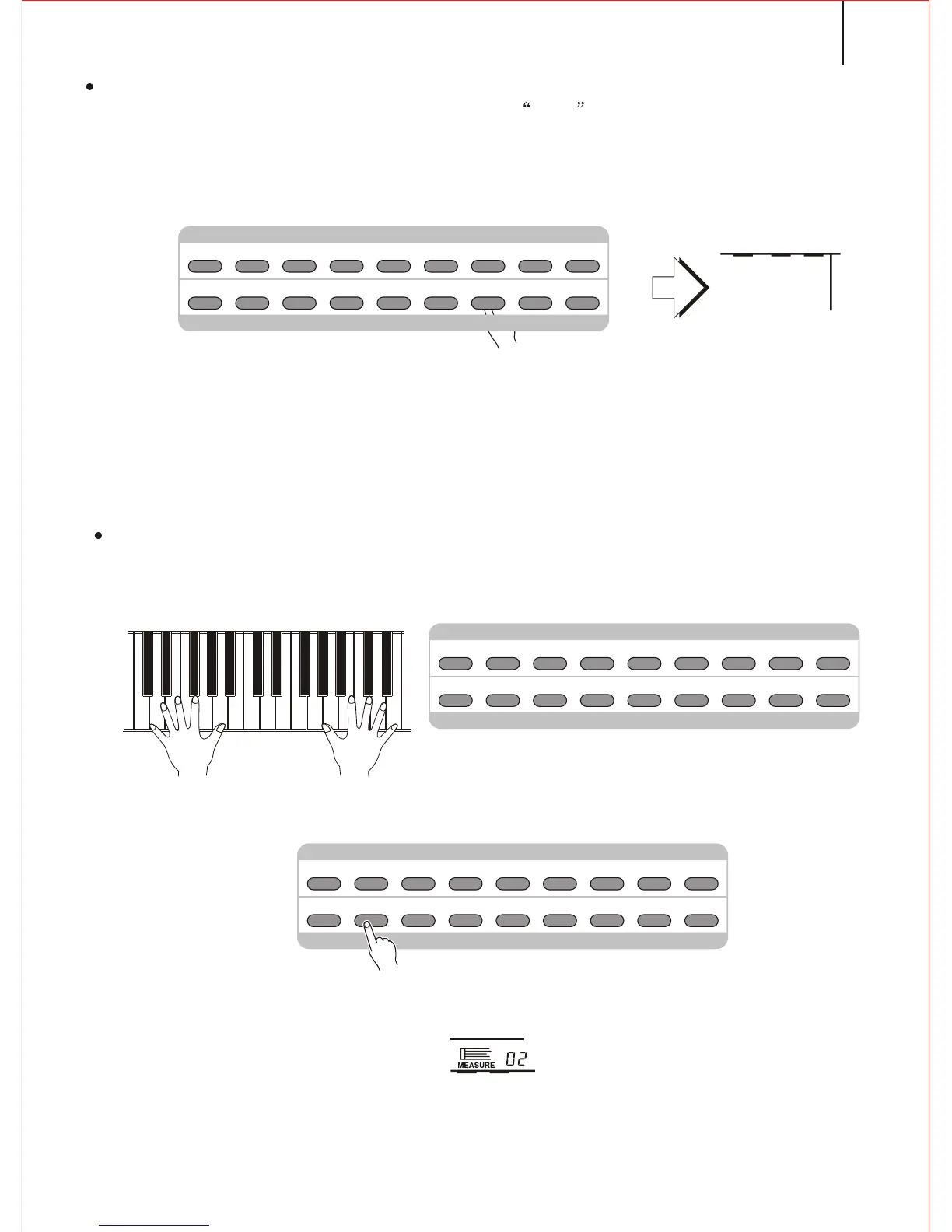
3.Entering into ACCMP / Melody Recording Preparation
Press the REC button, and the light flashes. REC appears at the ACCOMP and
MELODY position. Use the [SEARCH] dial to select another melody track. You may also
not select any Melody track.
The Time flashes to show current Tempo. If the METRONOME function is on, it
flashes by the Tempo.
Notice;
If the former recorded Melody track is on ( the relative icon shows in the screen ), it
could be monitored while recording. If you do not need the Melody sound, press the
FUNCTION button to the Song Track position and use the CURSOR <> to select the
Melody 1,2. Use the Tempo - to close it.
The volume of the melody is the current accompaniment volume.
After entering into the record standby, the keyboard will set the measure as 01.
( It could not start from the pointed measure)
4.Recording
At this moment it records the left part of the keyboard you play. If you record both the
Accompaniment and the melody, playing at the right part of the keyboard will start recording
the melody.
Also you can start recording by press the [START/STOP] button. At this moment
there is only Rhythm. Only when you play the accompaniment chord come the Chord
and Bass.
Play every section of the accompaniment(intro, main, etc). If you'd like to record
both Accompaniment and Melody, playing at the right part of the keyboard will record
the Melody.
41
Notice:
Song recording will delete all the former data of the same track.
Recording proceeds by measures. If you stop between the measure, the rest will be
recorded as pause.
If the music Memory is full, the letter FULL will appear on the screen. The recording stops.
ACCOMP
MELODY
MELODY
1
2
RECREC
[[ [
[ [[
M1 M2 M3 M4 M5 M6 M7 M8
REGISTRATION MEMORY
REGISTRATION
/ MEMORY
B./S.
ACMP
TRACK1 TRACK2 TRACK4
TRACK3
TRACK5
RECORD
PLAY
/STOP
REPEAT
RECORD & PLAY
M1 M2 M3 M4 M5 M6 M7 M8
REGISTRATION MEMORY
REGISTRATION
/ MEMORY
B./S.
ACMP
TRACK1 TRACK2 TRACK4
TRACK3
TRACK5
RECORD
PLAY
/STOP
REPEAT
RECORD & PLAY



 To Next Page