MMEENNUU IITTEEMM DDEESSCCRRIIPPTTIIOONN
– Require Trusted Certificate(On*)
– SMTP Server Authentication(No authentication
required*)
– Device-Initiated E-mail(None*)
– Device Userid
– Device Password
– NTLM Domain
EErrrroorr PPrreevveennttiioonn
• Jam Assist
– Off
– On*
Set the printer to check for jammed paper
automatically.
EErrrroorr PPrreevveennttiioonn
• Auto Continue
– Disabled
5–255 (5*)
• Auto Continue Time
Let the printer continue processing or printing a job
automatically after clearing certain attendance
conditions.
Note: Auto Continue Time is available only in
some printer models.
EErrrroorr PPrreevveennttiioonn
• Auto Reboot
– Auto Reboot
– Reboot always*
– Reboot never
– Reboot when idle
Set the printer to restart when an error occurs.
EErrrroorr PPrreevveennttiioonn
• Auto Reboot
– Max Auto Reboots
1–20 (2*)
Set the number of automatic reboots that the printer
can perform.
EErrrroorr PPrreevveennttiioonn
• Auto Reboot
– Auto Reboot Window
1–525600 (720*)
Set the number of seconds before the printer performs
an automatic reboot.
EErrrroorr PPrreevveennttiioonn
• Auto Reboot
– Auto Reboot Counter
Show a read-only information of the reboot counter.
EErrrroorr PPrreevveennttiioonn Set the printer to show a message when a short paper
68
Xerox
®
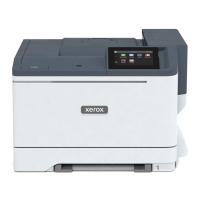
C230 Color Printer User Guide
Use printer menus




 To Next Page