MMEENNUU IITTEEMM DDEESSCCRRIIPPTTIIOONN
– WPA2-PSK Encryption Mode
– AES
– Set Pre-Shared Key
• WPA2/WPA3 - Personal
– WPA2/WPA3 - PSK Encryption Mode
– Set Pre-Shared Key
• WPA3 - Personal
– WPA3 - PSK Encryption Mode
– Set Pre-Shared Key
• 802.1x - RADIUS
– 802.1x Encryption Mode
– WPA +
– WPA2
*
– WPA2 + PMF
PMF is Protected Management Frames.
IIPPvv44
• Enable DHCP
– On
*
– Off
• Set Static IP Address
– IP Address
– Netmask
– Gateway
Enable Dynamic Host Configuration Protocol (DHCP)
and configure static IP address.
DHCP is a standard protocol that allows a server to
distribute IP addressing and configuration information
dynamically to clients.
IIPPvv66
• Enable IPv6
– On
*
– Off
• Enable DHCPv6
– On
– Off
*
• Stateless Address Auto configuration
– On
*
– Off
• DNS Server Address
Enable and configure IPv6 settings in the printer.
86
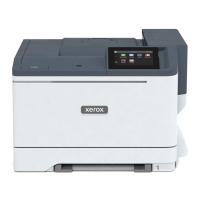
Xerox
®
C230 Color Printer User Guide
Use printer menus




 To Next Page