Troubleshooting
Xerox
®
Phaser
®
3610 Black and White Printer 109
User Guide
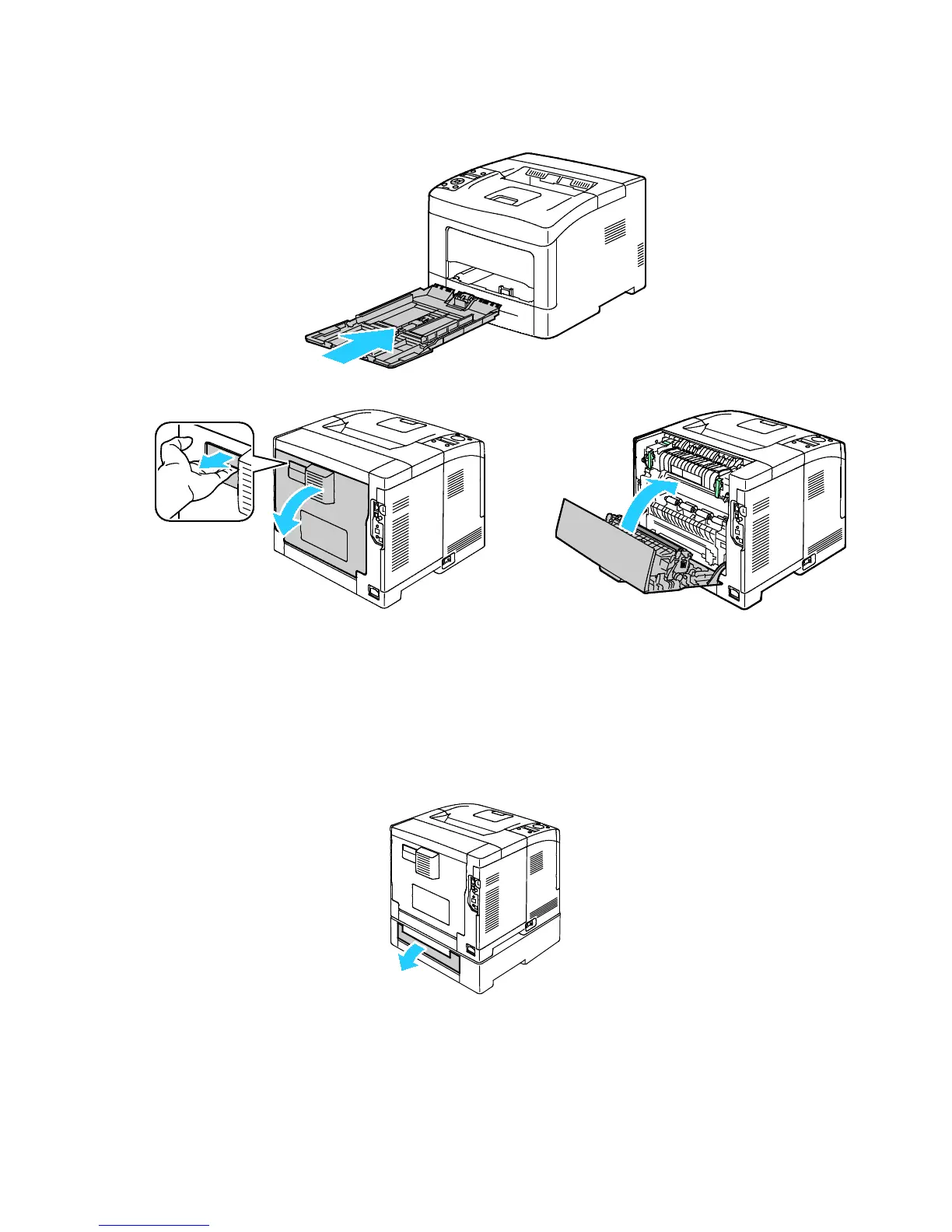
6. Insert the bypass tray back into the printer.
7. To reset the interlock switch and clear the paper jam message, open and close the back door.
Clearing Paper Jams from the Back of the Printer
Note: To resolve the error displayed on the control panel you must clear all paper from the paper
path.
1. To open the lower rear door for an optional paper tray, pull it down from the top.













 To Next Page