Troubleshooting
110 Xerox
®
Phaser
®
3610 Black and White Printer
User Guide
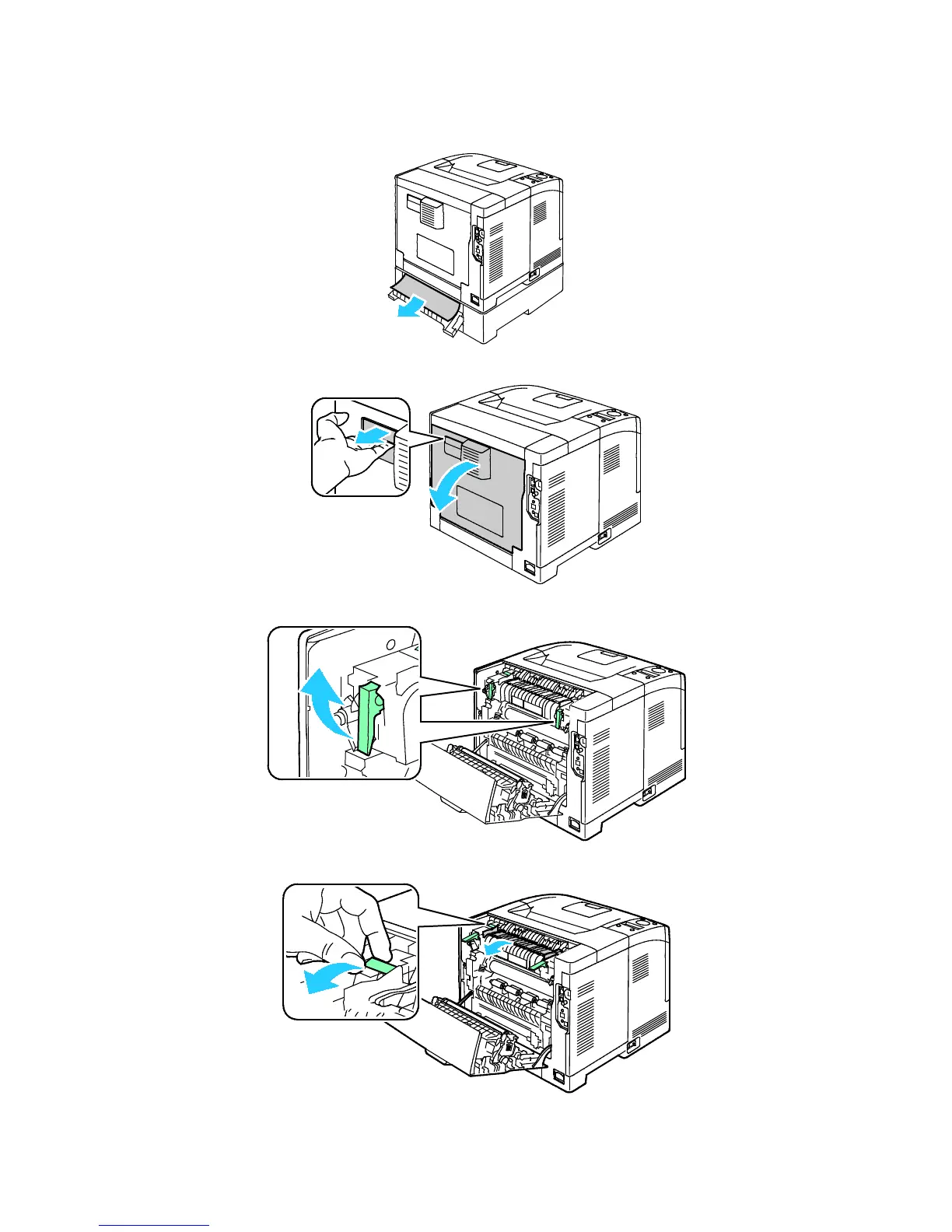
2. Remove any jammed paper from the back of the printer.
3. To open the rear door, pull the release and lower the cover.
4. If paper is jammed in the fuser, raise both green levers to open the fuser.
5. To open the paper guide, raise the green handle.













 To Next Page