Loading Paper
Phaser® 4510 Laser Printer
3-9
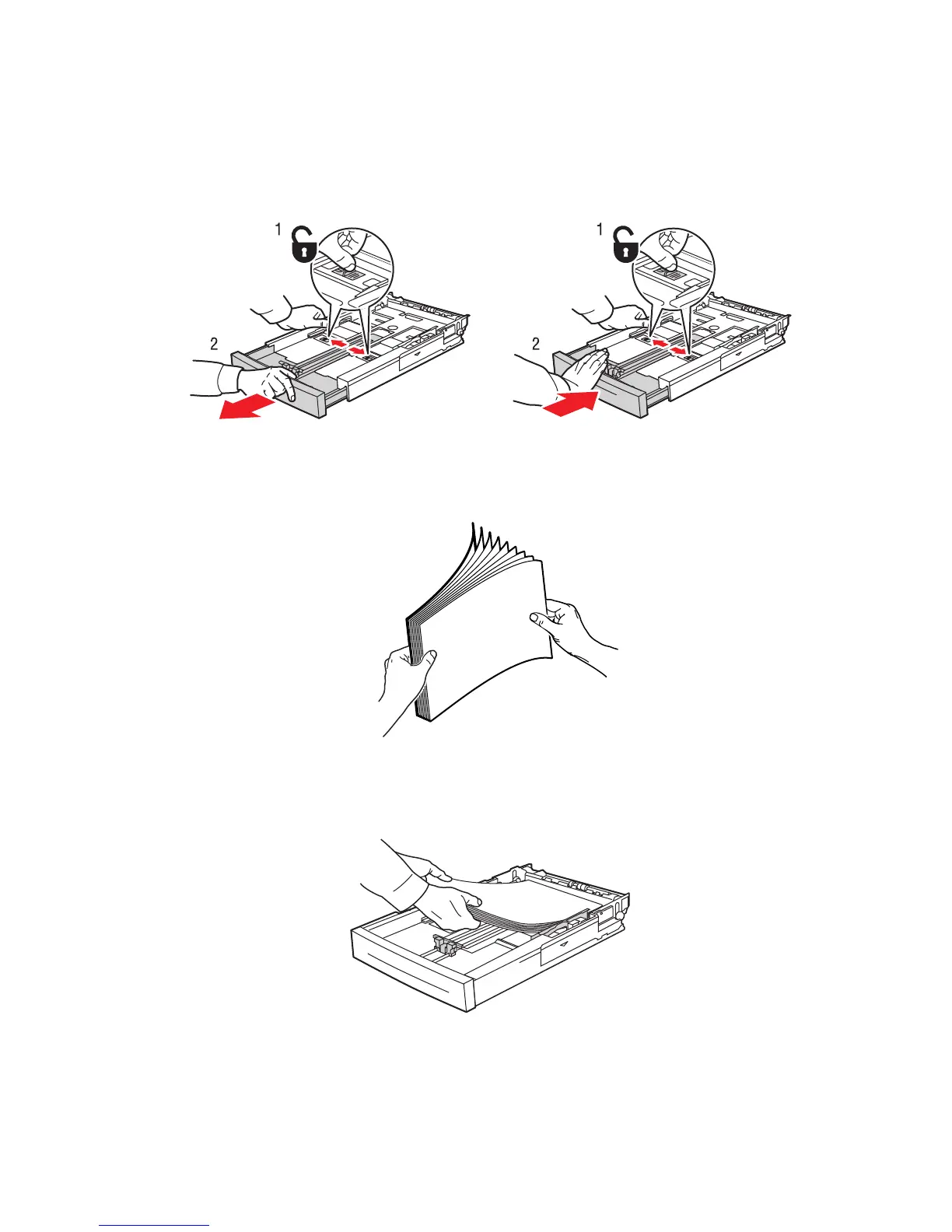
3. Extend the tray to accommodate legal or US Folio (legal 13) paper by moving the release
tabs to the sides of the tray and pulling out on the front of the tray. Reduce the tray length
by moving the release tabs to the sides of the tray and pushing in the front of the tray.
4. Fan the paper to release sheets that are stuck together.
5. Insert the paper into the tray, and adjust the paper guides to fit the paper.
Extending Tray Length Reducing Tray Length
4510-071
4510-072
4510-042
















 To Next Page