EasyManua.ls Logo

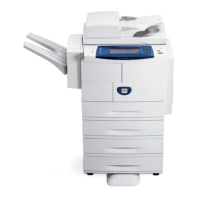
Xerox WorkCentre 4265 - User Manual

Xerox WorkCentre 4265
206 pages
Print Icon
To Next Page IconTo Next Page
Loading...
Xerox
®
WorkCentre
®
4265
Multifunction Printer
Imprimante multifonction
User Guide
Guide d'utilisation
Italiano Guida per l’utente
Deutsch Benutzerhandbuch
Español Guía del usuario
Português Guia do usuário
Nederlands Gebruikershandleiding
Svenska Användarhandbok
Dansk Betjeningsvejledning
Suomi Käyttöopas
Norsk Brukerhåndbok
Русский Руководство пользователя
Čeština Uživatelská příručka
Polski Przewodnik użytkownika
Magyar
Felhasználói útmutató
Türkçe
Kullanıcı Kılavuzu
Ελληνικά Εγχειρίδιο χρήστη

Table of Contents

Other manuals for Xerox WorkCentre 4265

Questions and Answers

  • K
    Kendra BartlettNov 22, 2025
    Why does my Xerox WorkCentre 4265 keep resetting or turning off?
    • L
      Lucas MillerNov 22, 2025
      If your Xerox All in One Printer frequently resets or turns off, there are several possible causes: * The power cord might not be plugged in correctly. Turn off the printer, ensure the power cord is correctly plugged into the printer and the outlet, then turn it on again. * A system error may have occurred. Turn the printer off, then on again. Print the Error History report from the Information Pages menu. If the error persists, further assistance may be needed. * The printer could be connected to an uninterruptible power supply. Turn off the printer and connect the power cord to a suitable outlet. * The printer might be connected to a power strip shared with other high-power devices. Plug the printer directly into the outlet or into a power strip not shared with high-power device...
  • J
    John HarperDec 3, 2025
    What to do if my Xerox All in One Printer fails to print?

    Summary

    Safety

    Electrical Safety

    Covers electrical hazards, power cord safety, and laser safety precautions.

    Operational Safety

    Details safe printer operation, ozone release, and environmental considerations.

    Printer Supplies

    Safety guidelines for handling and using printer consumables like toner.

    Maintenance Safety

    Outlines safety procedures and warnings for performing printer maintenance.

    Features

    Parts of the Printer

    Identifies and describes the physical components of the printer's front, rear, and internal parts.

    Administration Features

    Details CentreWare Internet Services and printer administration settings.

    Installation and Setup

    Installation Overview

    Provides an overview of the printer installation process and notes about driver downloads.

    Printer Configuration and Connection

    Details printer setup using the enablement key and connecting via USB, network, or telephone.

    Network Configuration

    Explains TCP/IP and IP addresses, and how to configure network settings.

    Software Installation

    Guides for installing print and scan drivers for Windows, Macintosh, UNIX, and Linux.

    Paper and Media

    Supported Paper

    Details supported paper types, sizes, weights, and loading guidelines.

    Printing

    Printing Overview and Options

    Covers printing overview, selecting print options, and driver help.

    Managing Print Jobs

    Details how to manage jobs at the control panel, secure/held jobs, and CentreWare jobs.

    Copying

    Scanning

    Troubleshooting

    General Troubleshooting

    Covers common issues like power, connectivity, slow printing, and printer noises.

    Paper Jams

    Provides guidance on minimizing, locating, and clearing paper jams from various printer areas.

    Xerox WorkCentre 4265 Specifications

    General IconGeneral
    Print TechnologyLaser
    FunctionsPrint, Copy, Scan, Fax, Email
    Print Resolution (Max)Up to 1200 x 1200 dpi
    Memory (Standard)2 GB
    Memory (Maximum)2 GB
    Connectivity10/100/1000Base-T Ethernet, USB 2.0
    Paper Output250 sheets
    Scan Resolution (Optical)Up to 600 x 600 dpi
    Fax Speed33.6 Kbps
    Media Sizes SupportedLegal, Letter
    Mobile PrintingApple AirPrint
    Duplex PrintingAutomatic
    Display7-inch color touchscreen

    Related product manuals