EasyManua.ls Logo

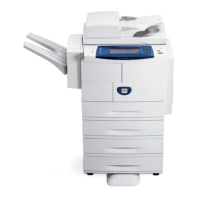
Xerox WorkCentre 4118 - User Manual

Xerox WorkCentre 4118
123 pages
Print Icon
To Next Page IconTo Next Page
Loading...
WorkCentre 4118
System Administration Guide

Table of Contents

Other manuals for Xerox WorkCentre 4118

Questions and Answers

  • A
    Audrey HunterJul 26, 2025
    Why are there smears, lines, marks or spots on Xerox WorkCentre 4118 All in One Printer copies?
    • D
      Denise CoxJul 26, 2025
      Smears, lines, marks, or spots on copies from your Xerox All in One Printer can occur if the Document Glass or Document Feeder is dirty, so clean them. Also, check your original document for any defects.
  • L
    Lori MyersAug 5, 2025
    Why Xerox WorkCentre 4118 All in One Printer produces irregular faded patches?
    • S
      Stephen ReyesAug 6, 2025
      Irregular faded patches on your Xerox All in One Printer outputs may be due to unevenly distributed toner or the paper quality. To resolve this: * Remove the toner cartridge. * Shake it gently to distribute the toner evenly. * Reinstall the toner cartridge. Also, ensure the paper used in the machine meets the specifications provided in the User Guide.
  • P
    padillaalexandriaAug 15, 2025
    What to do if Xerox WorkCentre 4118 makes grinding noise at power up?
    • M
      Michael RamseyAug 15, 2025
      If your Xerox All in One Printer is making a grinding noise when you power it up, it could be due to the Scan Lock being engaged or packing material remaining in the trays. First, power down the printer and locate the Scan Lock switch on the underside of the scanner, ensure that the Scan Lock has been moved to the unlock position. Then, remove any remaining packing material from the trays.

Summary

Basic Network Installation

Information Checklist

Lists prerequisites and required items for network installation.

Basic TCP;IP Settings

Manual and automatic configuration of TCP/IP addresses for network connectivity.

NetWare

IP NDPS Printing

Details the setup for IP NDPS printing in NetWare environments.

Print Driver Installation for Networked Printers

Workstation Setup

Guides through setting up print drivers on various Windows workstations.

AppleTalk

AppleTalk Installation

Covers the configuration steps for AppleTalk network setup.

Printer Driver Installation

Details the process of installing drivers for Mac OSX via AppleTalk.

Advanced TCP;IP Setup

Network Installation Using Internet Services

Enabling Internet Services

Provides steps to activate the Internet Services feature on the device.

Administration Tools

Maintenance using Internet Services

Explains how to perform maintenance tasks via Internet Services.

Problem Solving

Problem Solving Procedure

Provides a systematic approach to troubleshooting issues.

Xerox WorkCentre 4118 Specifications

General IconGeneral
Print TechnologyLaser
Print Speed18 ppm
Max Print Resolution600 x 600 dpi
Copy Speed18 cpm
Max Copy Resolution600 x 600 dpi
Fax Transmission Speed33.6 Kbps
Paper Capacity250 sheets
FunctionsPrint, Copy, Scan, Fax
Duplex PrintingManual
Memory (Standard)64 MB
ConnectivityUSB 2.0
Supported Operating SystemsWindows, Mac

Related product manuals