EasyManua.ls Logo

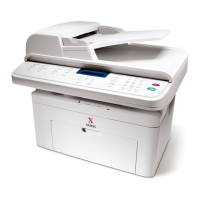
Xerox WorkCentre PE16 - User Manual

Xerox WorkCentre PE16
201 pages
Print Icon
To Next Page IconTo Next Page
Loading...
WorkCentre PE16
LASER MULTIFUNCTION (4 IN 1)
MFP User’s Guide

Table of Contents

Other manuals for Xerox WorkCentre PE16

Questions and Answers

  • J
    Jeffery DuranJul 27, 2025
    What to do if paper doesn't exit the cassette on Xerox WorkCentre PE16?
    • J
      Jennifer WongJul 27, 2025
      If paper doesn't exit from the cassette in your Xerox All in One Printer, it may be due to several reasons. First, inspect the solenoid using Engine Test Mode (Diagnostic Mode code 0 2). If the pad is loose due to poor sealing, replace the side-pad assembly. Also, check the roller-pick-up for any foreign matter and clean it with a soft cloth dampened with IPA or water. If the paper feeds into the printer and Jam 0 occurs, use DCU to check the feed-sensor of the engine board. Suggested solutions include replacing the solenoid, replacing the side-pad assembly, cleaning the roller, or replacing the Housing-Pickup and/or Shaft-Pickup.
  • B
    Bradley LongAug 9, 2025
    Why does my Xerox WorkCentre PE16 start printing with the paper in the wrong position?
    • P
      Parker WilliamsAug 9, 2025
      Incorrect timing, caused by a defective feed sensor actuator, can lead to printing starting when the paper is in the wrong position in your Xerox All in One Printer. The suggested solution is to replace the defective actuator.

Summary

Getting Started

Unpacking

Procedure for removing the machine and accessories from the packing carton.

Control Panel Functions

Explanation of the buttons and functions on the control panel.

Installing the Toner Cartridge

Step-by-step guide for installing the toner cartridge.

Loading Paper

Instructions for loading paper into the paper tray.

Making Connections

Guide on connecting the machine to a phone line and computer.

Turning the Machine On

Steps to power on the multifunctional machine.

Installing Software

Installing Software

Step-by-step guide for installing the machine's software.

Copying

Setting Copy Options

How to adjust contrast, image type, and other copy settings.

Printing

Printing a Document

General steps for printing documents from Windows.

Scanning

Scanning Procedure

Step-by-step instructions for scanning documents.

Maintenance

Cleaning Your Machine

Guidelines for cleaning the printer's exterior and interior.

Cleaning the Scan Unit

How to clean the document glass and ADF glass for optimal copies.

Maintaining the Toner Cartridge

Best practices for toner cartridge storage and usage.

Replacing the Toner Cartridge

Step-by-step instructions for replacing the toner cartridge.

Troubleshooting

Clearing Document Jams

Steps to remove jammed documents from the ADF.

Clearing Paper Jams

Procedures for clearing paper jams in various machine areas.

Clearing LCD Error Messages

Explanations of error messages and suggested solutions.

Solving Problems

Troubleshooting common issues like paper feeding and printing.

Xerox WorkCentre PE16 Specifications

General IconGeneral
BrandXerox
ModelWorkCentre PE16
CategoryAll in One Printer
LanguageEnglish

Related product manuals