Getting started
Assembly
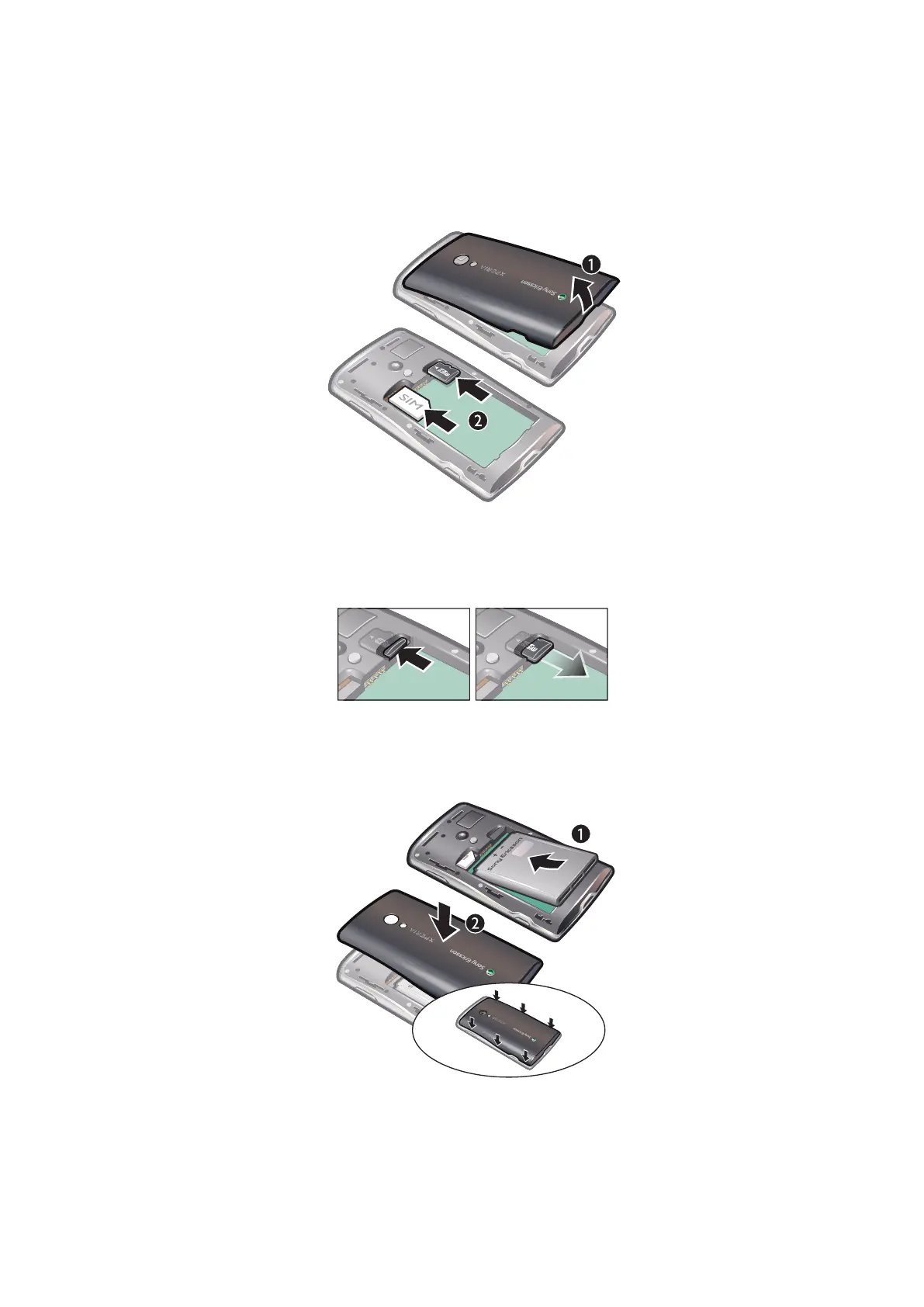
To insert the SIM card and the memory card
•
Slide in the SIM card and the memory card with the gold-coloured contacts facing
down.
To remove the memory card
•
Remove the battery cover and press the edge of the memory card to release and
remove it.
To insert the battery
•
Insert the battery with the battery usage labels facing down and the connectors
facing each other.
7
This is an Internet version of this publication. © Print only for private use.



 To Next Page