Podcasts
Music podcasts in the \music\podcast folder on the memory card
Audiobooks
Audio tracks which have the genre metadata "audiobook", "audio book" or "audiobooks"
Genres
Audio tracks listed by genre
To play audio content
1
From the Home screen, tap Mediascape.
2
If the music home screen is not shown, tap Music .
3
In the upper part of the screen, tap More.
4
Flick left or right to view items by category.
5
Browse to a track.
6
Tap a track to play it.
You can also play tracks by tapping the album art in the Recently played, Recently added and
Favourites playlists in the music home screen.
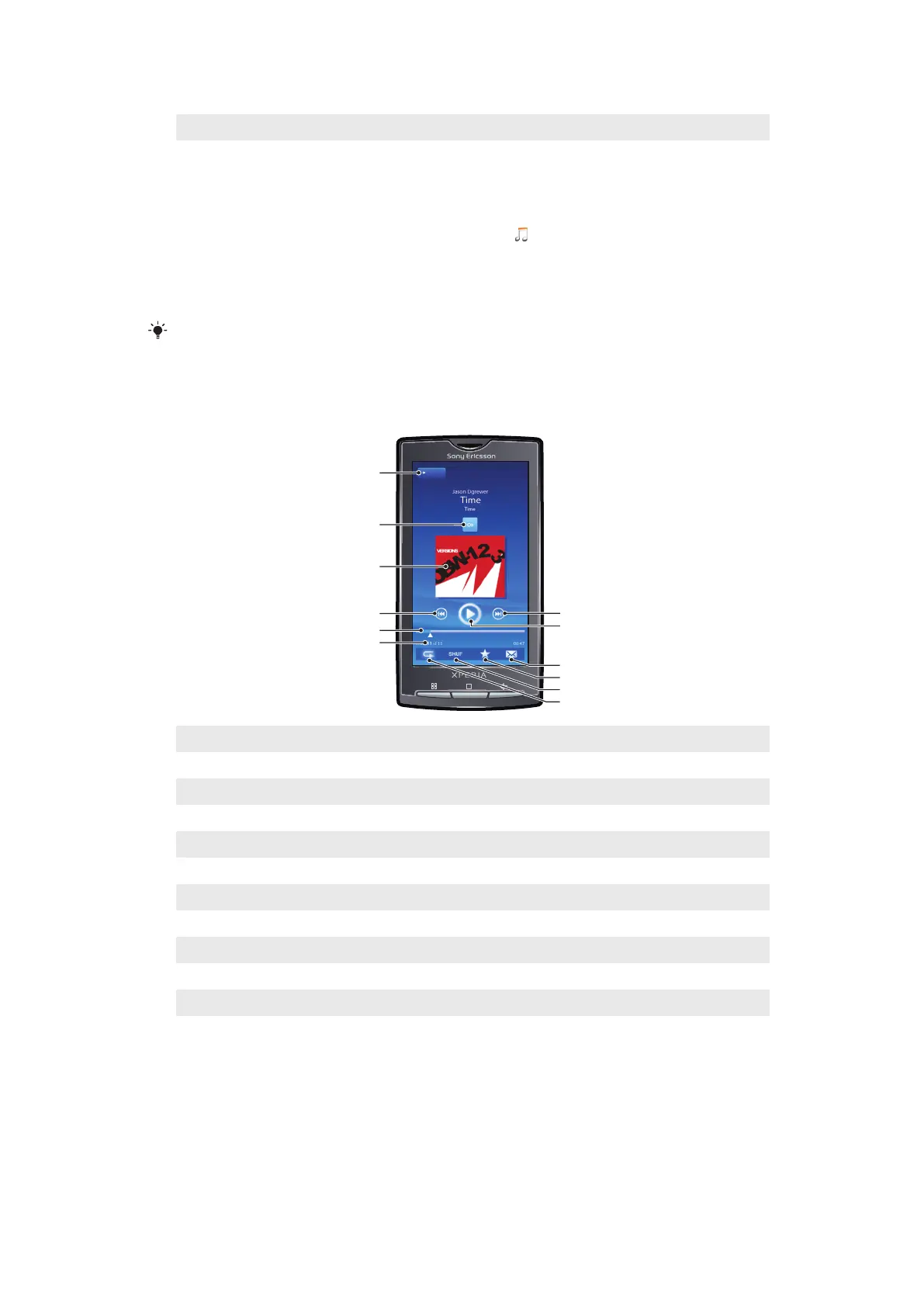
Music player overview
1
Home key. Go to the music home screen
2 Infinite button. Find related material on the memory card and online
3 Cover art (if available). View controls or current play queue by tapping
4 Previous key. Go to the previous track, or to the beginning of the track in the current play queue
5 Progress indicator. Fast forward or rewind by dragging or tapping
6 Track number in the current play queue
7 Next key. Go to the next track in the current play queue
8 Play/Pause key
9 Share (if not protected). Send the track using one of the available transfer methods
10 Favourite. Mark the track as a favourite
11 Shuffle. Play tracks in the current play queue in random order
12 Repeat. Restart the current play queue when the last track ends
Using the music player
To adjust the audio volume
•
Press the volume key.
74
This is an Internet version of this publication. © Print only for private use.



 To Next Page